Joomla 6.2 "Mwezi" Explained: A Better Editor, Safer Email and Security Update Flags

Joomla 6.2.0, code name "Mwezi", was released on 13 October 2026. It has no single headline feature. Instead, more than 130 pull requests improve the things you use every day: the editor, categories, email and the update screen. Like any minor release, it has no backward-compatibility breaks.
Should you update?
Yes, and it should be an easy one. The server requirements are the same as for 6.1: PHP 8.3 or newer (8.4 recommended), MySQL 8.0.13+, MariaDB 10.4+ or PostgreSQL 12+. If your site runs 6.1 today, it can run 6.2. MariaDB is now listed as a fully supported database in its own right, not just as a MySQL variant.
If you are still on Joomla 5.4, going to 6.2 is an upgrade, not a migration. Keep the Behaviour – Backward Compatibility 6 plugin enabled and most extensions will keep working. As always, take a backup first.
If you missed the previous release, our Joomla 6.1 "Nyota" overview covers the workflow editor and the proof-of-work CAPTCHA.
Writing content is smoother
Most of the visible changes are in TinyMCE, which is now version 8.9.1:
- Media Manager picker — inserting an image opens Joomla's own Media Manager.
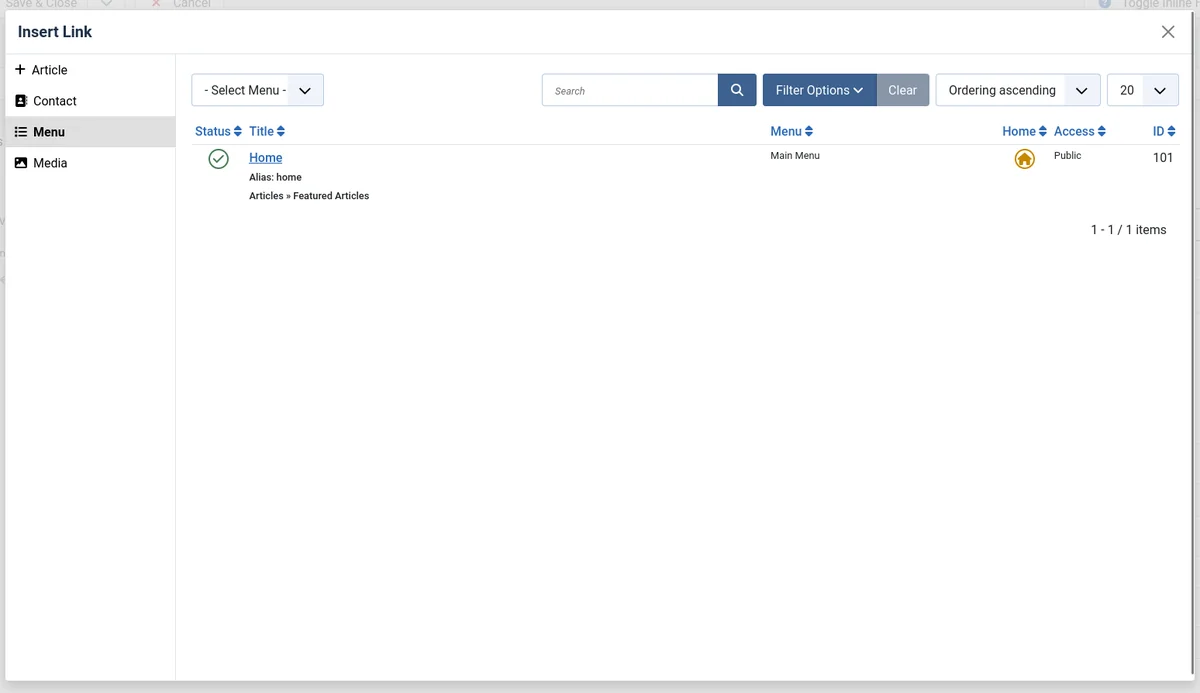
- One link picker — the article, contact and menu item buttons share a single modal.
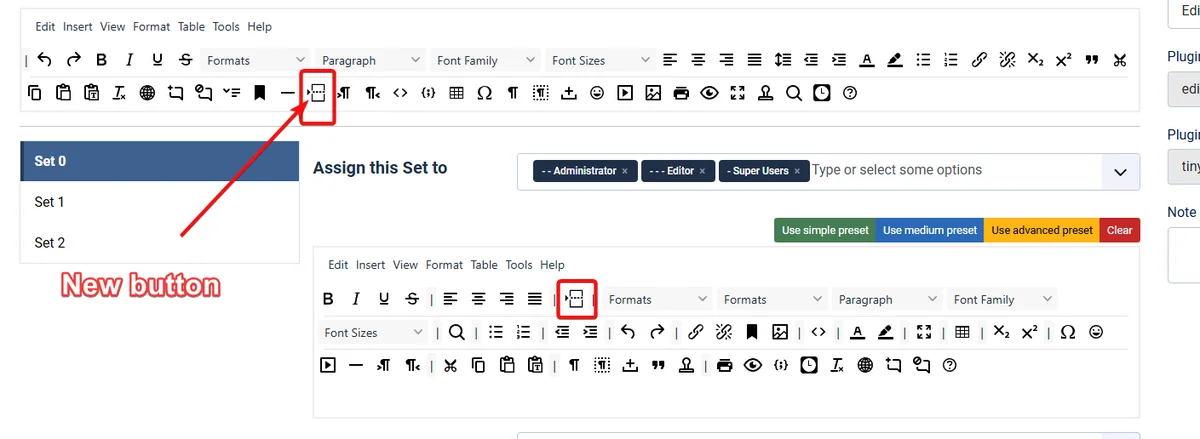
- Read More button — built into the TinyMCE toolbar to split intro text from full text.
- Joomla's text filter by default — TinyMCE follows the filter settings in Global Configuration instead of its own list of allowed elements. What you set in Joomla is what the editor keeps.
Smaller things you'll notice
- Intro and full-text images get separate CSS class fields for the image and for its surrounding
<figure>. - Category lists and blogs can show subcategory images (also for contacts and newsfeeds).
- Categories that only contain articles scheduled for later no longer look empty.
- The Login module can hide the "Forgot your password?" and "Forgot your username?" links without a template override.
- Nested submenus in the default menu layout open and close correctly.
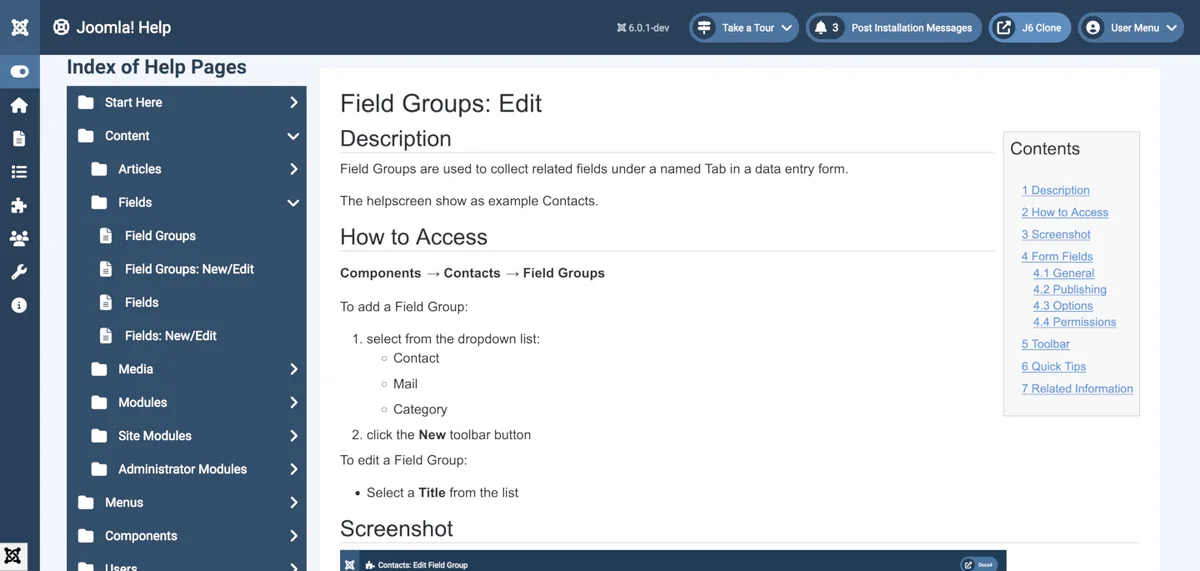
- The administrator Help page was redesigned to match the Atum template.
- Fancy Select search results show their group name, which helps when picking a module position.
- The installer and the SVG upload check give clearer error messages.
Email without a stored password
Joomla can now log in to an SMTP server with XOAuth2. Instead of saving your mailbox password in the configuration, you authorise Joomla once. The provider gives it a long-lived refresh token, and Joomla uses that token to get short-lived access tokens when it sends mail. This is most useful with Microsoft 365 and Google Workspace mailboxes.
What's new for developers
Flag your security releases
Update manifests accept a new <security> tag (#48127). The value is a severity from 0 to 4:
<update>
  <name>My Extension</name>
  <version>2.4.1</version>
  <security>3</security>  <!-- 0 none, 1 low, 2 medium, 3 high, 4 critical -->
  ...
</update>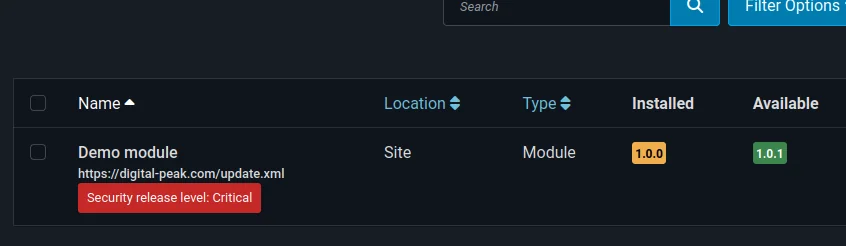
Flagged updates are highlighted under System → Update → Extensions and on the dashboard. Joomla shows the highest severity of all releases newer than the installed one, so a site that skips a security release still sees the warning. This part was also backported to 5.4.9 and 6.1.4. A missing tag means "no information", not "safe". If you have your own tools that read or write Joomla's update tables directly, test them, because those tables have a new column.
Enum form field
A new enum form field takes its options from a PHP enum (#48113). If your extension already models statuses or types as enums, you no longer have to keep a separate list of options in the form XML.
Content API
- Fetching a single article now returns
introtextandfulltextas separate fields instead of one merged body (#44566). Check this if you consume the API from a headless frontend. - Category endpoints accept a state filter (#46887).
Under the hood
- The MVCFactory service provider was refactored so it is easier to extend (#47718).
- The JavaScript and CSS build pipeline was rebuilt, with new builders and a watch-all command. This only affects you if you build Joomla core from source.
- Core tests now run on PHPUnit 12.
Deprecations to plan for
Nothing is removed in 6.2, but two things are now deprecated: the CMS Crypt package (#47443) and the static methods of MailTemplate (#47717). Your code keeps working for now; plan the replacement before the next major version.
Test your editor add-ons
The TinyMCE jump from 8.6 to 8.9.1 and the switch to Joomla's text filter can change what the editor keeps. If your extension adds TinyMCE buttons, plugins or dialogs, or relies on markup that the filter might strip, test it on 6.2.
Not in this release
A shareable preview link for unpublished articles was announced during the beta, but it was removed before the final release (#48325). Don't look for it in 6.2.