Next Inventory 6.1.0: App Manager, dark mode, and more

Next Inventory 6.1.0 is available today, 5 September 2026. It adds an App Manager that switches whole areas on and off, a dark mode that follows Joomla, a fully translatable interface, FIFO and LIFO costing screens that were never reachable, and an installer that survives Oracle MySQL. Updating from 6.0.x takes nothing away.
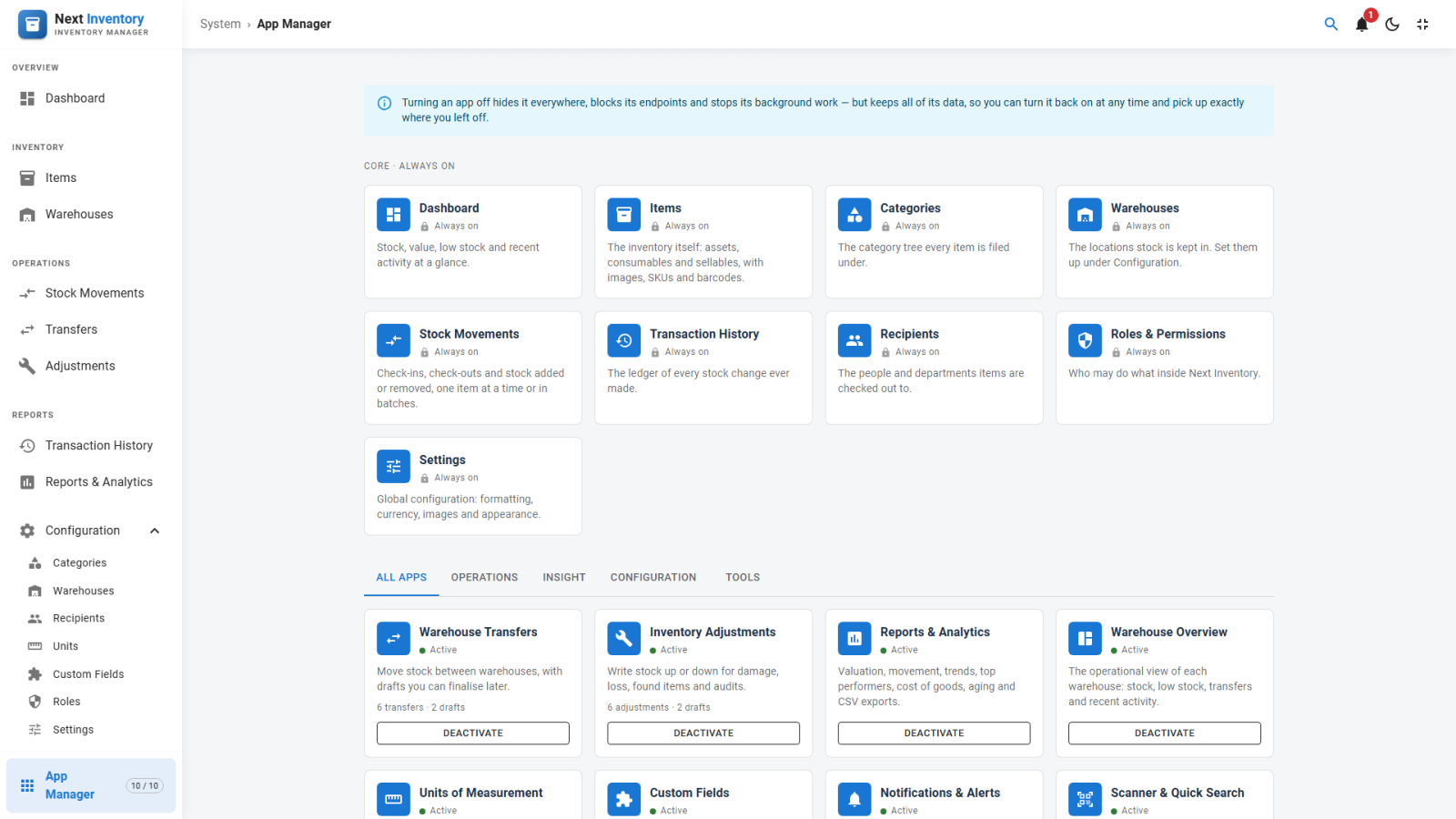
App Manager: switch off what you do not use
The new App Manager turns whole areas of the component on and off from one card grid: ten switchable apps in four categories, plus nine core areas that are always on. Transfers, adjustments, reports, the warehouse overview, units, custom fields, notifications, quick search, the offline app and demo data can each be switched off; items, categories, warehouses, the stock ledger, recipients, roles and settings cannot.
Switching an app off hides it from the menu, the routes and the dashboard, and refuses its requests; your data is never touched, so switching it back on restores everything exactly as it was. The confirmation dialog shows how much you actually use an app first.
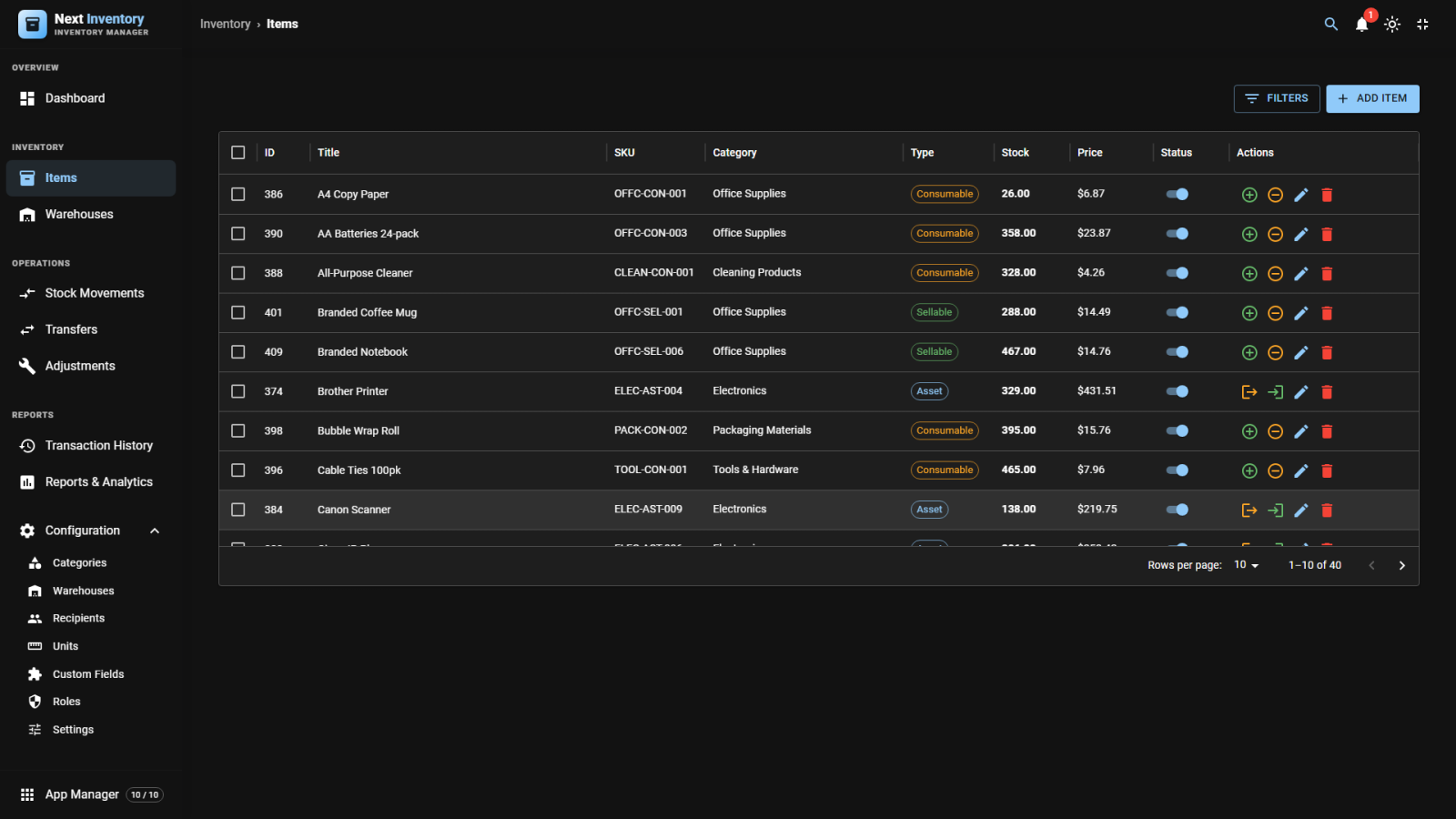
Dark mode that follows Joomla
Next Inventory now follows Joomla's own light and dark setting, so it no longer shows a blinding white panel inside a dark administrator. The theme button in the top bar drives Joomla's own switch, so one click re-themes the whole admin. A new Appearance tab in Settings sets the default for the public catalogue, where Joomla has no colour scheme to follow.
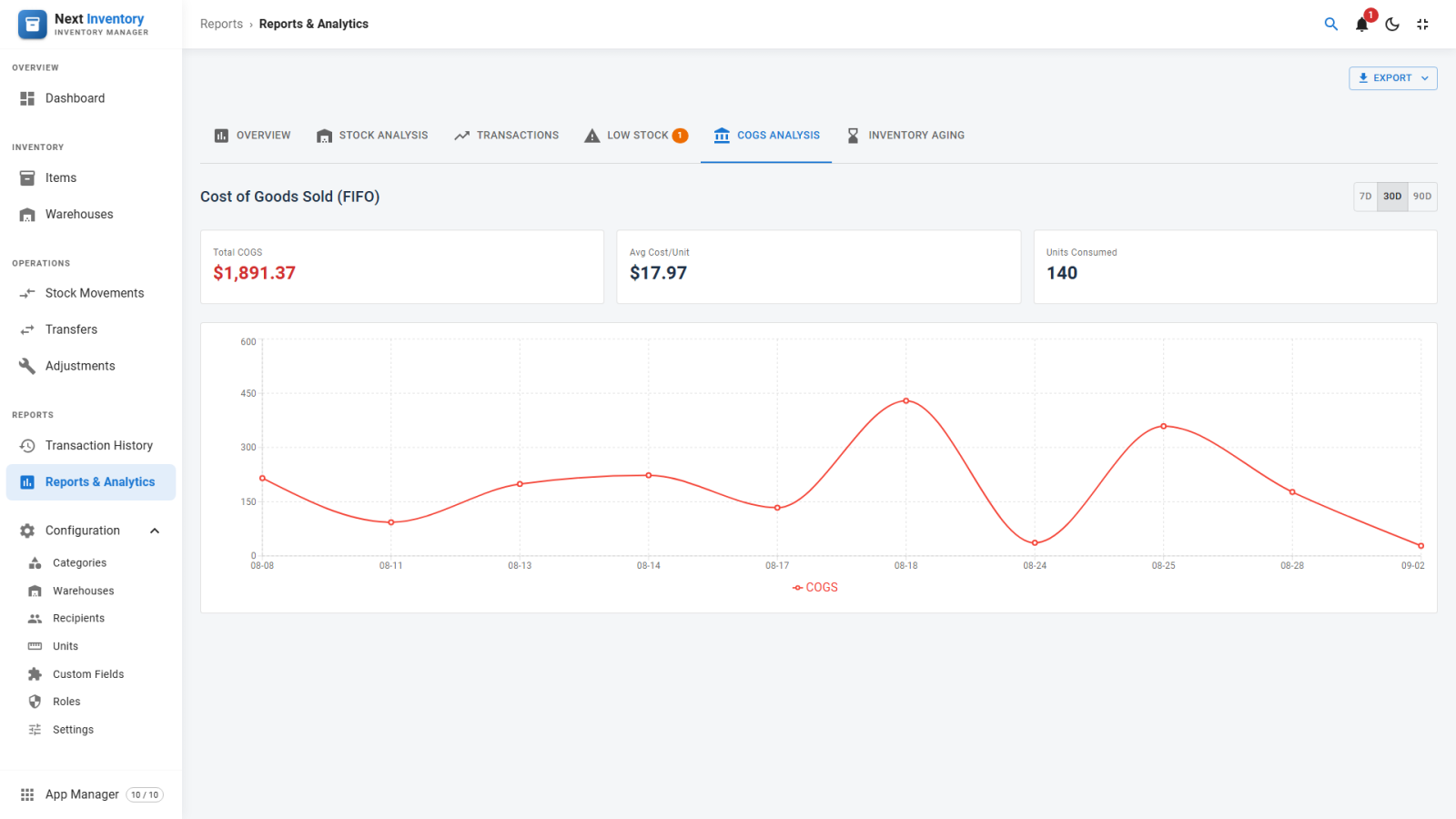
FIFO and LIFO costing, now reachable
Choosing FIFO or LIFO in Settings changed how stock was costed, but every screen that reports on it stayed hidden. Switching to FIFO or LIFO now reveals the COGS Analysis and Inventory Aging reports, the Inventory Layers panel on an item, the COGS column on the transaction list, and the Cost/Unit field when you add stock, so incoming batches carry their real purchase cost instead of the item's list price.
Everyday improvements
- Ctrl+K quick search — from anywhere, or Cmd+K on a Mac.
- Bulk actions on the Items list — publish, unpublish or delete several rows together.
- Unsaved-changes prompt — on every edit form and on Settings.
- Date pickers with presets — in your configured format, with Last 7, 30 and 90 Days and This Month shortcuts.
- Server-side sorting — a column sorts the whole list, not just the page in front of you.
- Low-stock widget — "View all" and "Add stock" now work, and the Items list gained low-stock and warehouse filters.
- Navigation — a breadcrumb trail in fullscreen mode, and an administrator sidebar grown from three entries to fifteen.
Fully translatable
The language file has grown from 145 entries to more than 800, where roughly a fifth of the interface had been reachable before. Language files are now installed where Joomla looks for them, so Joomla Language Overrides take effect throughout. Overrides made against 6.0.x had silently done nothing.
Demo mode, rebuilt
Installing demo data no longer wipes the site: sample rows are added alongside your own, every row is tracked, and removing the demo takes away only what it added. Visitors can now browse every screen read-only, on both the administrator and the public frontend. Install, remove and reset are restricted to Super Users, and a new scheduled task, "Next Inventory: Reset demo data", finally makes automatic resets work.
Security and installation fixes
- Demo sites no longer accept changes through the public frontend.
- Publishing and unpublishing on nine configuration screens now requires permission.
- Requests are refused unless they are known to be read-only, closing nine kinds of write the old block missed.
- Installation no longer fails on Oracle MySQL; a failed install is safe to retry, and uninstalling removes everything it created.
What this means for you
Every feature you already had arrives switched on. Only two apps start off: the Progressive Web App, which keeps your existing choice, and Demo Data, which is new and opt-in. A demo installed by a version before 6.1.0 left no record of what it created, so removing it clears all inventory data; Next Inventory warns you first, so back up before you confirm. 6.1.0 runs on Joomla 4, 5 and 6 with PHP 8.1 or higher and arrives through Joomla's own updater with your download key.