Next Exams 6.1.0: Live Monitor redesign, projector displays and timezones everywhere

Next Exams 6.1.0 is available today, 25 September 2026. The Live Monitor has been rebuilt around the people who need a human, with two projector displays and invigilator access you can prepare before an exam starts. Timezones now apply on every screen and in every email, and certificates wait for the results. Updating from 6.0.0 needs no extra steps and changes no database tables.
A Live Monitor that puts the people who need you first
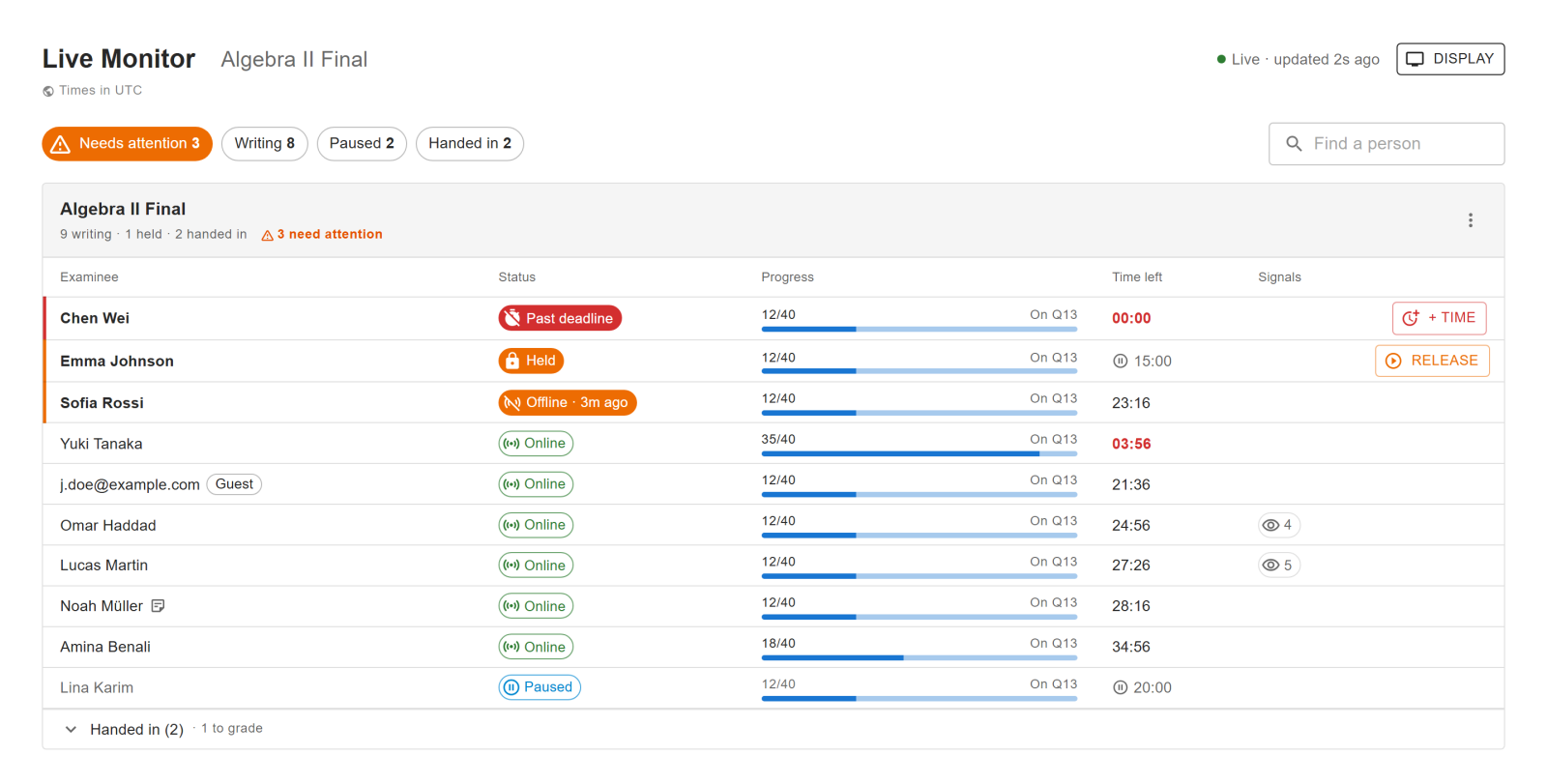
The old board gave every examinee the same weight and every action its own button. In 6.1.0 the Next Exams Live Monitor puts anyone who needs attention at the top, in this order: past their deadline, held by an invigilator, or offline. Each of those rows gets one clear fix, such as + Time or Release, and nothing else on the row competes with it.
- One status per examinee: Online, Offline · 3m ago, Held, Paused or Handed in, in words as well as colour.
- Filter chips and name search replace the counter tiles, with Needs attention first.
- One section per exam, each carrying that room's own actions. People who have handed in fold into a collapsed row at the bottom.
- Countdowns tick every second, and on tablets and narrow screens the table becomes cards.
Everything about one person in one panel
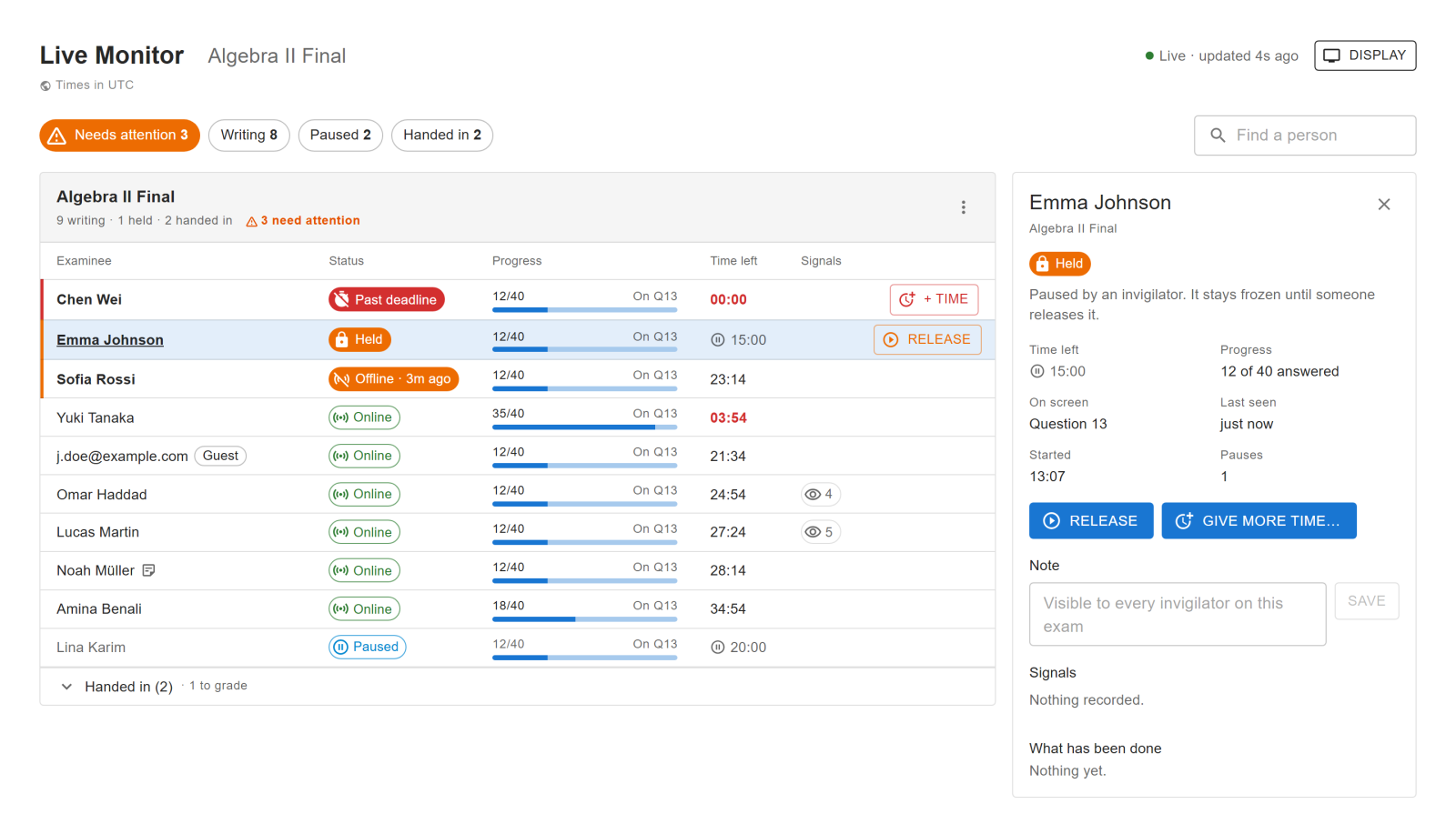
Click a name and a details panel opens next to the list. It explains in one sentence why the person needs attention and shows their time left, progress, the question on screen and when they were last seen. It also offers the actions that fit their state, with labels that follow it, so a held examinee is offered Release rather than a menu of look-alikes. Below the actions sit a note shared with the other invigilators, the integrity signals explained in words, and this person's history.
More time for the whole room
When the Wi-Fi drops for everyone, you can now give the whole exam more time in one step instead of row by row. The monitor warns you when the extra time would run past the exam's closing time, and pausing a whole exam now asks for confirmation first.
Two displays for the projector
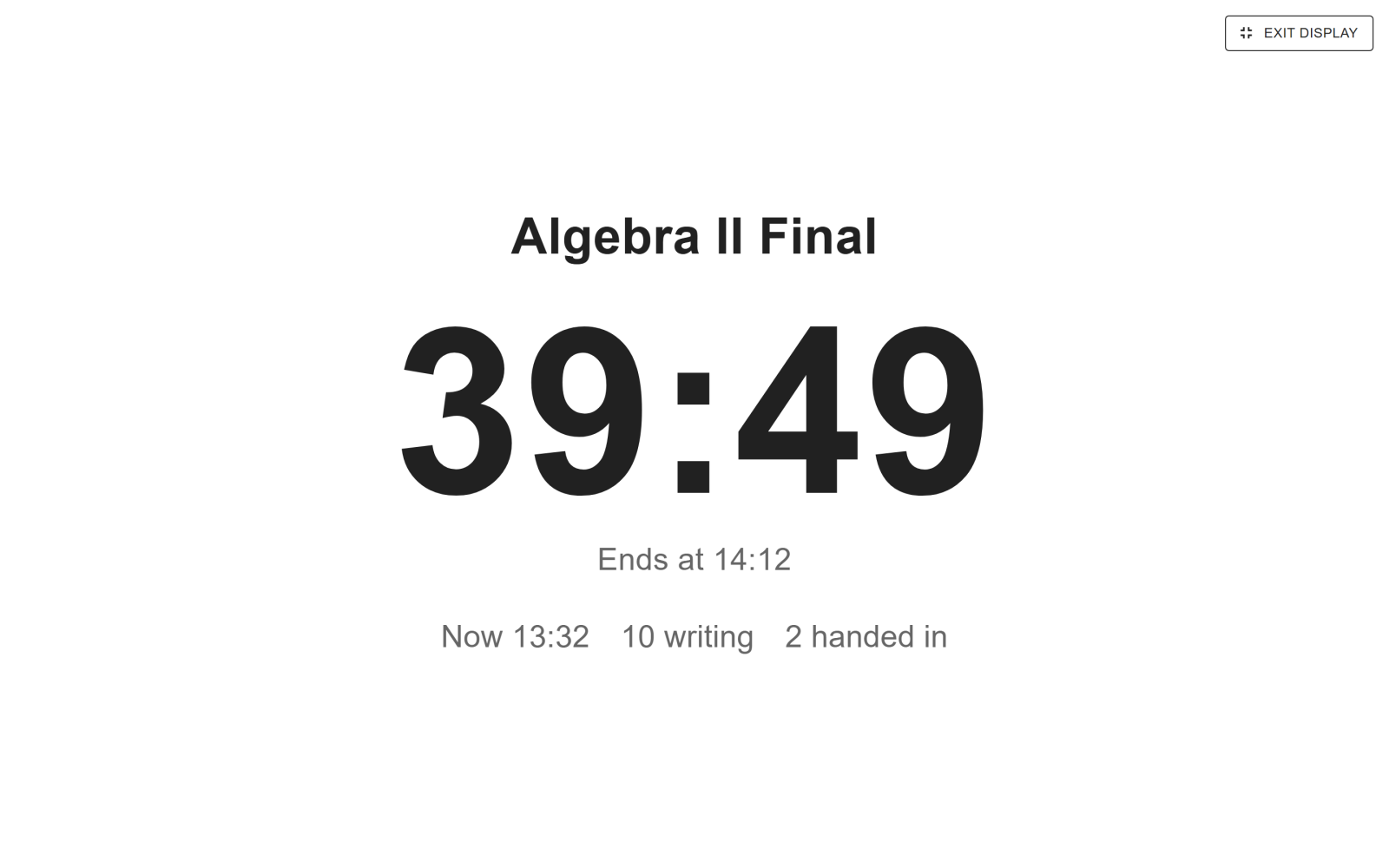
The Room clock is safe to show examinees. It gives the exam's title, a large countdown to the end, the current time and how many are still writing, and never shows a name. The Staff wall is a large-type, read-only list for the invigilators' side of the room, with attention first; when the room does not fit on one screen it pages by itself. Both open full screen from the Display menu.
Invigilators, ready before the exam starts
The exam picker now also lists exams nobody has started yet, whether open now, opening soon or found by search, so you can issue invigilator links and PINs the day before rather than once the room has filled. Each invite comes with a QR code to scan from a tablet. Two security changes come with it: an invigilator link or PIN can no longer take time away from an exam, and giving a whole room extra time requires a Joomla account.
Timezones, applied everywhere
The timezone setting used to be saved and then ignored. It now applies to every screen, export, certificate and email, and the setting itself is a searchable list that follows the site by default. Exam dates are entered in your own timezone, and learners can see and change theirs on the site. The exam page now shows when an exam opens, closes and is due. The settings documentation explains which timezone each screen and email uses.
Certificates wait for the results
A new My Certificates page lists a learner's certificates. A certificate is issued the moment an attempt passes, so until 6.1.0 a download or an email could tell a learner they passed before you had released the results. Now the download, the certificate issued email and the My Certificates module all wait. A held email goes out once the results are released. The certificates documentation covers each release policy.
Fixes
- A disconnected examinee could still show as online on the Live Monitor.
- Clocks froze in the optional streaming mode.
- Invigilators using an invite link saw no action buttons.
- The editor opened empty when reopening saved content.
- A locked Live Monitor showed the exam number instead of its name.
What this means for you
6.1.0 arrives through Joomla's own updater with your download key and runs on Joomla 4.4, 5 and 6 with PHP 8.1 or higher. We tested the update from 6.0.0 on all three Joomla versions with both MySQL and MariaDB. Two changes may be visible after updating:
- Timezone. If you never changed the old UTC default, dates now follow your site's timezone.
- Certificate emails. On an exam whose results you release by hand, the certificate issued email now waits until you release them.
The Live Monitor documentation walks through the new board.