Next Exams 6.2.0: Exam Studio, six visual question types, exam embeds and six new languages

Next Exams 6.2.0 is out. It is the biggest release since launch: a new full-window Exam Studio for building exams, six visual question types answered on a picture, an exam start screen you can embed in any article or module position, clean exam addresses, and six new languages, Arabic among them, shown right to left. It installs on Joomla 4.4, 5 and 6 as before.
Exam Studio: the whole exam on one screen
The four-tab exam builder is gone. In its place, Next Exams opens one full-window studio with three parts side by side: an outline on the left, the exam as cards in the middle, and the selected question's settings on the right. You write and edit questions in place, with no trip to the question bank. You pick from the bank with search and filters, build random draws that show how many questions match while you set them up, and reorder by drag or keyboard. Undo and redo cover everything you arrange, and one Save button stores the exam and every changed question together.
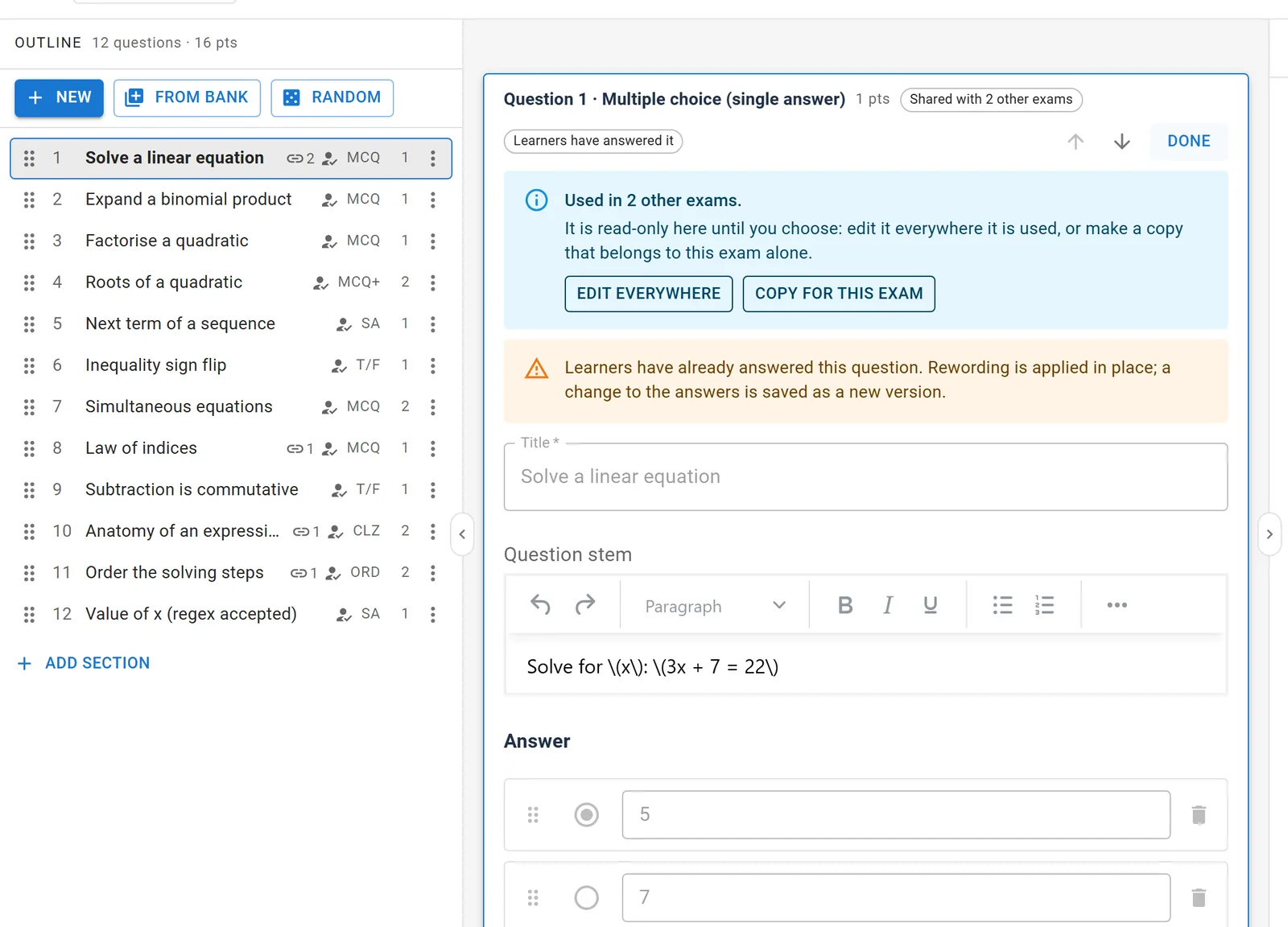
The studio also protects work that is already in use. Changing the answers of a question learners have answered saves a new version, and past results keep the old one. Unsaved changes survive a closed tab or an expired session. The Preview button shows the exam on your site's real exam page, at desktop, tablet or phone width, and records nothing. The Exam Studio guide walks through all of it.
Six visual question types
There are six new types: image choice, range (slider), hotspot, image marking, graph and puzzle. You draw hotspot and marking areas on the picture as rectangles, circles or polygons, and reshape them with handles. The range, graph and puzzle editors show the slider, the grid and the shuffled pieces while you set them up. Every visual type grades automatically, and the result shows the learner's answer drawn against the correct one.
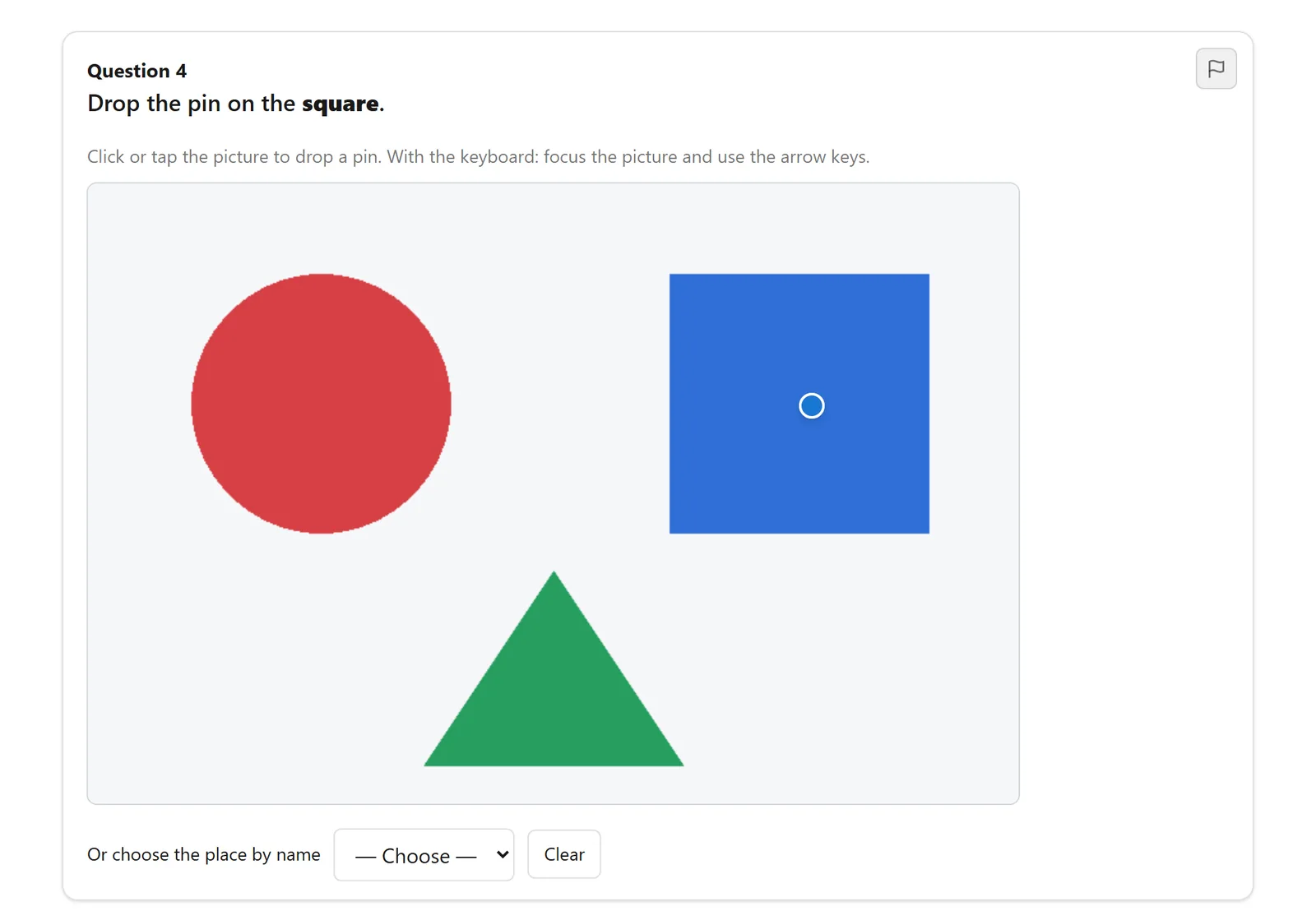
Accessibility is part of the contract. A hotspot always offers a list of named places, and image marking offers named regions, so a learner who cannot use a pointer is never stuck. The new types are an app in the App Manager, so you can switch them off if you don't need them.
Put an exam's start screen anywhere
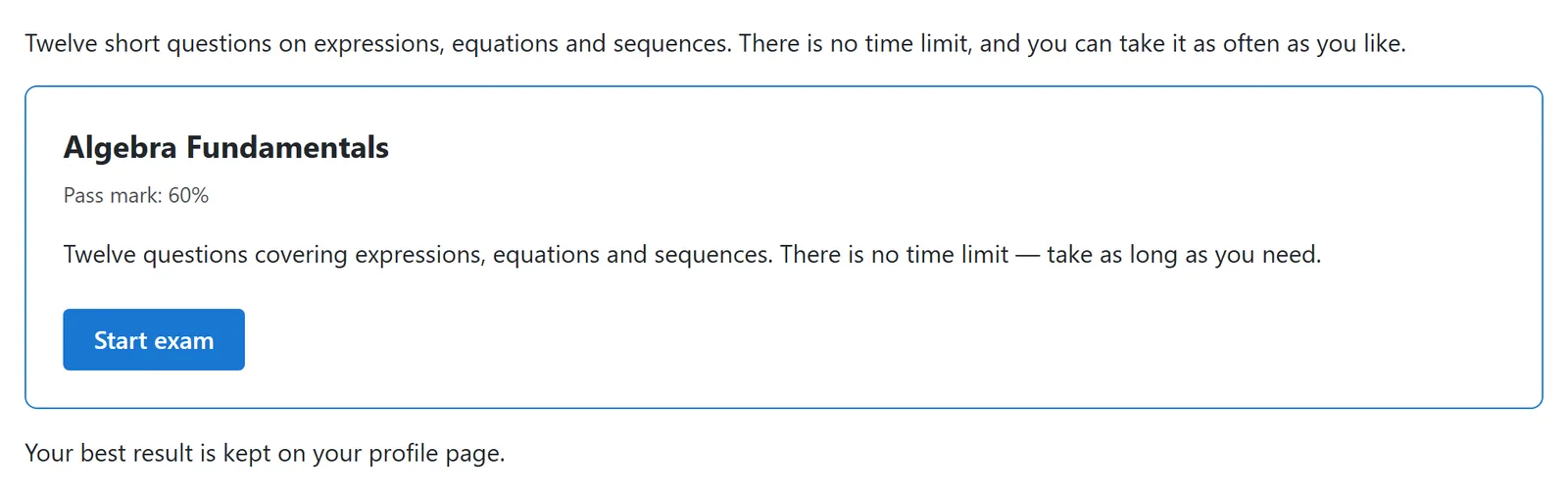
The {nextexam id=N} shortcode and the new NextExams - Exam module show an exam's real start screen inside an article or in a module position. That includes the access code, the guest details, and Start or Resume. A wrong code brings the learner back to the page they were on. With start=modal, the exam opens in a full-window view over the page and the result shows in the same window. See Site modules for the options.
Clean exam addresses
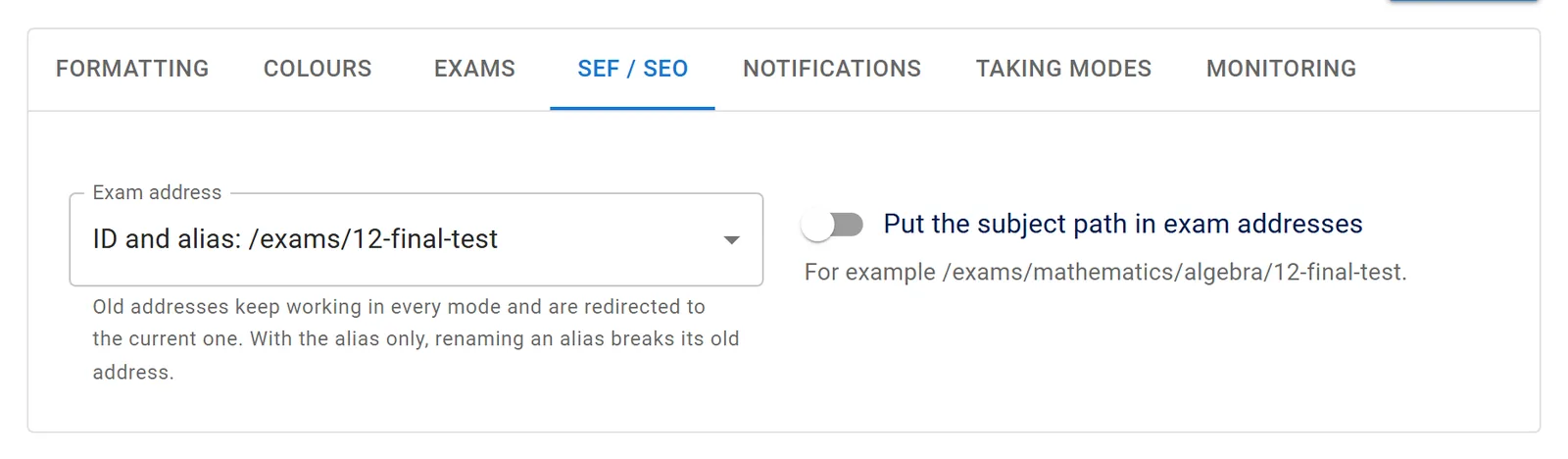
Exam pages now use addresses like /exams/12-final-test, with an optional subject path such as /exams/mathematics/algebra/12-final-test. You can choose alias only or ID only instead. Every exam page names its canonical address, and old addresses redirect to it with a 301. Links in emails, certificate QR codes, invigilator invites and webhooks use the clean form too. SEF URLs and SEO explains each mode.
Six new languages, right to left included
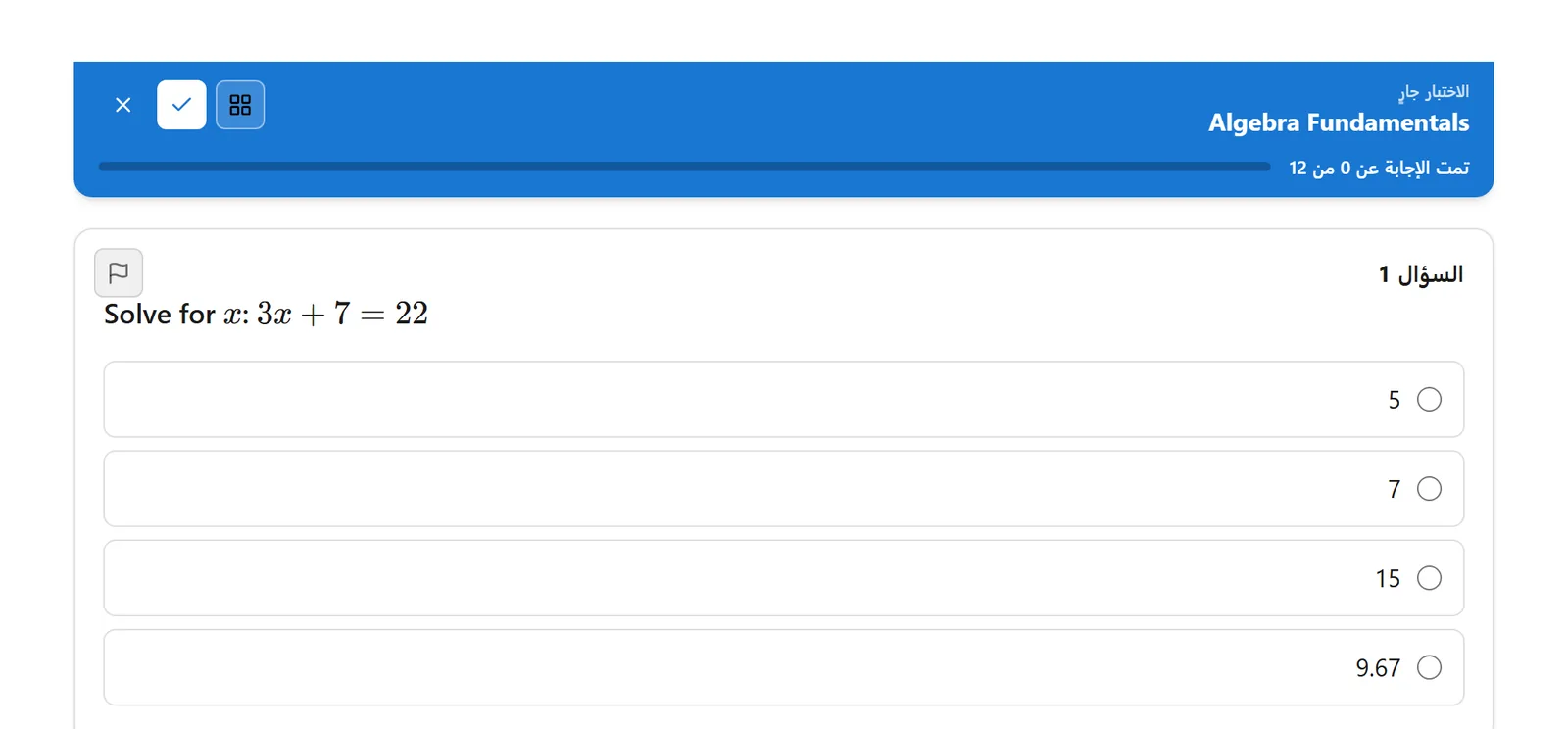
Next Exams now ships in English, German, French, Italian, Spanish, Hungarian and Arabic. In Arabic, the administrator app, the live monitor and the exam pages all run right to left, and certificate PDFs print Arabic with joined letters. A string that has not been translated yet shows in English rather than as its code. See Languages and RTL.
Fixes worth knowing about
- Security: with Joomla's System - Page Cache plugin on, one guest could be shown another guest's exam or result page. Next Exams pages are no longer page-cached. If you use that plugin, please update.
- Editing a question after learners had answered it could score their answers as zero. Answers now keep their meaning across edits.
- Negative marking, a question's own "Shuffle options" switch and essay word limits were saved but never applied. All three now work.
Updating
Update from Joomla's Extensions → Update as usual. The update adds three columns to the questions table and four settings, and needs no extra steps. Existing questions all stay in the question bank, and old exam addresses keep working. The full 6.2.0 changelog lists every change. For the previous release, see Next Exams 6.1.0: Live Monitor redesign and timezones.