Next DB 6.1: Auto-Updating Tables, Printing, Phone Layout and SEO

Next DB 6.1.0 is out. This release is about Data Views, the read-only tables you can publish on your Joomla site from any connected database. Tables can now update on their own, print properly and work well on phones. It also fixes some privacy problems, so please update if you use Data Views.
Joomla tables that update on their own
A Data View can now check for new data on a timer you set. Visitors don't need to reload the page, and they stay on the same page, sort, search and filters.
- Whole view: the table redraws when something has changed.
- Marked fields: only the columns you choose update. This works well for stock levels or scores.
- Highlight: changed rows or cells can flash in a colour you pick.
More control for visitors
You choose which of these controls each table shows:
- Shareable links: the search, sort, page and filters stay in the address, so visitors can reload the page or send the link to someone.
- Column chooser: visitors can show or hide table columns. Columns you've hidden stay hidden.
- Rows per page and fullscreen: both make long tables easier to read.
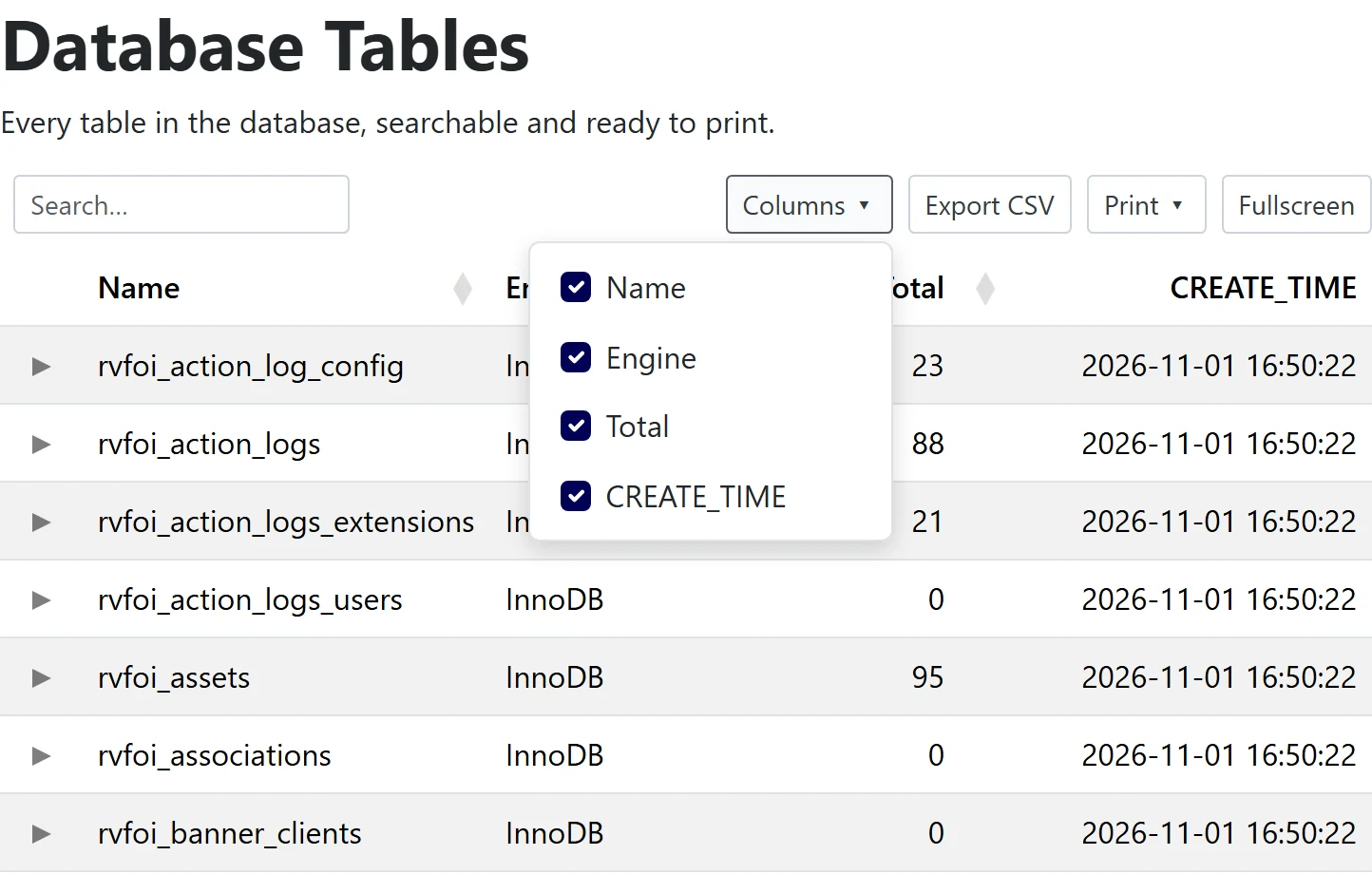
You can now also set the choices for select filters in the view editor.
Print a database table without the site around it
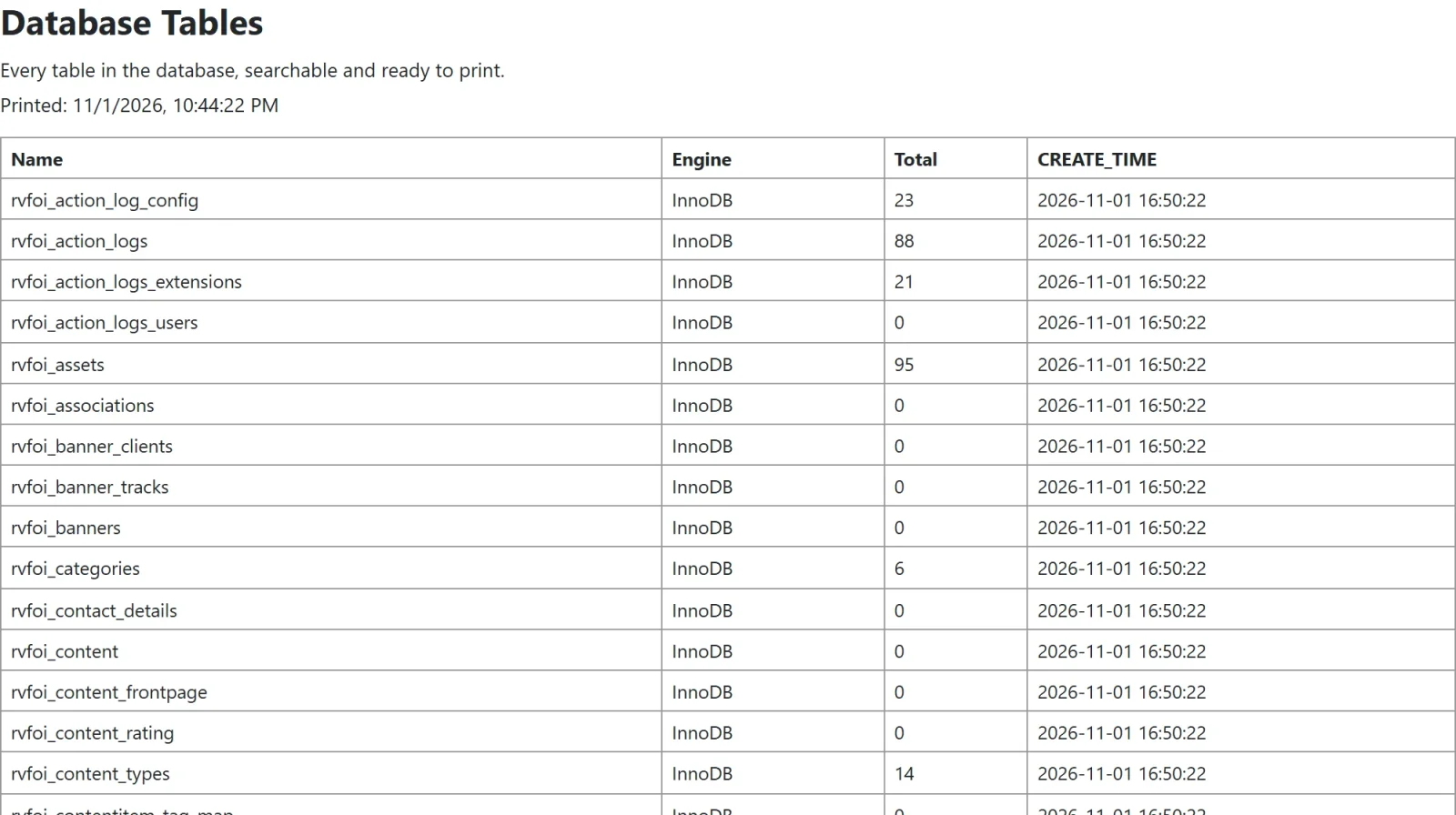
Print now has its own setting, separate from CSV export. Visitors can print the current page or all matching rows. The printout shows the heading, description, any search or filters in use, and the date. Your site's header, modules and footer are left out.
Easy to read on phones
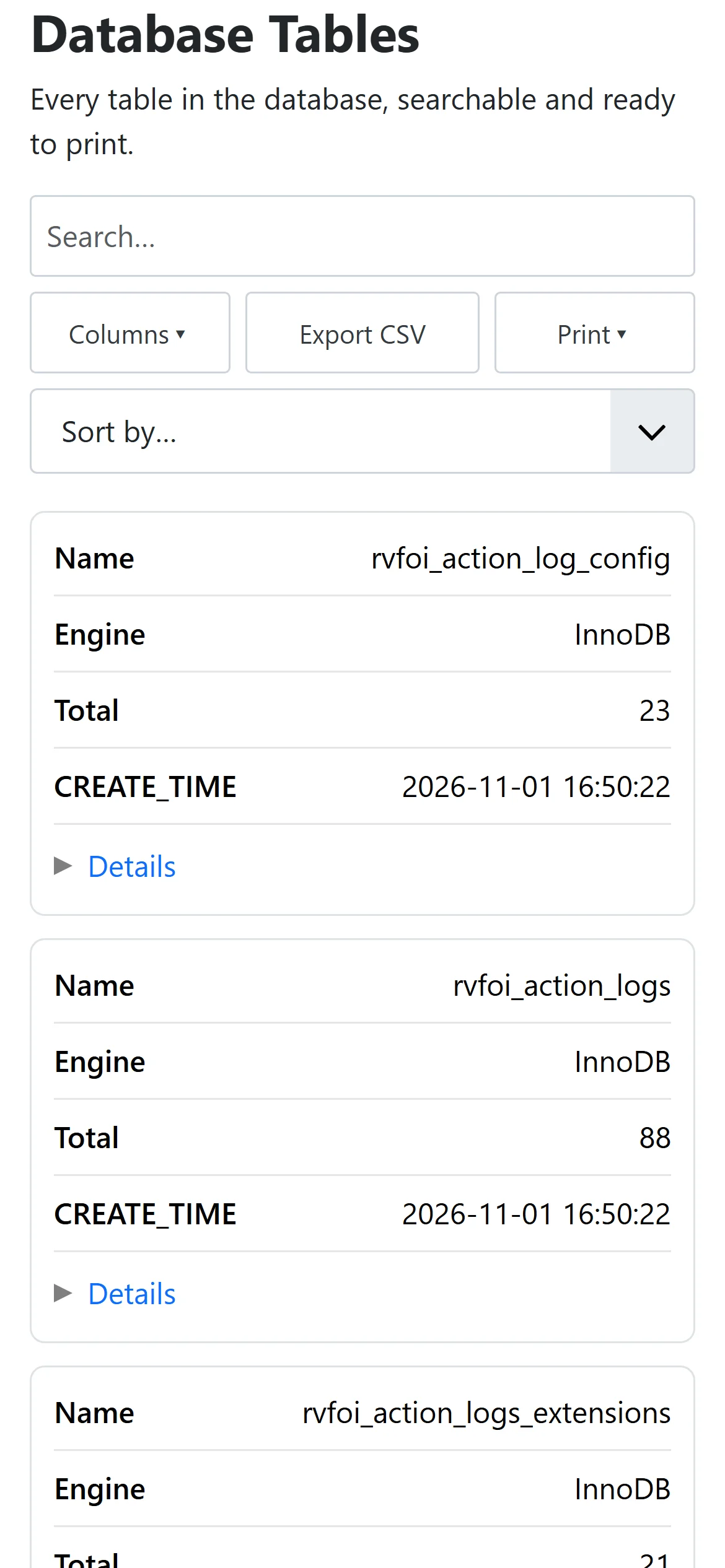
On a phone, each row becomes a card with the column name next to its value, so nobody has to scroll sideways. Sorting moves to a dropdown, filters sit behind a button, and menus open from the bottom of the screen.
Joomla menu settings and SEO
Data Views now use the settings on their Joomla menu item: Show Page Heading, Page Heading, Browser Page Title, Meta Description, Robots and Page Class. Each page also gets a canonical address and social sharing tags.
For public data, you can turn on a setting that puts the first page of rows in the page itself. This lets search engines read the rows even if they don't run JavaScript.
Security and bug fixes
- Row details no longer show columns you've hidden from visitors, and visitors can't search, filter or sort by those columns.
- If a view has search or filters turned off, the server now ignores them too.
- CSV exports can no longer run spreadsheet formulas from values in your data.
- A Data View menu item always shows its own view, whatever view id is in the address.
- Search and filters now work on PostgreSQL with number and date columns.
What changes on your site
There's nothing to migrate. Your views keep their controls, and new controls stay off until you turn them on. You will notice two things:
- View pages now show the view's title. You can turn this off for each view, or use a menu item heading instead.
- The toolbar now shares one row with the search box, and Print opens a small menu.
We tested installing and upgrading on Joomla 4.4, 5 and 6, with MySQL, MariaDB and PostgreSQL.
How to update
Update from inside Joomla, or download the package from the Next DB product page. To set up the new options, see the Data Views documentation. For the full list of changes, read the Next DB changelog.