Getting started with the REST API
A small public REST surface for integrating what you run alongside Next Restaurant — a kiosk, a mobile app, a partner's ordering front end.
It is off by default. Public endpoints are reachable without an admin session, so they are opt-in rather than opt-out.
The surface is deliberately narrow: read the locations, read the live menu, place an order. It is not a remote-administration interface, and it is not a reporting interface.
Two ways in
There are two transports for the same three operations, the same token and the same order engine.
| REST (recommended) | Query-string (original) | |
|---|---|---|
| Base | /api/index.php/v1/nextrestaurant |
/index.php?option=com_nextrestaurant&format=json |
| Style | Resource paths and HTTP verbs | One path, operation chosen by task= |
| Types | Real arrays, objects and numbers | Some fields are JSON-encoded strings |
| OpenAPI | Fully described | Cannot be described — see below |
| Status | Current | Supported, frozen |
Start with REST. It is the surface the OpenAPI document describes, so you can generate a client, load it into Swagger UI or Postman, and have your tooling validate responses for you.
The query-string lane still works exactly as it always has and is not going away — but it cannot
be expressed in OpenAPI at all. The specification keys every operation on a path plus a method,
and query parameters play no part in that identity; locations and menu are both GET on
/index.php, so a document describing them would have two get operations on one path, which is
not expressible. That limitation is the reason the REST routes exist.
The two lanes are documented together below: each endpoint shows the REST form first, with the query-string equivalent underneath.
Enabling it
- Go to Apps and turn on the API module.
- Go to Integrations and press Generate token.
- Copy the token immediately — see below.
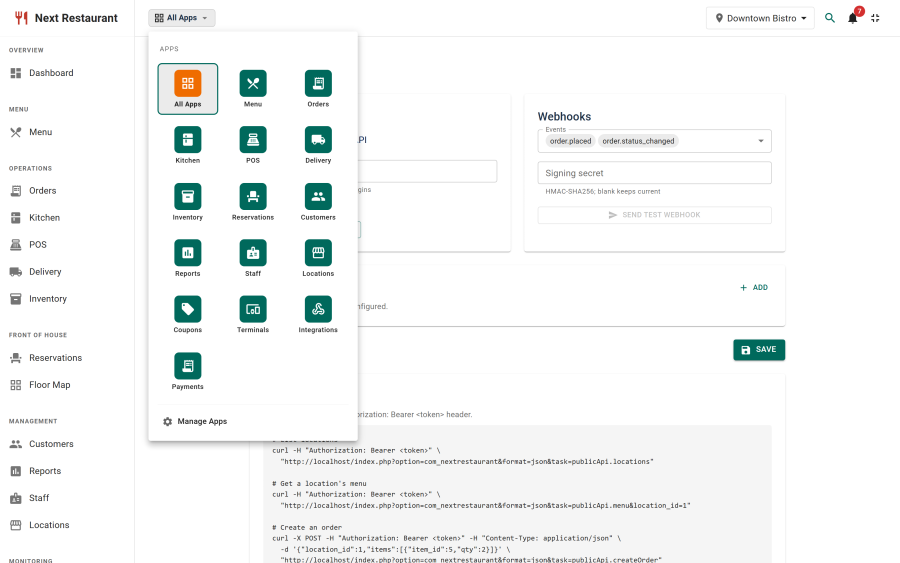
There are two switches and both must be on. The API module under Apps is the master shutoff; the Enable API checkbox under Integrations is the day-to-day one. Turning either off refuses every request, whoever holds the token.
Once the API is on, Integrations shows an API health panel that checks the setup for you — see API health below.
Authentication
Every request carries a bearer token:
Authorization: Bearer <your-api-token>X-Api-Token: <your-api-token> is accepted as an alternative for clients that cannot set an
Authorization header.
The token is shown exactly once, when you generate it. Only a SHA-256 hash is stored, so it cannot be recovered later — if you lose it, generate a new one. Generating invalidates the previous token immediately, which is also the recovery path if one leaks.
There is one token per site. It is not scoped per integration, so two consumers sharing a site share a token, and regenerating cuts both off.
API health
With the API switched on, Integrations → API health checks that clients can actually use it:
| Check | What it means |
|---|---|
| Authorization header | Whether your web server passes Authorization: Bearer through to Joomla |
| API token | Whether a token has been generated at all |
| REST routes | Whether the Web Services - Next Restaurant plugin is enabled; without it /api/index.php/v1/nextrestaurant/… answers 404 |
| HTTPS | Whether the site is served over HTTPS, so the token isn't sent in clear |
The first three stop every client, so they are also raised as a banner across the whole admin, for users who can manage settings, until they are fixed. Re-check runs the header test again immediately; it also re-runs by itself once a day.
When the web server drops the Authorization header
Some servers remove the Authorization header before PHP ever sees it. Every bearer request then
fails with 401 Invalid API token, exactly as if the token were wrong. It is a server setting, not
something the extension can work around:
| Server | Drops the header? |
|---|---|
| nginx + PHP-FPM | No |
| Apache + mod_php | No |
| Apache + PHP-FPM or mod_fcgid (FastCGI) | Yes, unless configured |
The API health panel shows the fix for your server. On Apache, any one of these works:
-
Rename
htaccess.txtto.htaccessin the site root. Joomla's own file already contains the fix (and you likely want it for SEF URLs anyway). -
Or add this line to the virtual host or
.htaccess(Apache 2.4.13 or later):CGIPassAuth On -
Or, on mod_fcgid, add
FcgidPassHeader Authorizationto the virtual host.
On nginx, if a custom configuration strips it, add to the PHP location block:
fastcgi_param HTTP_AUTHORIZATION $http_authorization;Until the server is fixed, clients can send the token as X-Api-Token: <your-api-token> instead —
custom headers are never stripped.