Next Inventory 6.2.0: a REST API and webhooks for your other systems

Next Inventory 6.2.0 adds a REST API and webhooks. Another system, such as an ERP, a web shop or your own admin tool, can now read and change items and stock, and receive a signed message whenever stock changes. The update keeps all your data and settings.
Why we added an API
A customer runs their own admin system and wanted their team to manage stock from it rather than from the Joomla administrator. Until now that was not possible. With 6.2.0, Next Inventory remains where stock is recorded, and other systems connect to it through the API. The guide to connecting your own admin system covers that setup step by step.
The REST API
The API is at /api/index.php/v1/nextinventory on your own site. It covers items (including barcode and SKU lookup and item images), categories, warehouses, recipients, units, stock movements (check in, check out, add and remove), transfers, adjustments, the transaction log and the reports. Each site also publishes an OpenAPI 3.1 file, which you can open in Postman or Swagger UI or use to generate a client. The REST API getting started guide takes you from creating a token to your first request.
Requests made through the API are checked in the same way as changes made on screen: the same permissions, form validation and stock rules apply, and every stock change is recorded in the transaction log.
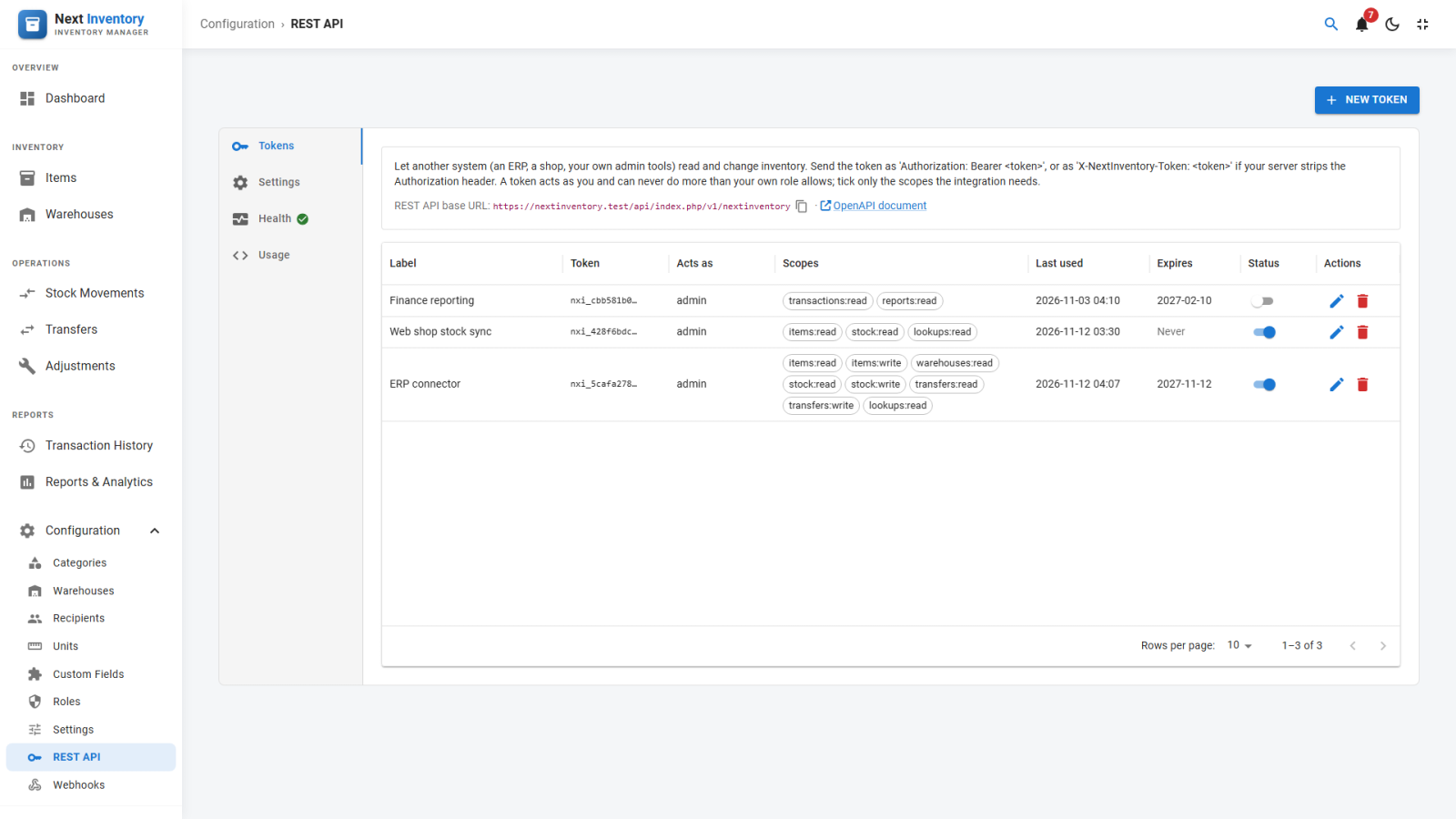
- One token per integration. Create a token under Configuration → REST API and tick only the scopes it needs. Choose when it expires: never, after 30, 60 or 90 days, after 6 months or a year, or on a date you pick. The token is shown once.
- Limited to its owner's role. A token acts as the Joomla user who created it and cannot do more than that user's role allows, even with every scope ticked.
- Safe retries. A change sent with an
Idempotency-Keyheader runs once. If the connection drops and the integration sends the same request again, it receives the first answer instead of recording the change twice. - No overwritten edits. Each record comes with an ETag. A change sent with
If-Matchis refused if someone edited the record in the meantime. - Rate limits. Reads and changes are limited separately for each token (300 and 120 per minute by default), and every answer says how many requests are left. An address that sends more than 20 unknown tokens in 5 minutes is refused until the 5 minutes are up; a valid token is never refused.
The API conventions page explains paging, errors, retries and rate limits in detail.
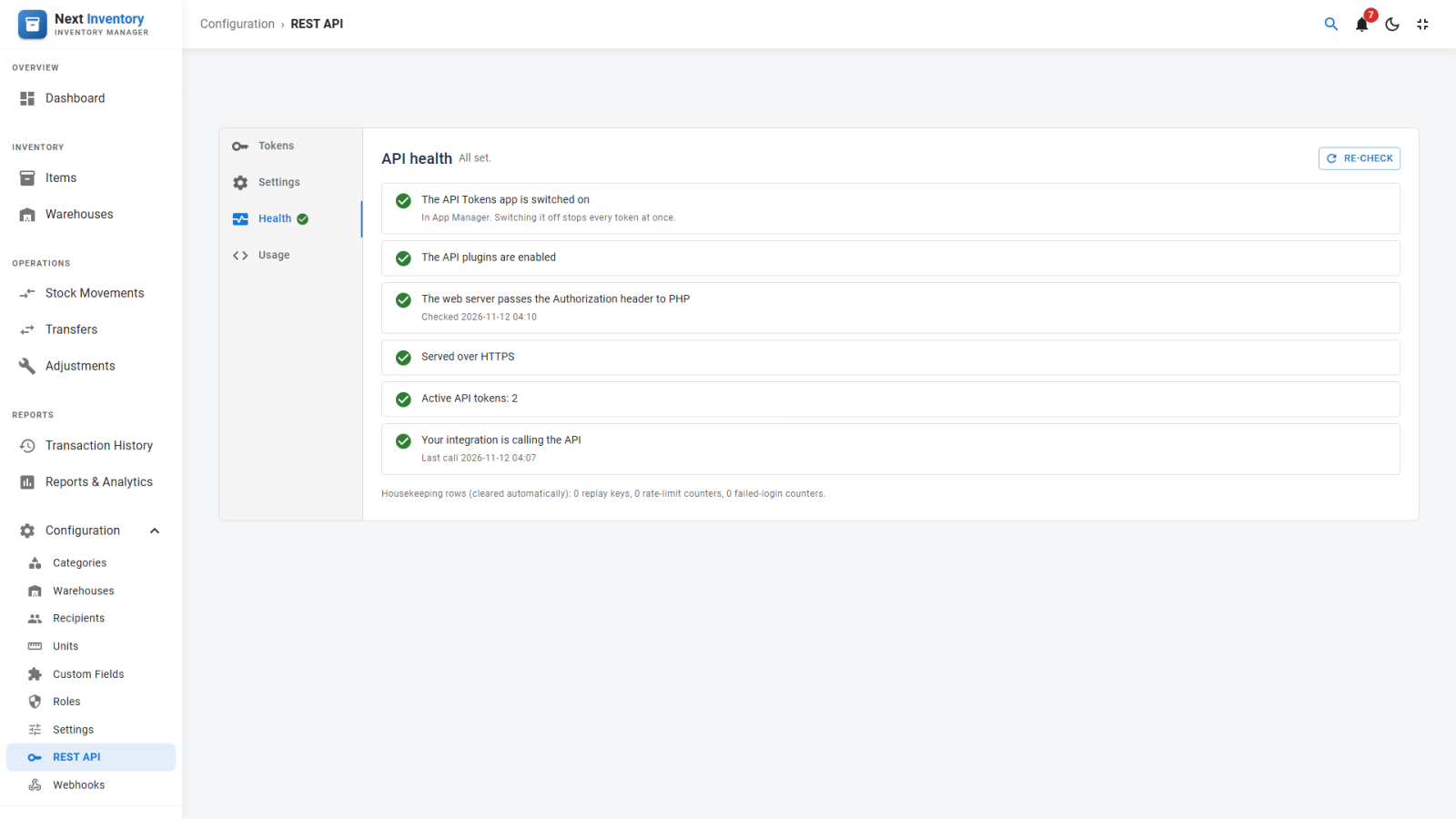
Setup checks on the Health tab
Some hosts remove the Authorization header before PHP sees it. Every request then fails with a 401 error, even with a correct token. The Health tab tests this with one real request and shows the fix for your web server. It also checks that the API plugins are switched on, that the site uses HTTPS, that a token exists and that the first request has arrived. The steps are numbered, and the next one to do is highlighted with its button or fix. The tab's icon shows the result without opening it: red when something is broken, amber while steps remain, green when everything is done. Our REST API best practices cover the header fix and how to store tokens.
The Usage tab has curl examples with your own site's address filled in, ready to copy, and the Settings tab holds the rate limits.
Webhooks
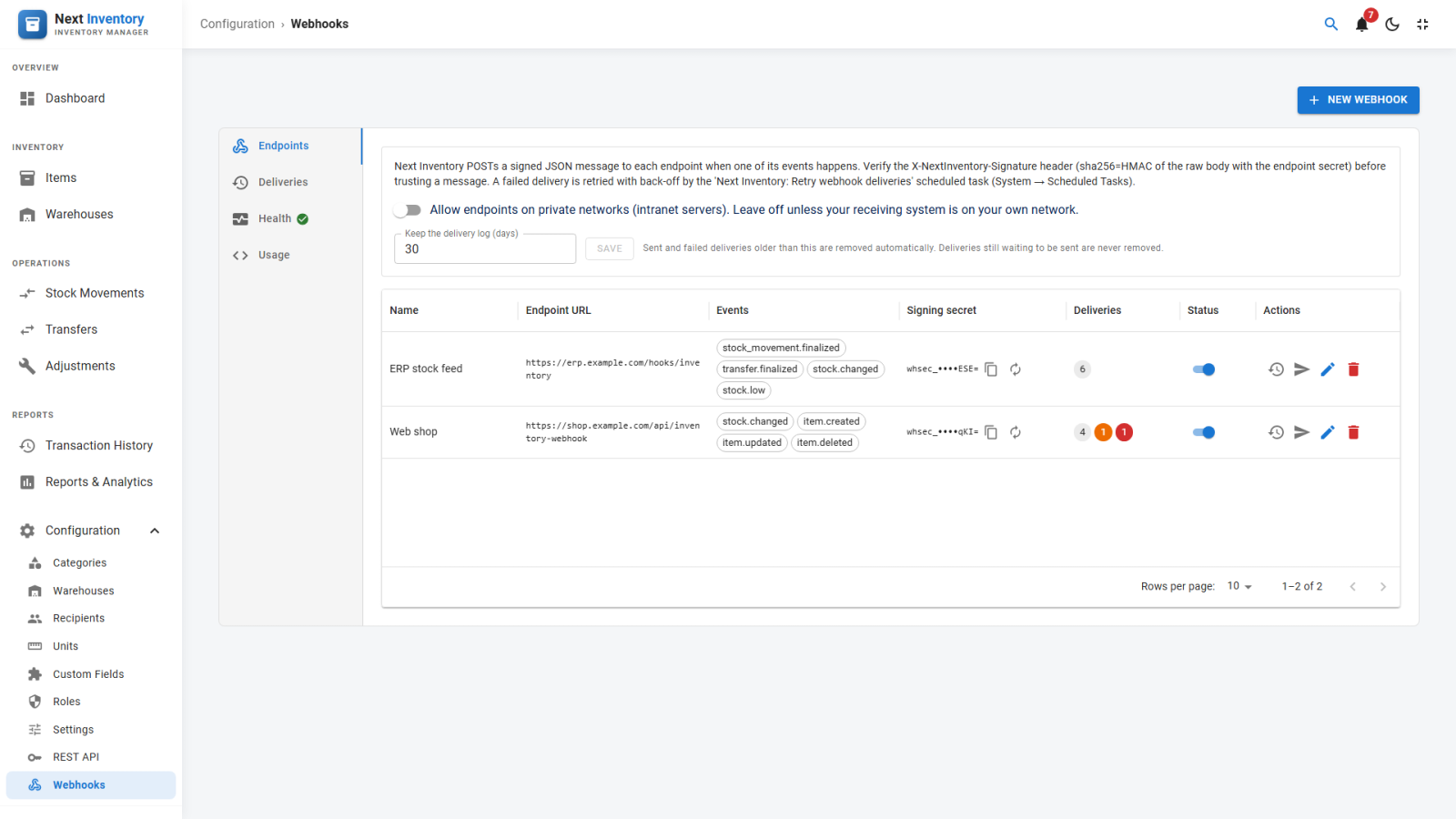
Under Configuration → Webhooks, enter the address of your other system and choose the events it should receive. Next Inventory then sends it a message when stock changes, when an item falls to its low-stock threshold, when a movement, transfer or adjustment is finalized, and when an item, warehouse or recipient is created, edited or deleted. The webhooks setup guide walks through the first one.
- Signed messages. Each webhook has its own secret, used to sign every message, and you can copy or replace it at any time. The Standard Webhooks headers are sent as well, so receivers can use existing libraries that also reject replayed messages. See how to verify a signature.
- Retries. If the receiver is down, a failed delivery is tried again up to eight times, from 1 minute to 24 hours apart, which covers about a day and a half.
- Delivery log. Filter it by status and resend any delivery. You choose how long it is kept (30 days by default), and you can clear it with one click.
- Health tab. It warns when deliveries are overdue because the retry task is not running, and offers Retry due now.
Switching it off, and keeping a record
The API and webhooks are two new apps in the App Manager, in a new Integrations group. The App Manager arrived in Next Inventory 6.1.0. Switching the API app off refuses every token at once. Creating, changing, enabling, disabling or deleting a token or webhook, and changing an API setting, is recorded in Joomla's User Actions Log with the user's name. Tokens and secrets are never written to the log.
Other changes
- Transfers and adjustments check stock. Finalizing a warehouse transfer, or a damage or subtraction adjustment, now checks that each item has enough stock, as stock movements already did. Before, it could take an item below zero.
- Smaller updates. Each update now removes the previous release's JavaScript files. Until now they stayed on the server, about 20 MB per update.
How to update
Update from the Joomla updater as usual (System → Update → Extensions) with your download key. Your data and settings are kept, and the two new apps do nothing until you create a token or a webhook. Before release, we tested the upgrade from 6.0.0, 6.1.0 and 6.1.1 on Joomla 4, 5 and 6, with both MySQL and MariaDB. The full list of changes is in the Next Inventory changelog.