Next Restaurant 6.1.0: move your data in, run payroll, and connect other systems

Next Restaurant 6.1.0 is out. It is the release for restaurants that are moving over from another system, and for anyone who wants their restaurant software to talk to the rest of their business: you can now bring your menu, staff, customers and sales history with you, run payroll from the time clock, take card payments through Stripe, and connect other software through a much bigger API.
Bring your data with you
Moving to a new system usually means typing the menu in again. Not any more. Configuration → Import data reads exports from Toast, Square, Clover and Lightspeed, from another Next Restaurant site, or from any CSV or Excel file. You can import four things: the menu, employees, customers and past sales.
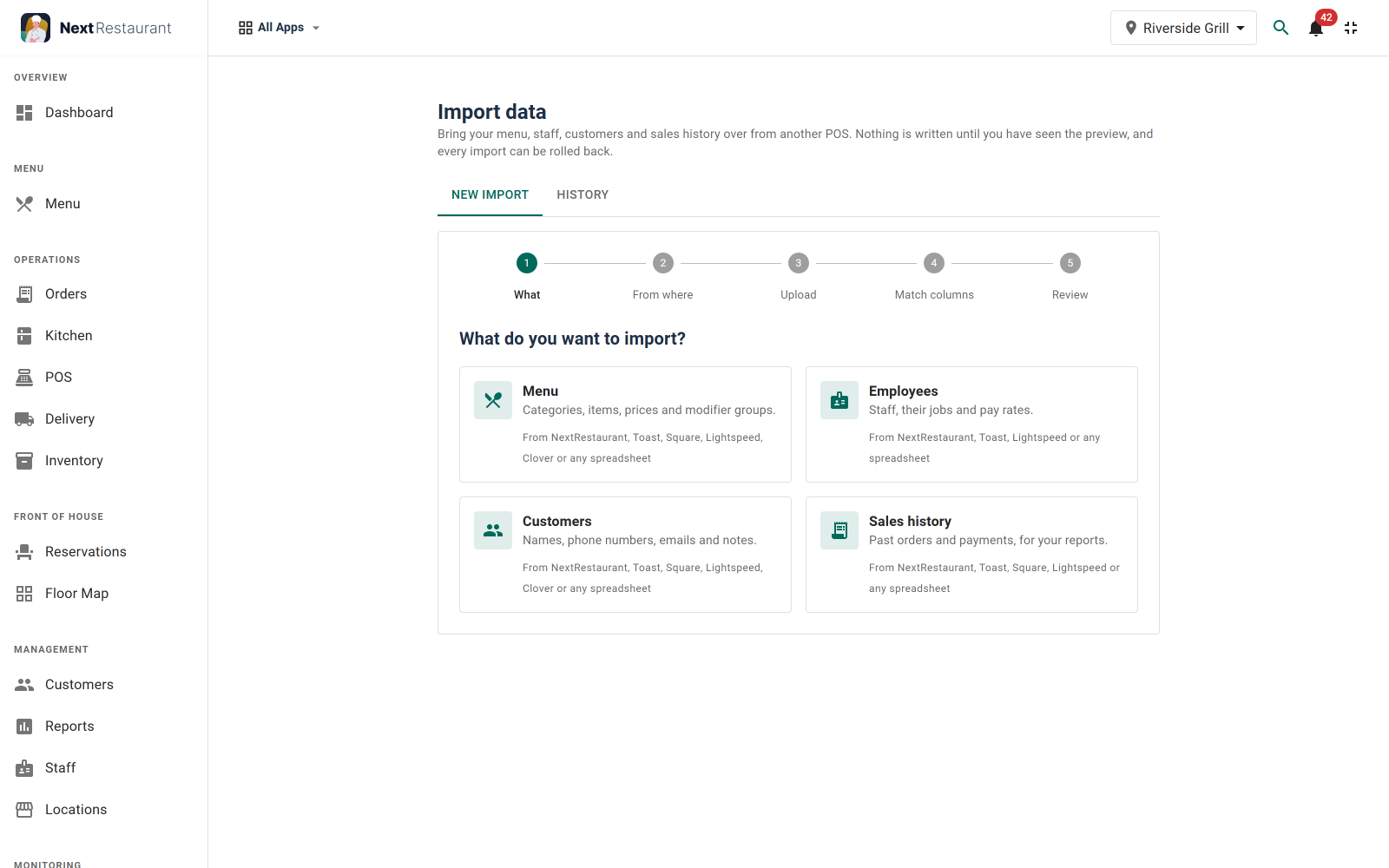
Nothing is written until you have seen a preview of every record, with what will happen to it and why. If an import goes wrong, open its history and roll it back. Old sales come in as a record only: they show up in your reports, but they do not print kitchen tickets, move stock or email anyone.
The other direction works too. Export data saves your menu, staff, customers or sales to Excel or CSV, with the columns you choose. The import guide lists what each source can bring over.
Payroll from the time clock
The new Payroll screen adds up each employee's hours for the pay period, with daily and weekly overtime, and works out gross pay from their rate. Weekly, two-weekly, twice-monthly and monthly periods are all supported.
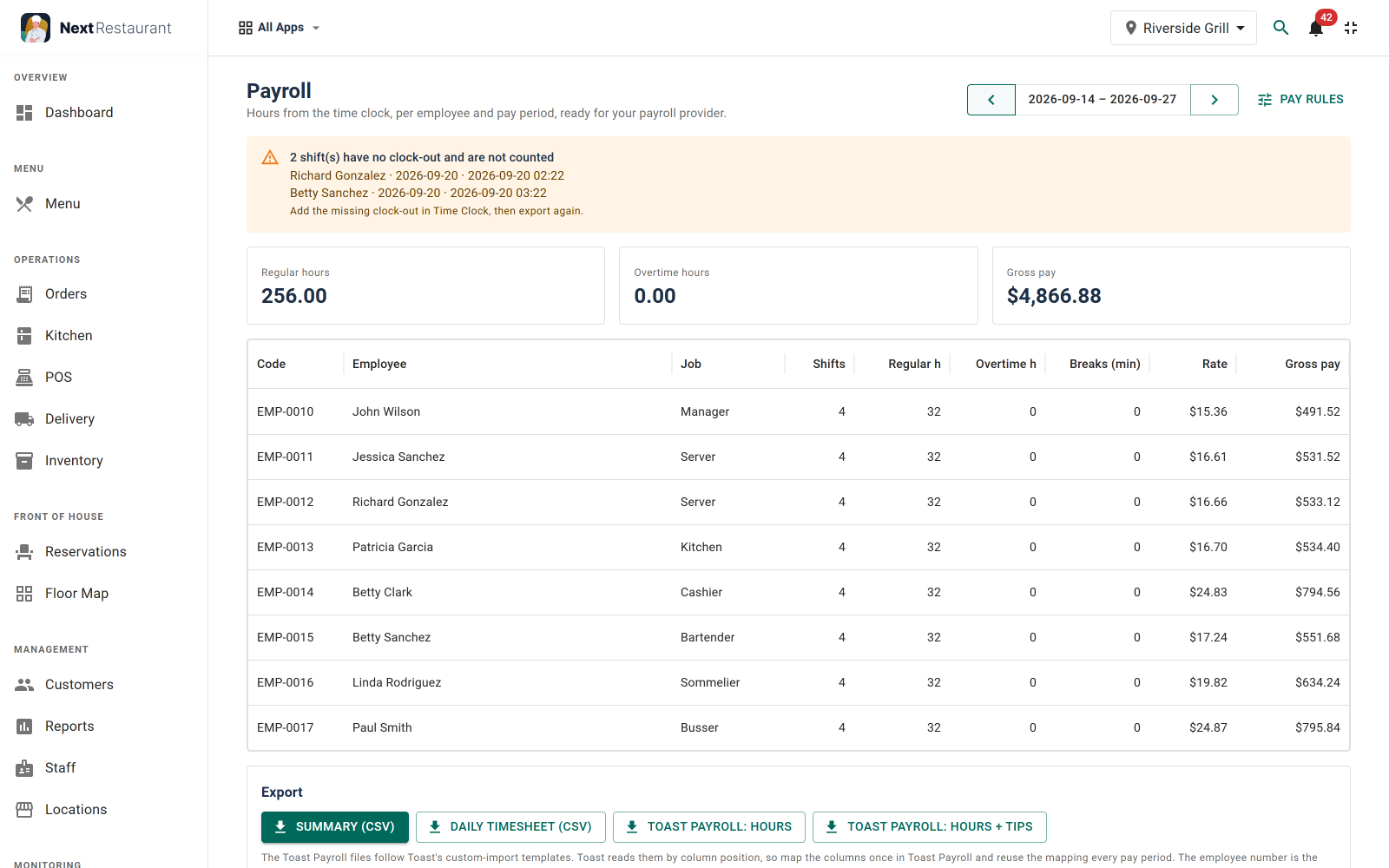
When the period is done, download a summary, a daily timesheet, or the files Toast Payroll imports. See Payroll in the documentation for the overtime rules.
Stripe, and pay links at the till
Guests can now pay online through Stripe, by card, wallet or a local payment method, on the online menu and at QR tables. Refunds work in part or in full, from the payments screen or the POS. At the POS there is also a pay link: pick Stripe or PayPal, a QR code appears, the guest pays on their own phone and the screen updates by itself. Setup is in the Stripe guide.
Five more languages
Every screen is now in German, French, Spanish, Italian and Arabic as well as English. Arabic is laid out right to left everywhere: the admin, the online menu, the staff terminals and the receipts.
A real API for other software
Version 6.0 had a small API: read the menu, place an order. 6.1 opens up orders, reservations, the menu, stock, customers, payments, sales reports and timesheets, so a booking widget, an accounting tool or a delivery service can work with your data directly.
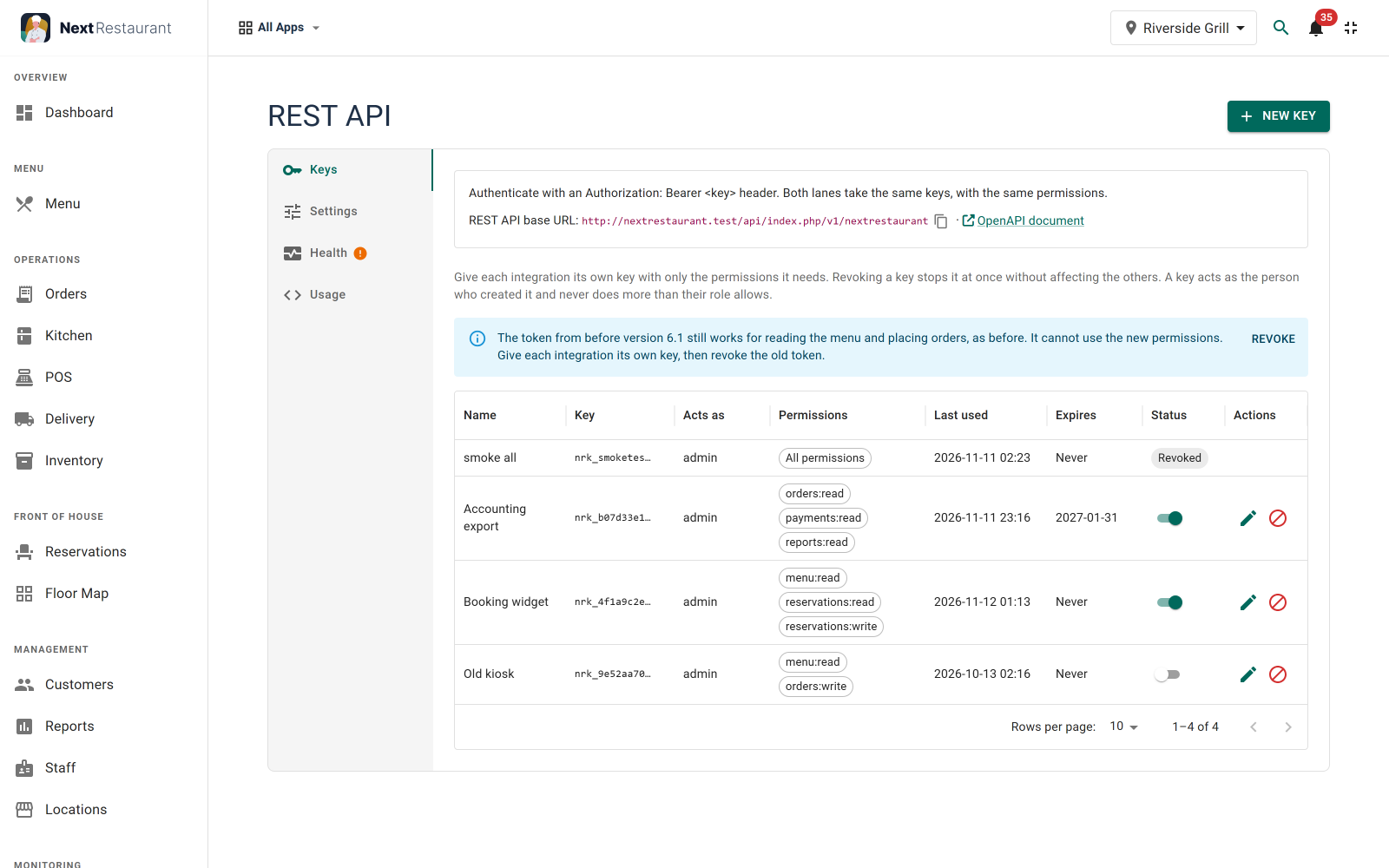
Each key belongs to the person who created it and can never do more than their role allows. Keys can expire on a date, be switched off for a while, or be revoked for good. A Health tab walks you through the setup step by step and tells you what is missing, and a Usage tab has examples you can copy. Start with Getting started with the REST API.
Webhooks that do not get lost
Webhooks tell another system the moment something happens: an order is placed, a payment comes in, a table is booked, a dish sells out. There are now 19 of these events, and each webhook chooses its own.
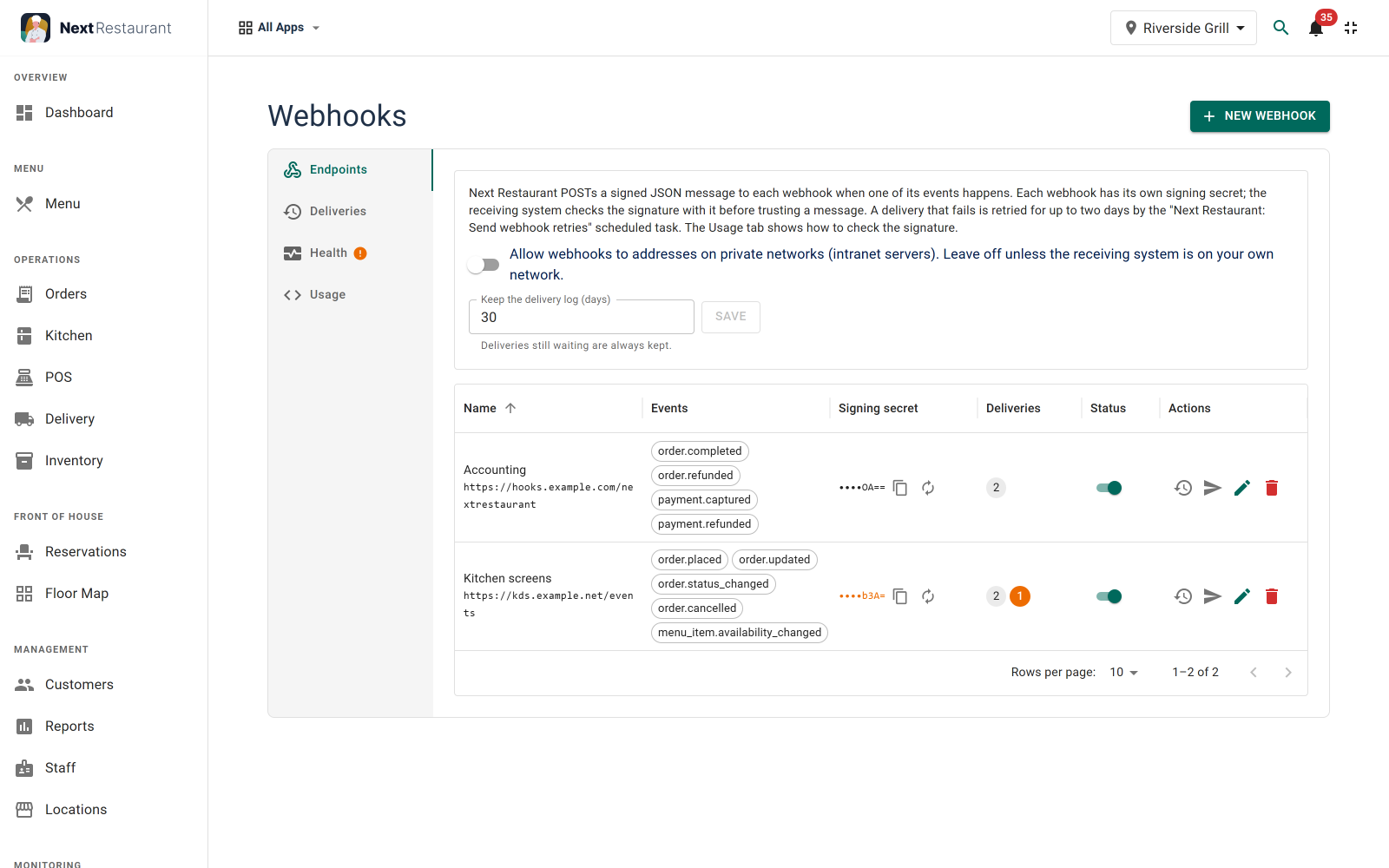
If the receiving system is down, the message is not lost: it is tried again for up to two days, and the delivery log shows what happened to each one. Every message is signed, so the receiver can check it really came from your site. Webhooks only go to public addresses unless you allow your own network. The webhook setup guide covers the details.
Updating
Install 6.1.0 over 6.0 as usual; there are no manual steps. Your existing API token keeps working for what it did before, and each webhook address you had becomes its own webhook with the same secret, so connected systems carry on without a change. To use one of the new languages, also install Joomla's own language pack for it.
Everything else, including the fixes, is in the Next Restaurant changelog. New to the product? The Next Restaurant page has the full feature list and a live demo.