Next File Manager 6.1.0: share links, Trash, a phone app and a Health check

Next File Manager 6.1.0 is out. It adds public share links, a Trash you can restore from, a Home page, a phone app and a Health screen, and it fixes 15 security issues. The update keeps all your files, drives, profiles and settings.
A Home page to start from
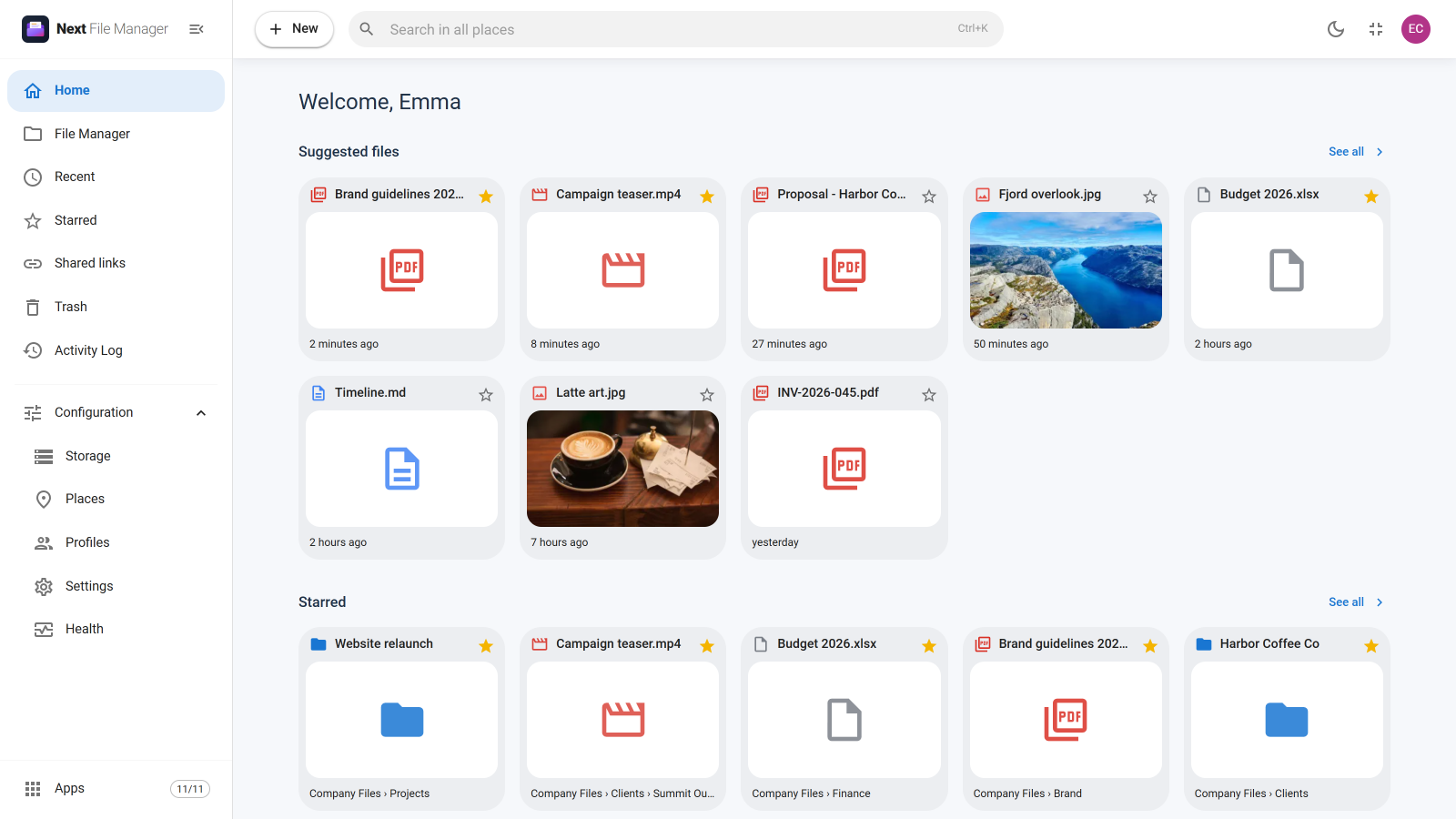
Next File Manager now opens on Home. It shows the files you worked on lately, the items you starred and the drives you can reach. Star any file or folder to keep it one click away, and open Recent to see what you opened, uploaded or changed. The New button in the header creates a folder or uploads files and whole folders from anywhere. The guide to Home, Recent and Starred has the details.
Share a file or a folder with a link
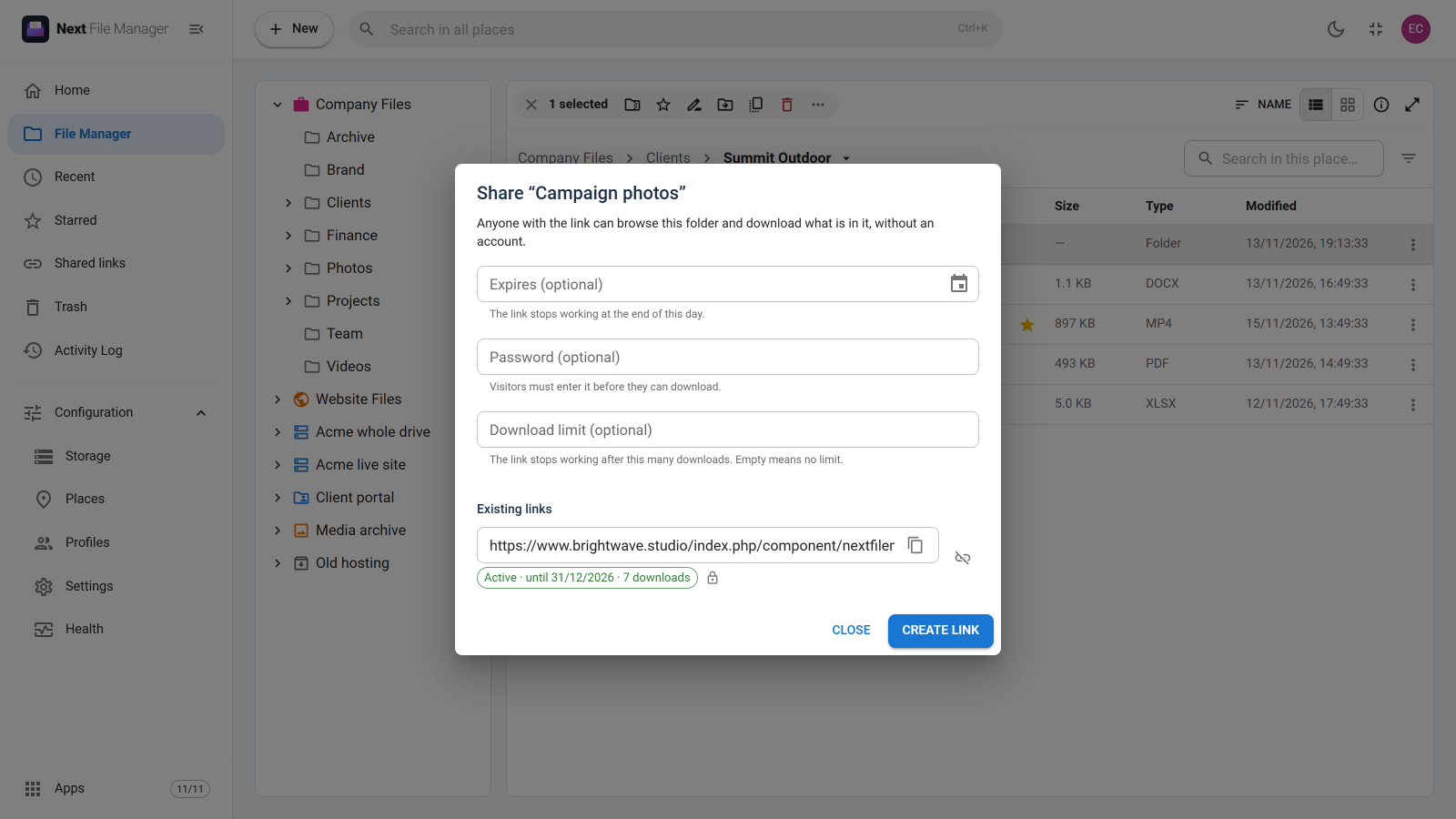
Right-click a file or folder and choose Share link…. You get a public address you can send to anyone, even someone with no account on your site. You can add a password, an expiry date and a download limit. Each is optional.
The person you share with sees a simple download page. For a folder, they can download each file or everything at once as a ZIP. If you rename or move the item later, the link keeps working. You can revoke a link at any time, and the Shared links screen lists every link you made.
Links are guarded too. Password guessing is slowed down, short passwords are refused, and a link stops working as soon as its owner is blocked or loses access to the folder. See how share links work.
Deleted by mistake? Undo it
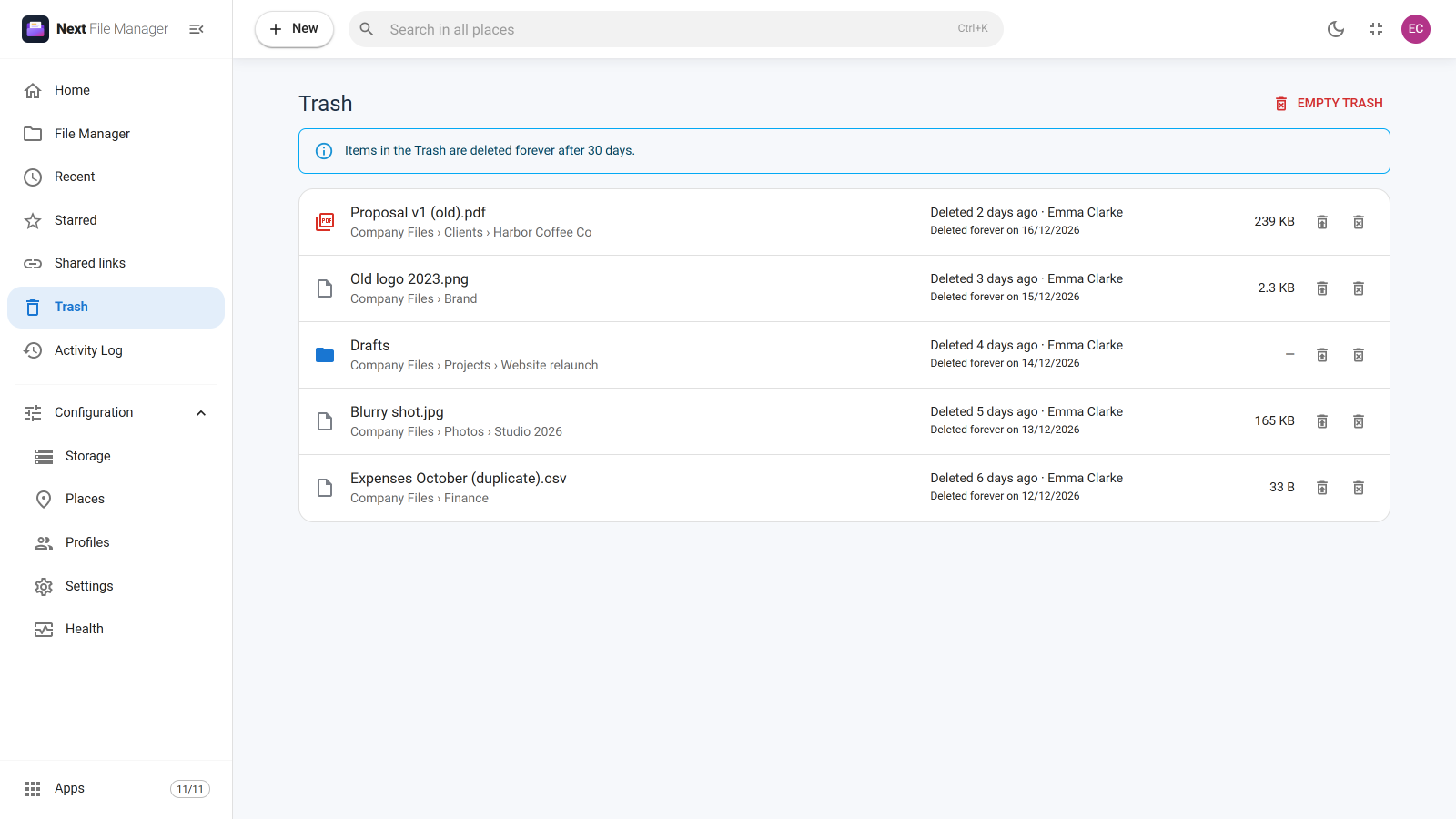
Deleting a file or folder now moves it to the Trash. The message that confirms the delete has an Undo button, and the Trash screen shows where each item came from, who deleted it and when it will be removed. Items are kept for 30 days, or for as long as you choose in Settings. Read more about the Trash.
Your files on your phone
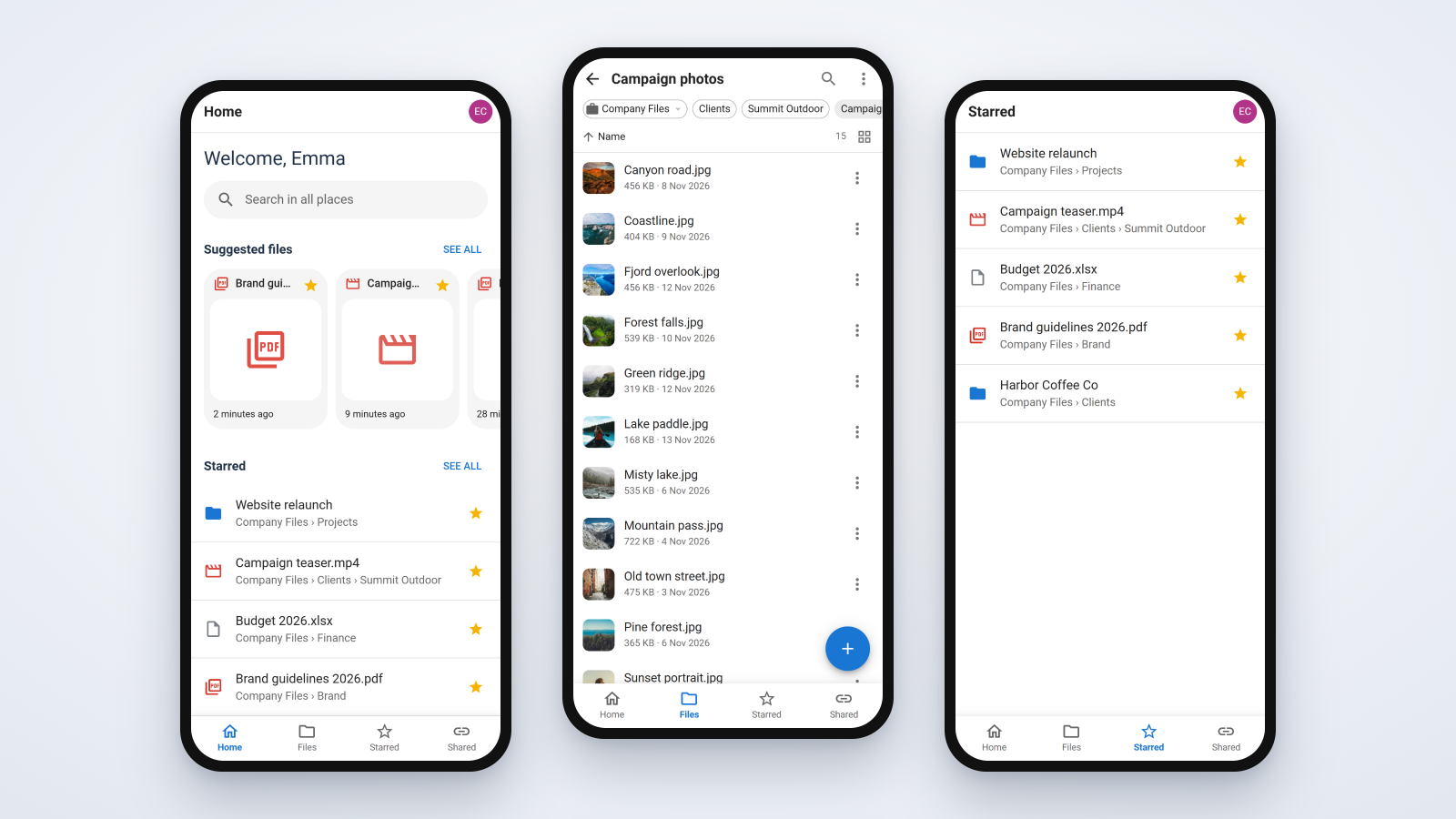
On a phone, Next File Manager opens as a touch app with a tab bar at the bottom, a selection mode, pull to refresh and camera upload. Nothing needs setting up. On sites that use HTTPS, you can also install it on a phone or a computer and open it like any other app. Folders you already opened stay readable when you are offline. The phone app guide and the page on installing it as an app show where everything is.
Health and the Apps manager
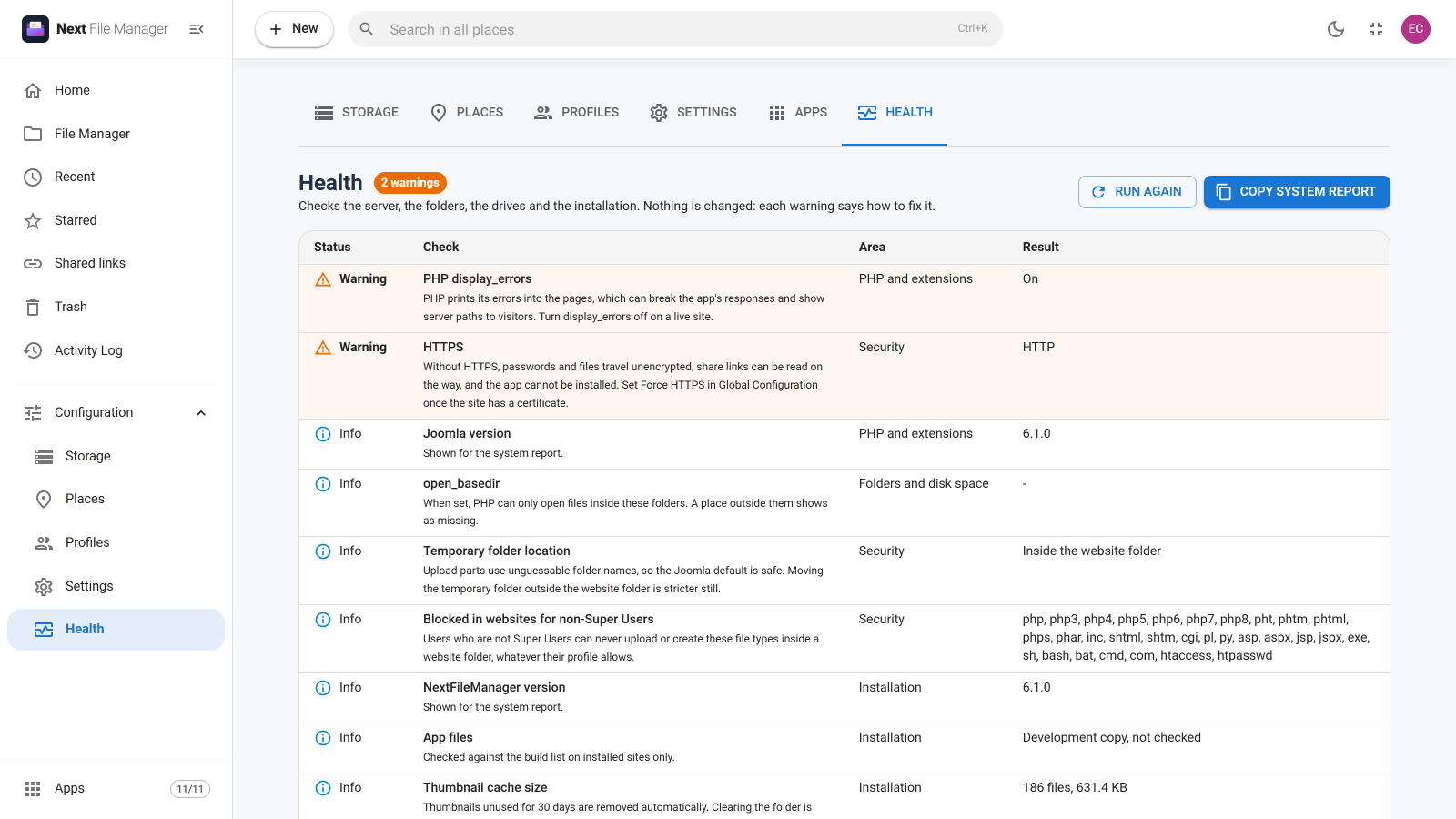
Super Users get a Health screen under Configuration. It checks PHP and its extensions, folders and free disk space, the connection to every external drive, security settings and the installation itself. The worst problems are listed first, each with what to do about it. Copy system report puts a summary on your clipboard that you can send to support. It leaves out passwords and drive addresses. See the Health screen.
The new Apps manager lets you switch off the parts you do not use, such as Trash, share links or search. Their menus, screens and actions disappear, and switching an app back on restores it as it was.
Security fixes
This release fixes 15 security issues found in our own review. We recommend updating. The main ones:
- Sign-in goes through Joomla. Signing in from the file manager's own screen now uses Joomla's normal login, so failed attempts show in the User Actions Log and tools such as RSFirewall or Admin Tools can block them. Two-factor accounts are taken to Joomla's code page.
- No hidden Super User powers. Someone allowed to edit profiles can no longer give a profile Super User powers, and nobody below Super User can change the profile that applies to their own account.
- Drive passwords stay put. A saved drive password is no longer reused when the drive is pointed at a different server or account.
- Safer copies and downloads. Copying a folder into the website checks every file inside it, as an upload would. Folder ZIP downloads are limited to 20,000 files and 2 GB, so one request cannot fill the server's disk.
The full list is in the Next File Manager changelog.
Other changes
- A new layout with a sidebar you can collapse, and a new logo.
- Full German, French, Spanish and Italian translations.
- Large uploads are sent in parts and resume after a dropped connection.
- Image thumbnails, and previews for video, audio and PDF.
- Dates follow Joomla's time zone instead of the browser's.
- The Global max upload setting now really caps every upload, and Settings shows how much your server accepts per request.
- Each update removes the previous version's script files, which used to stay on the server.
How to update
Update from the Joomla updater as usual (System → Update → Extensions) with your download key. Your data and settings are kept. Updated sites keep opening on the Files screen, so nothing changes for your users until you choose a different start page in Settings. Before release, we tested the update from 6.0.0, 6.0.1 and 6.0.2, and a fresh install, on Joomla 4.4, 5.4, 6.1 and 6.2.
If your site is still on 6.0.0 and Joomla cannot download the update, download the package from your account and install it over the top under System → Install → Extensions. From then on, updates download normally. The installation guide covers both routes.