Next Exams 6.3.0: exam parts, scaled scores, listening and speaking tests

Next Exams 6.3.0 is out. This release is for anyone running exams that are longer than a single list of questions: language tests, professional certification, entrance exams. You can now split an exam into timed parts with reading passages, report a score like 350 out of 500 with a grade, play a listening recording, and let learners record a spoken answer in the browser. It installs on Joomla 4.4, 5 and 6.
Exam parts with reading passages
In Next Exams, an exam can now have parts, such as Part A, Part B and Part C. Each part has its own introduction, reading passages, clock, layout and navigation. You set all of this in the Exam Studio: click a part in the outline and its settings open on the right.
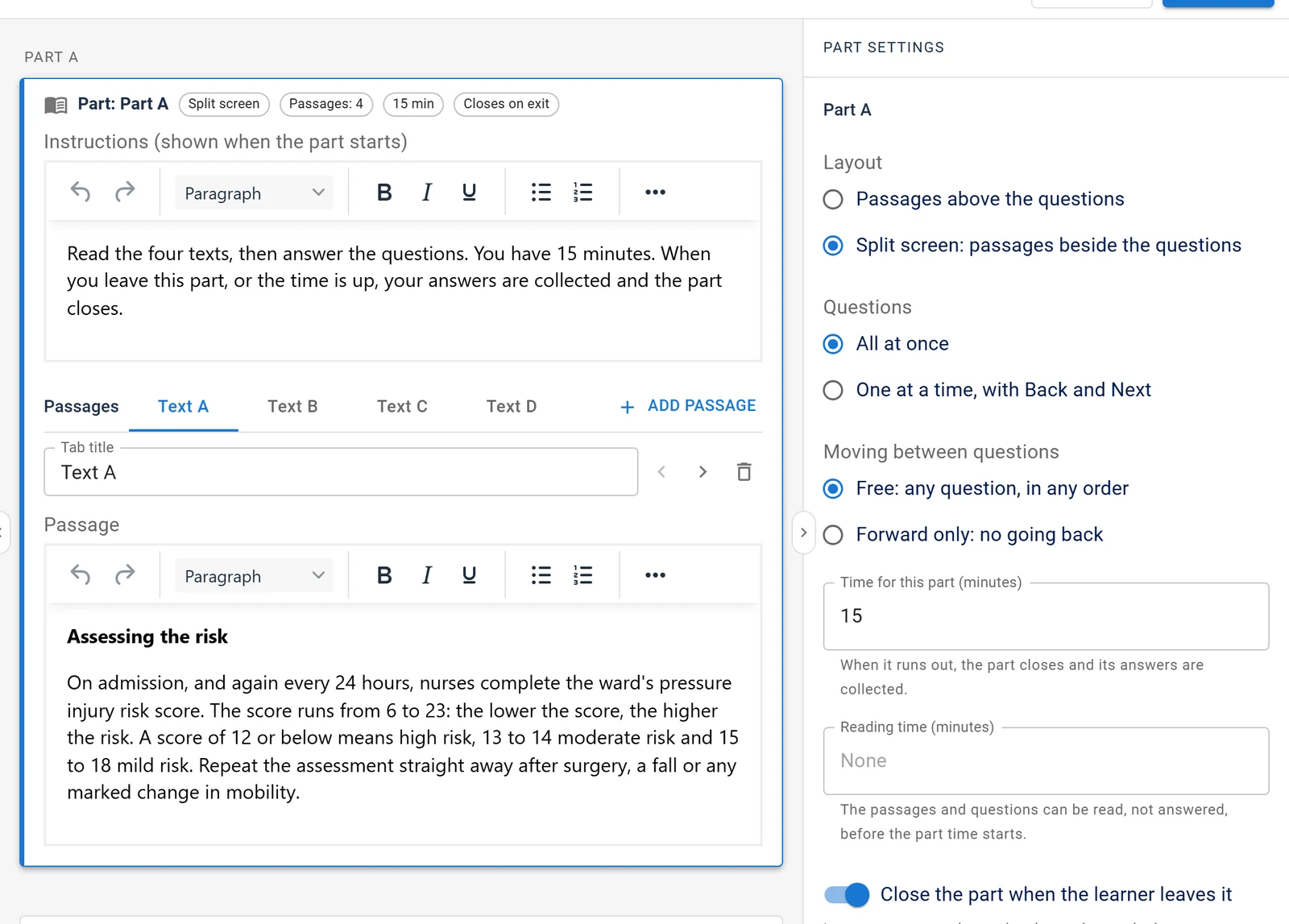
Make the exam strict and learners take one part at a time. They start each part themselves and can't go back once it closes. The part clocks are enforced on the server, so refreshing the page doesn't reset them. When a part's time runs out, the next one opens on its own after a short notice. You can also give learners a few minutes to read before a part starts.
On screen, the passage sits next to the questions. Learners can drag the divider to resize the two sides, or move it from the keyboard. On a phone, the passage and the questions become two tabs. Learners can also highlight text, add notes and keep a notepad for each part. Only the learner sees these notes; teachers and graders don't.
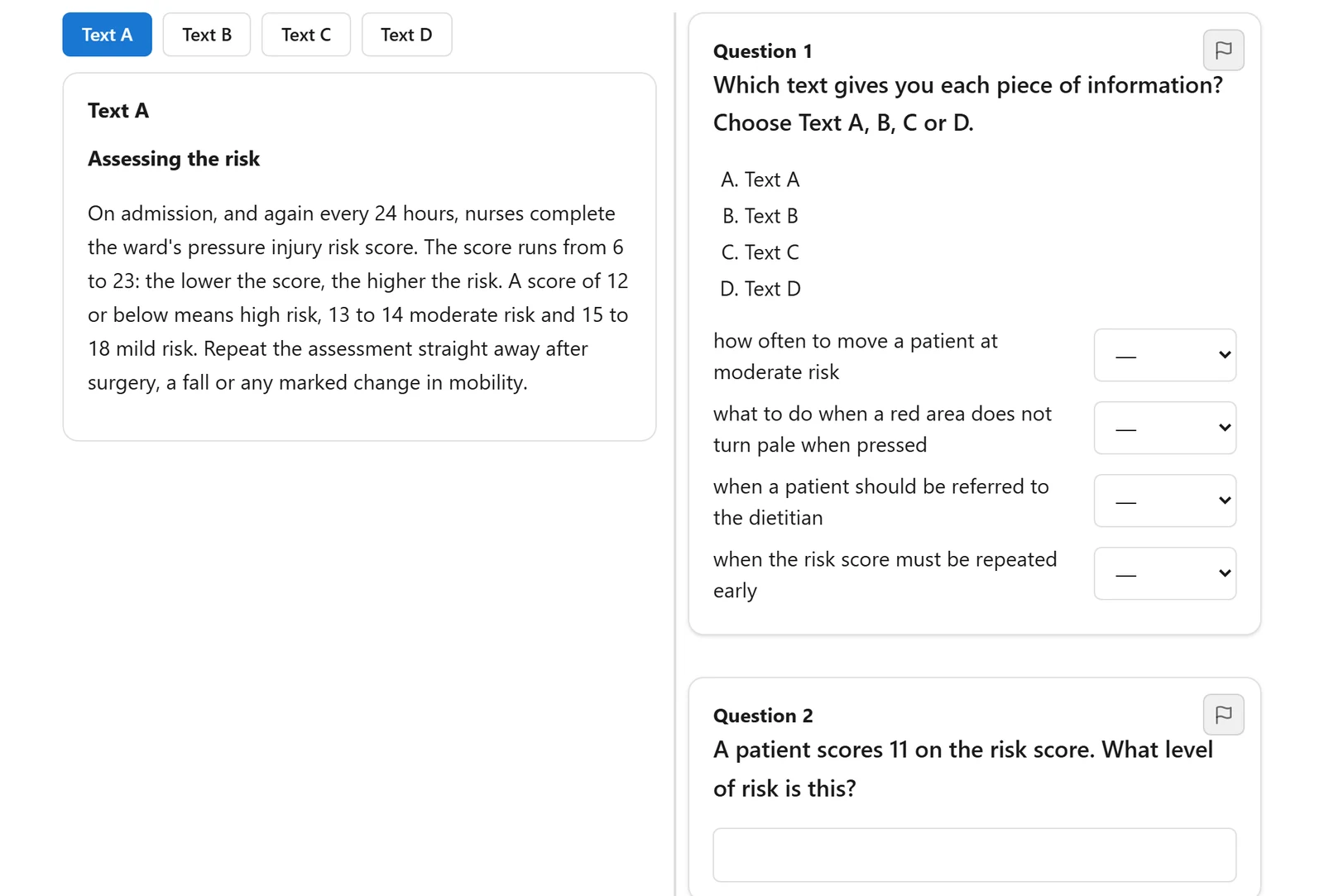
More in the exam parts guide.
Scaled scores and grades
Many exams don't report a percentage. OET reports 0 to 500 with a grade from A to E, and IELTS reports a band from 0 to 9. An exam can now do the same. You choose a score scale, and its grade decides whether the learner passed. The pass mark is no longer used for that exam.
You don't have to type a scale from scratch. When you create one, you can start from an OET, IELTS, CEFR, letter grade or merit scale and adjust the boundaries. Each exam keeps its own copy of the scale, so changing one exam never changes another.
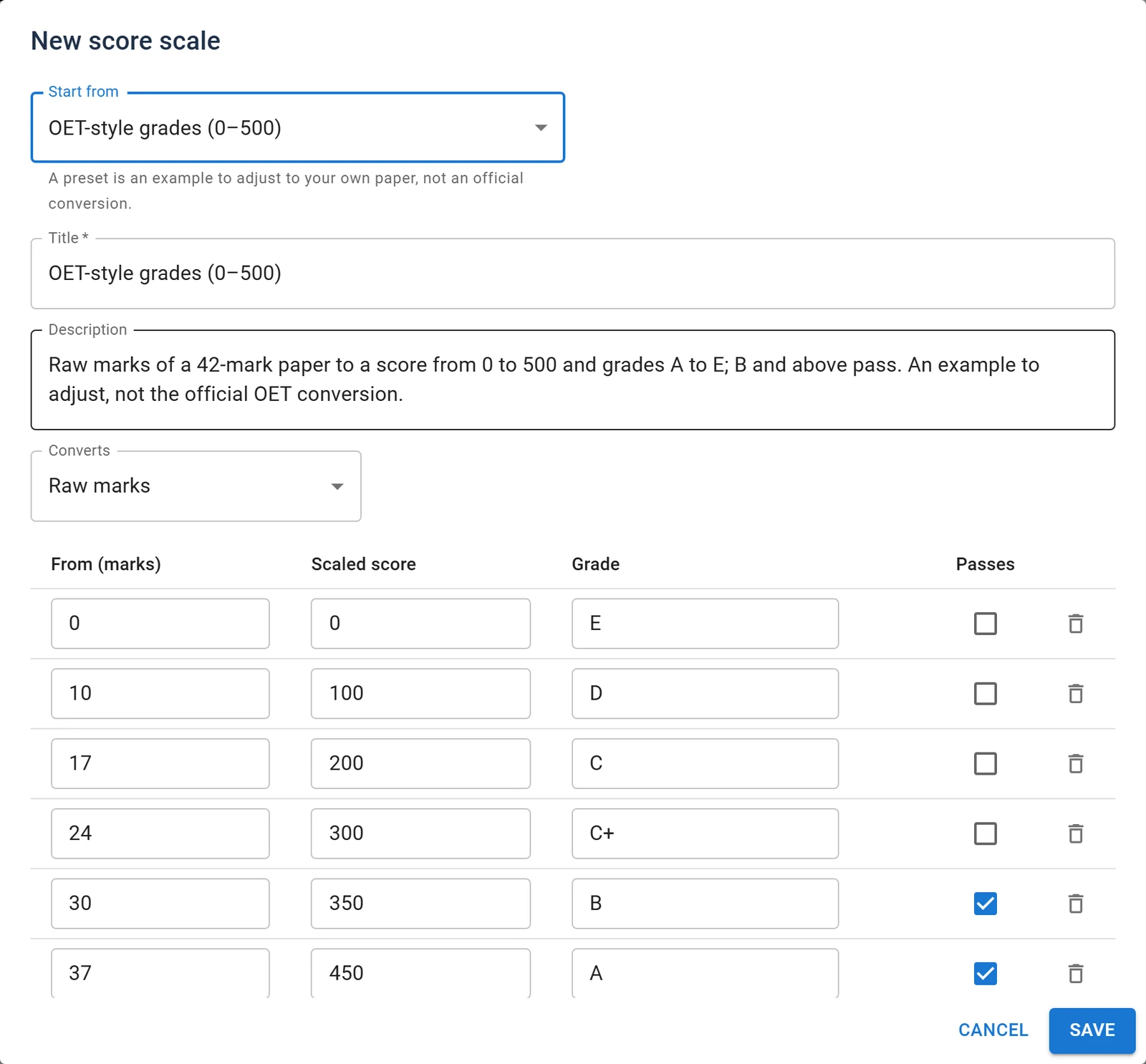
If you change a scale after learners have already finished, press Recalculate. It first tells you how many results would change, then updates them. A learner who now passes gets their certificate.
The scaled score and grade show on the result page and in My Results. They also appear in emails, certificates, analytics, CSV exports, webhooks and the REST API. If the exam has parts, the result page adds a "Score by part" card. And if the exam shows answers, each answer now appears next to the correct one.
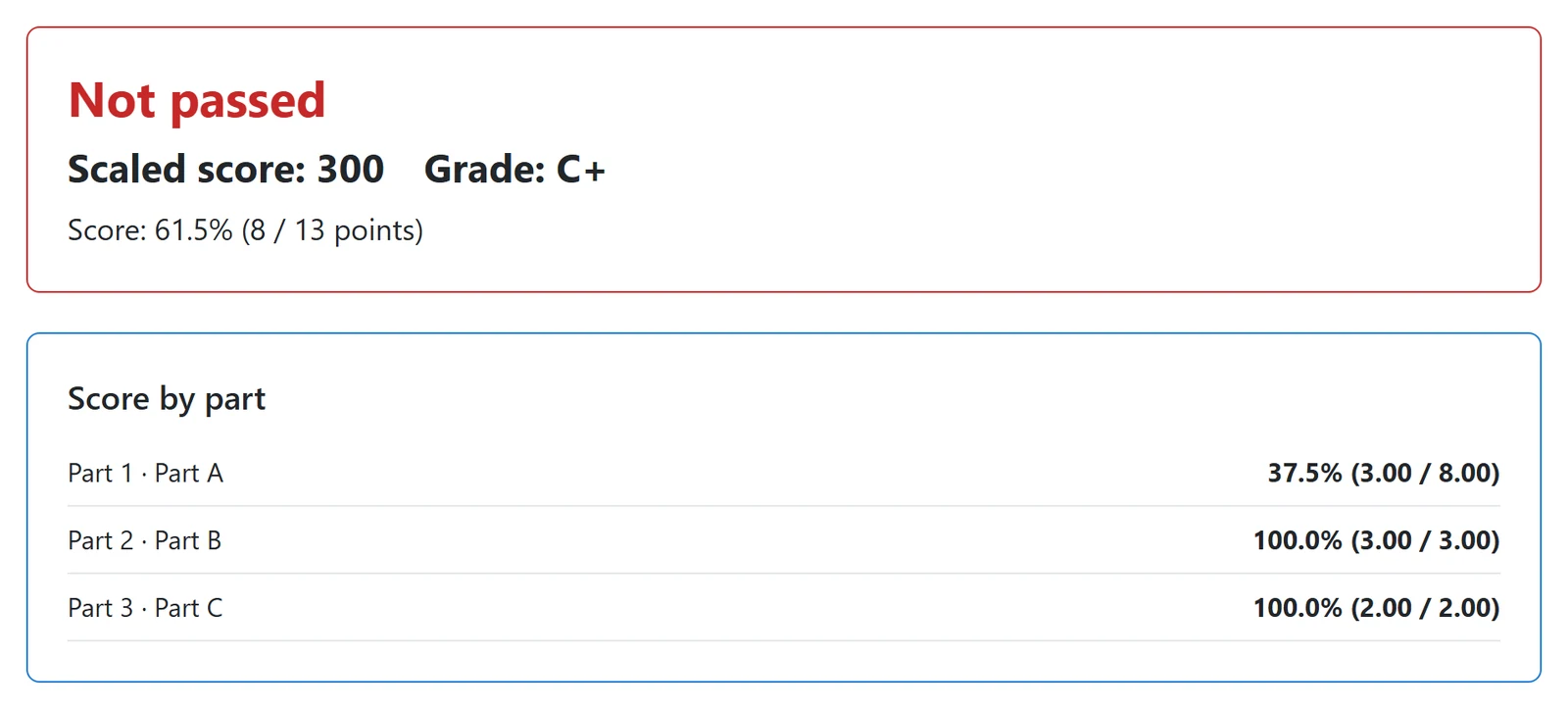
See score scales for the details.
Listening tests
You can attach an MP3 or M4A recording to a part and choose how many times it can be played. In exam conditions there is only a Play button. The learner can't pause or skip, and once the last play ends, they get a short pause to check their answers before the part closes. For practice, there is a simpler player with Pause and Back 10 seconds.
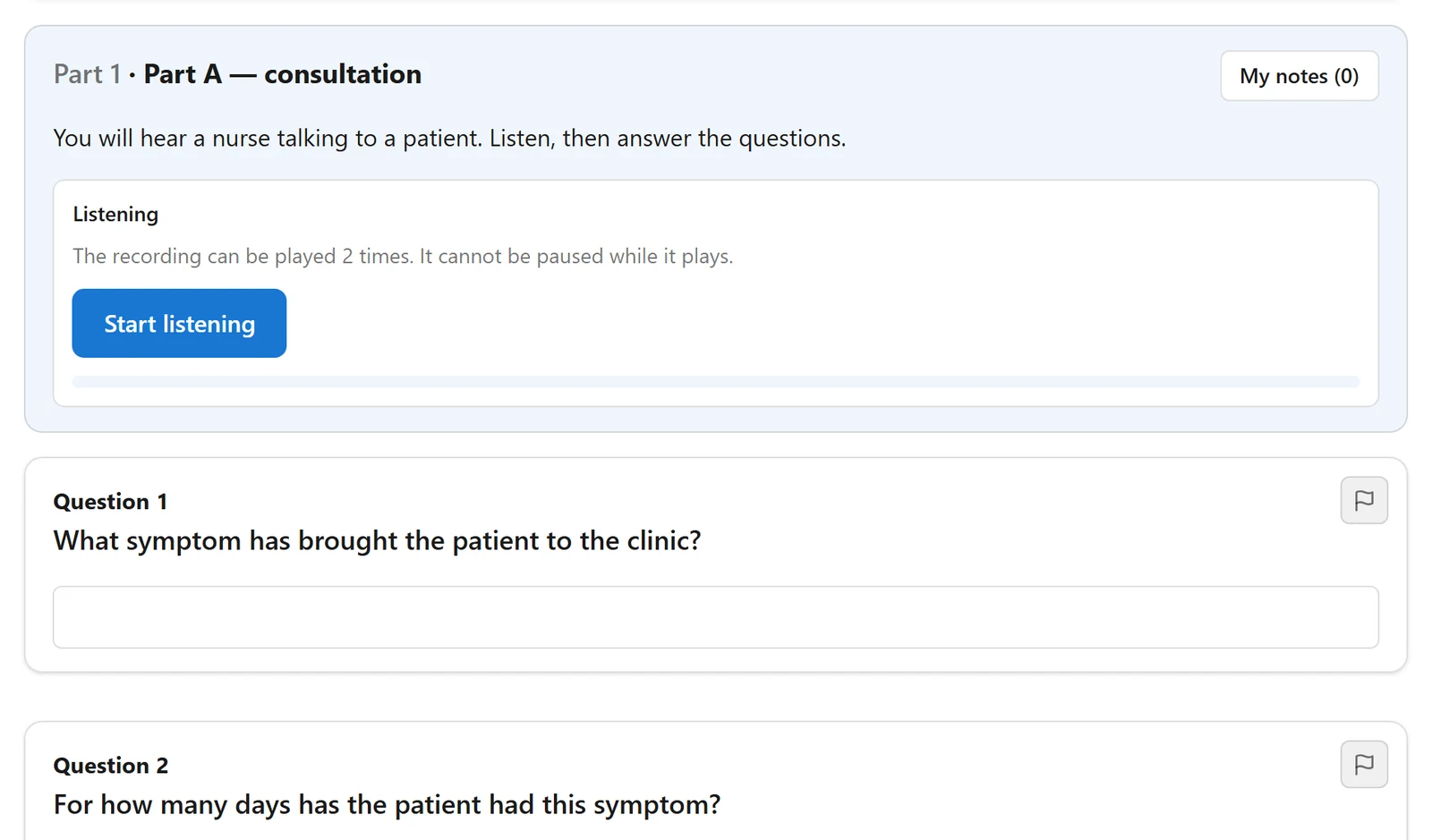
The play count is kept on the server. A learner who refreshes the page continues from where the recording was; it doesn't count as another play. Audio files are stored privately and streamed only to the learner sitting that part. A new Audio library page lists every recording and the exams that use it. Details are in the listening audio guide.
Speaking tests
A speaking question lets the learner record an answer in the browser. You set the preparation time, the recording time and how many takes they get (up to five). The recorder says plainly what is wrong when something goes wrong: permission not given yet, permission blocked, no microphone, the microphone is in use by another app, or nothing is being heard.
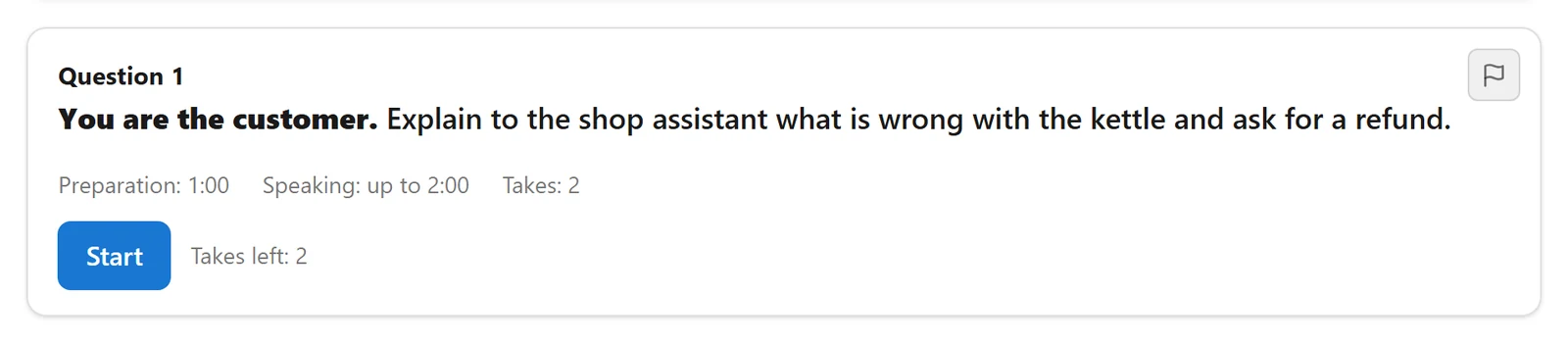
A grader plays the take from the attempt and marks it against a rubric with its own criteria, like any essay. If a site runs without HTTPS, or the learner has JavaScript off, they can upload their answer as an audio file instead. You can also have old recordings deleted after a set number of days.
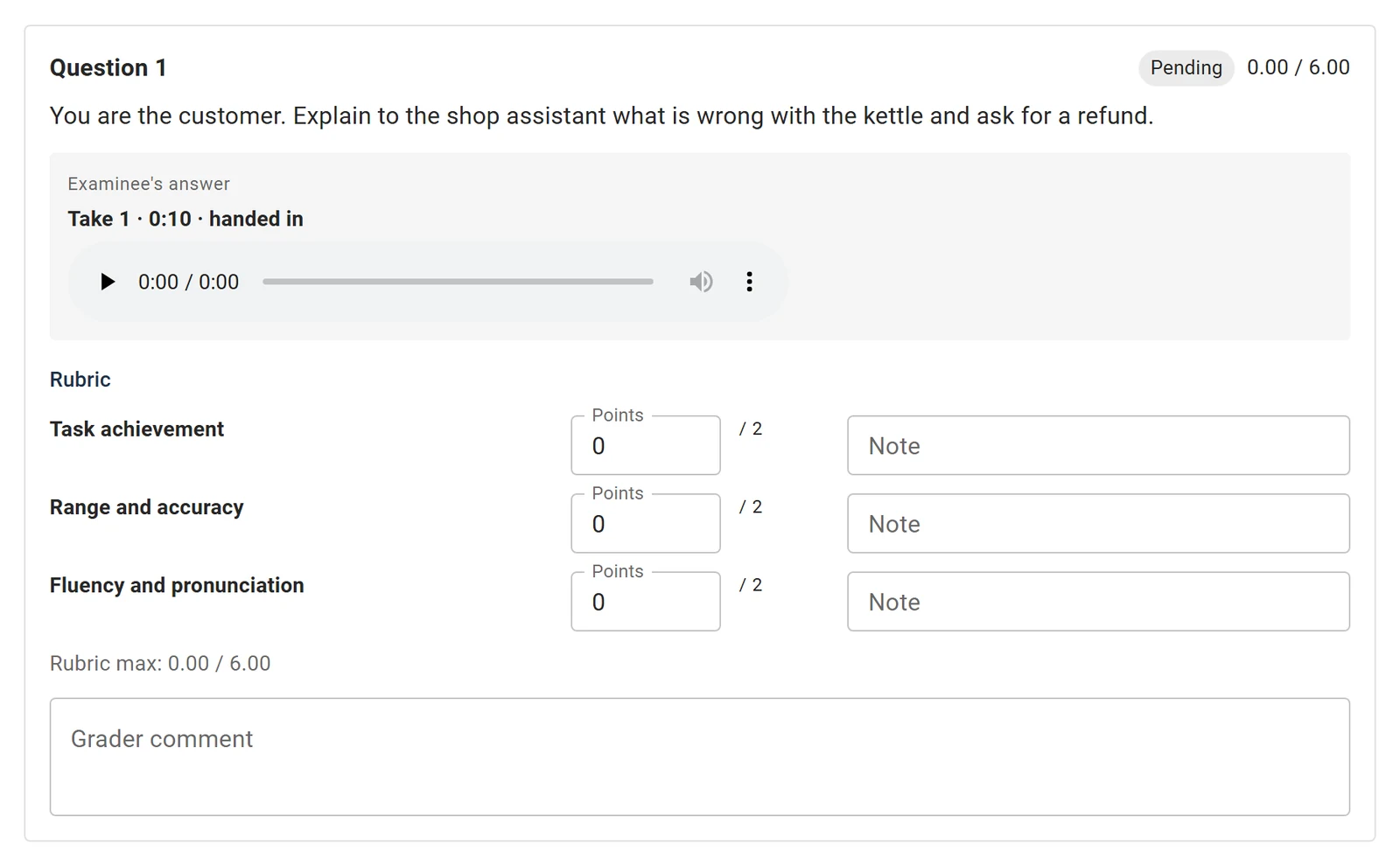
See speaking questions.
Access passes
An access pass gives a learner timed access to a set of exams or cohorts, for example "all listening tests for 90 days". You can grant passes by hand, import them from a CSV file, or create them from another system through the REST API. Renewing a pass adds to the time that is left. If a pass ends while a learner is in the middle of an exam, they can still finish it. Learners get an email a day before their pass expires.
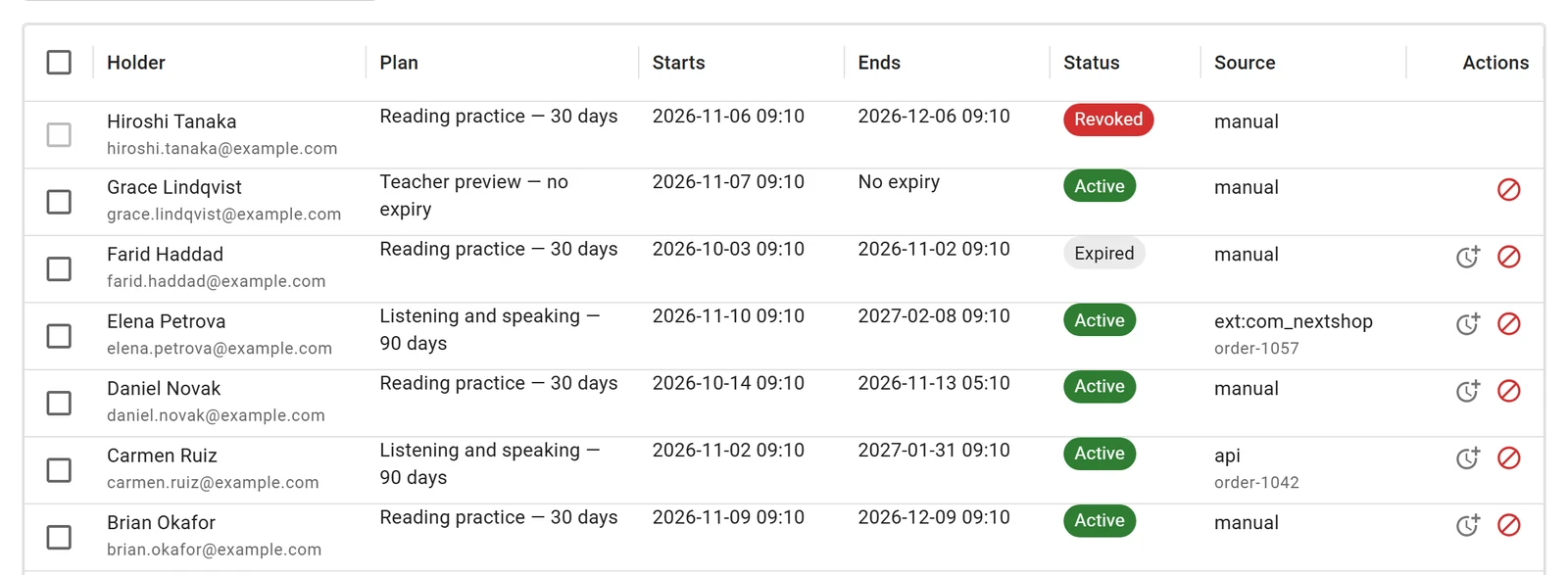
Next Exams doesn't take payments itself. Passes are the way to connect it to a shop. Access passes are off after the update; turn them on in the App Manager when you need them. See access passes.
Start from a blueprint
"New from blueprint" creates an empty exam laid out like OET Reading, Listening, Writing or Speaking, or IELTS Reading. It sets up the parts, timers, navigation and a score scale for you. Blueprints contain the structure only, never questions, so you add your own content.
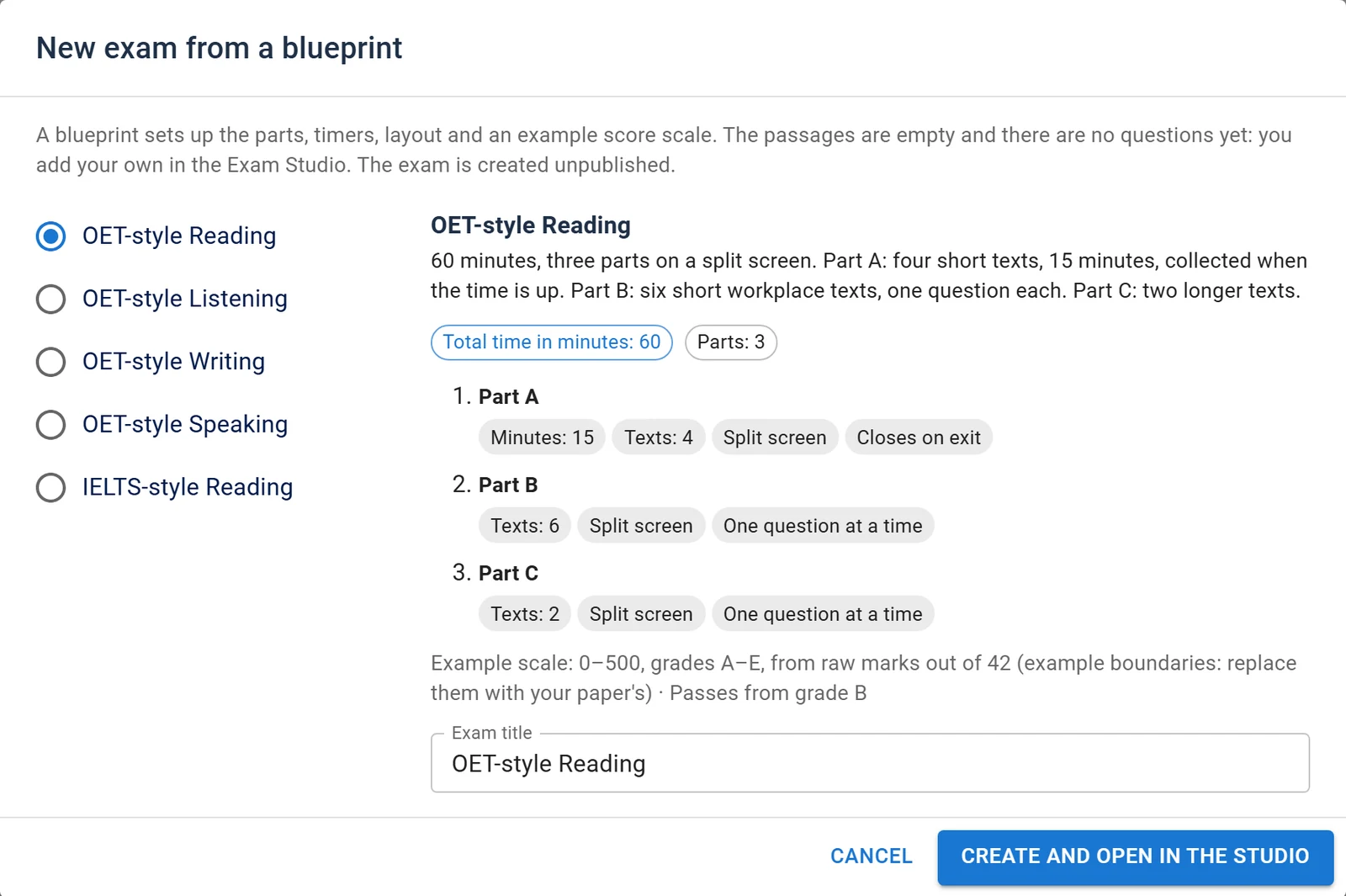
More in the blueprints guide.
A clearer App Manager
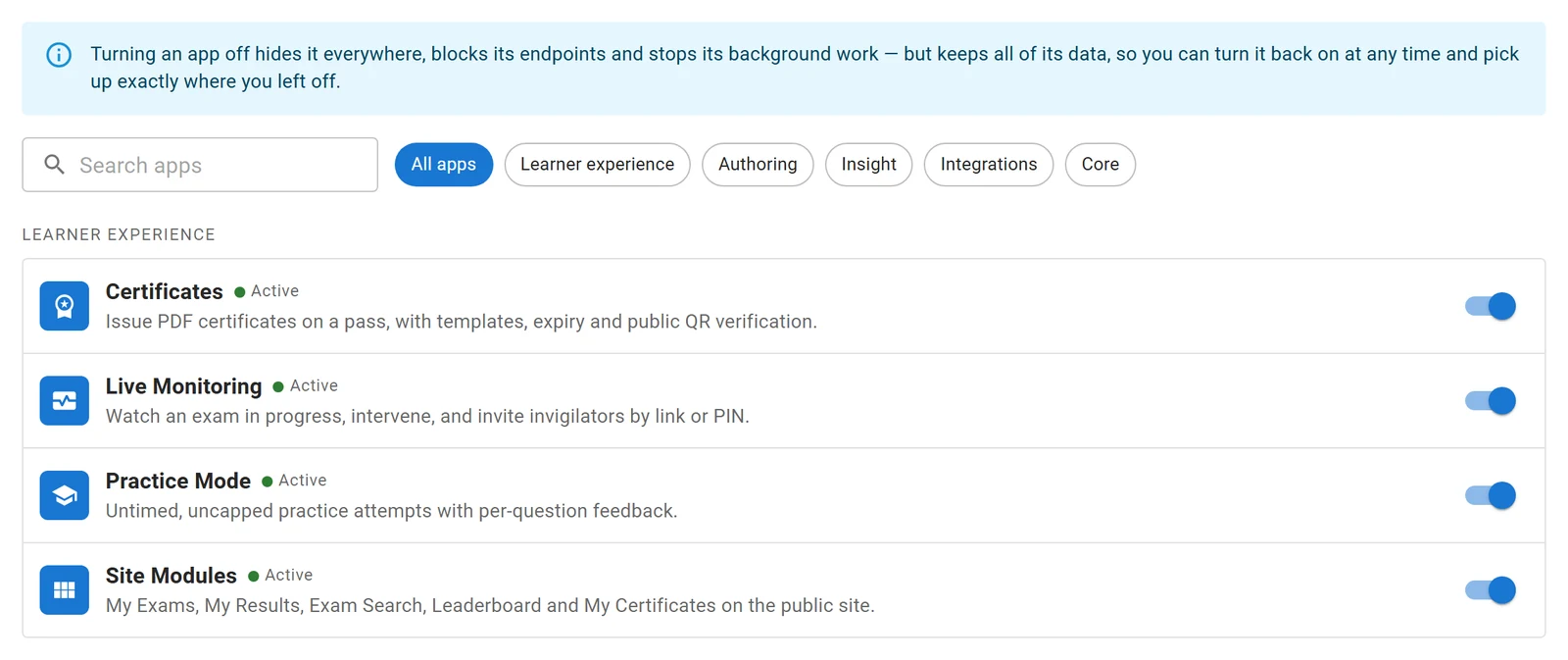
Each new feature is an app you can switch off if you don't use it. The App Manager is now a list you can search. Click an app to see where it appears, what it needs and what stops when it is off. When you turn on an app that needs another one, it offers to turn that one on too.
Other fixes
- Updates now delete the old release's JavaScript files. Before, each update left them behind and the media folder kept growing.
- An exam embedded in an article and opened in a window could send the learner out of the window when it saved. That no longer happens.
- Screen reader users no longer lose their place when a button they are on disappears, for example when the audio starts or a part closes.
- Some REST API routes answered 404 on Linux servers. They work now.
Before you update
- Update from Extensions → Update as usual. The update adds seven tables and some new columns, and your existing exams work as before.
- The new apps are on after the update, except Access Passes.
- If your site runs on nginx, add the small
locationrule from the security and privacy page. It keeps audio files and recordings private. Apache and IIS need nothing extra. - Recording a spoken answer needs HTTPS.
The 6.3.0 changelog lists every change. For the previous release, read Next Exams 6.2.0: Exam Studio and visual question types.