Expert Mode
The Expert Mode tab is for templates and extensions whose Google Maps markup the 21 built-in patterns don't catch. It adds a custom regex pattern and a debug mode.
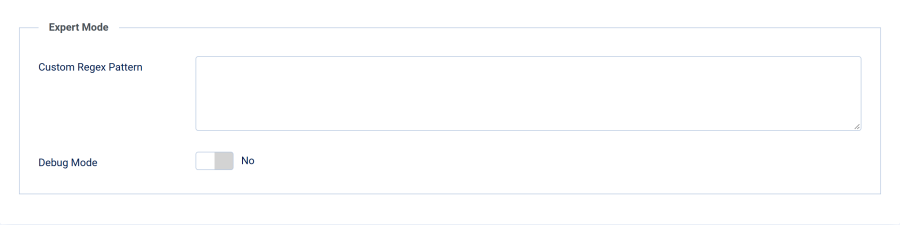
Custom Regex Pattern
| Setting | Details |
|---|---|
| Field | Custom Regex Pattern |
| Type | Textarea |
| Default | Empty |
Paste a PHP regular expression (including delimiters and flags) that matches the HTML your map widget produces. The plugin runs it alongside the built-in patterns and strips every match.
/<div class="my-map-wrapper"[^>]*>.*?<\/div>/isRules for a safe pattern:
- Include delimiters — start and end with
/(or another delimiter) - Add the
isflags —i(case-insensitive) ands(dotall, so.matches newlines) - Be non-greedy — use
.*?rather than.*so one match doesn't swallow the rest of the page - Escape metacharacters — forward slashes (
\/), dots (\.), etc.
A malformed pattern is ignored instead of breaking your site, so check new patterns with Debug Mode.
Debug Mode
| Setting | Details |
|---|---|
| Field | Debug Mode |
| Type | Toggle (Yes/No) |
| Default | No |
When enabled, the plugin adds a yellow box at the bottom of the page that lists every pattern (built-in or custom) that matched on the current page and how many times.
The box is shown only to Super Users logged in on the frontend. Other visitors never see it.
Use it to:
- Confirm the plugin is catching your maps
- Discover which built-in pattern already covers an embed
- Verify a new expert pattern matches before relying on it
Tip: Because only Super Users see the debug box, you can turn Debug Mode on briefly on a live site. Turn it off when you are done; it adds work to every page.
Workflow for an Undetected Map
- Enable Debug Mode, log in on the frontend as a Super User and load the page with the map — note whether any pattern matched
- If nothing matched, open the page source and copy the exact HTML wrapping the map
- Build a regex against that HTML following the rules above
- Paste it into Custom Regex Pattern, save, and reload — the debug box should now report a match
- Turn off Debug Mode before going live