Positions & Animations
The plugin supports 5 consent box positions — 4 overlay positions plus an inline placeholder — and 4 entrance animations for the overlay positions.
Where each position applies (important)
The plugin handles two different kinds of maps, and the "Consent Box Position" setting applies to them differently:
- Auto-detected maps — a raw Google Maps iframe you pasted, or a map rendered by another extension (Phoca, SP Page Builder, YOOtheme, a
<div id="map">filled by a script, etc.). The position setting fully applies here: positions 1–4 strip every detected map and float a single consent box; position 5 replaces each detected map in place with an inline placeholder. {smartmap}shortcode embeds — these always render as an inline placeholder exactly where the map sits, regardless of the position setting. The plugin generates that markup itself, so it can always put the consent prompt in the right place. (See The {smartmap} Shortcode.)
Why keep the overlay positions at all?
For shortcode maps, the inline placeholder is all you need. The overlay positions (1–4) earn their place for auto-detected maps, for two reasons:
- Robustness. Some third-party maps are built by JavaScript (an empty
<div>filled in later) or split across a container plus a separate script. Replacing those in place is fragile and can break layout. The overlay path instead strips everything map-related and shows one box — it can never misplace a placeholder. - A familiar pattern. A bottom bar or corner notice matches the cookie-consent banner visitors already recognise, and a single decision can cover several maps on one page.
Rule of thumb: if you only use the
{smartmap}shortcode, the position setting won't appear to do anything — your maps are already inline by design. Choose a position when you rely on the plugin to detect and block maps you didn't create yourself.
Positions
Center Modal (Position 1)
- Centered on the viewport with a semi-transparent backdrop overlay
- Max width: 500px
- The backdrop prevents interaction with the page behind the dialog
- Best for: Maximum visibility, important consent decisions
- Uses
role="dialog"andaria-modal="true"for screen readers, takes keyboard focus when it opens and keeps it inside the dialog
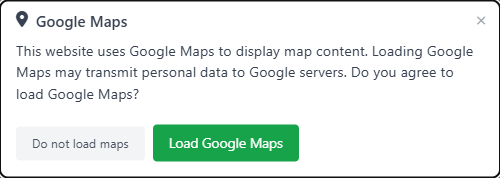
Bottom Bar (Position 2)
- Full-width bar fixed to the bottom of the viewport
- Spans the entire screen width with internal padding
- Best for: Non-intrusive, familiar cookie banner pattern
- Responsive: Stacks vertically on narrow screens
- Does not take keyboard focus or trap it, so the page stays usable behind it

Bottom Right (Position 3)
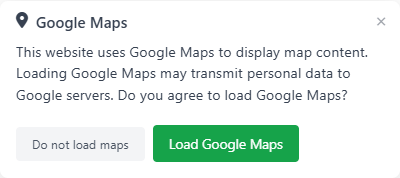
- Card fixed to the bottom-right corner of the viewport
- Max width: 400px
- Floating above the page content with a subtle shadow
- Best for: Unobtrusive corner notification
- Like the bottom bar, it does not trap keyboard focus
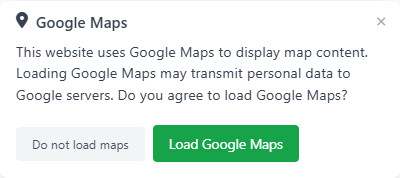
Bottom Left (Position 4)
- Card fixed to the bottom-left corner of the viewport
- Max width: 400px
- Same behavior as bottom right, mirrored
- Best for: Sites with important content in the bottom-right area
Inline Placeholder (Position 5)
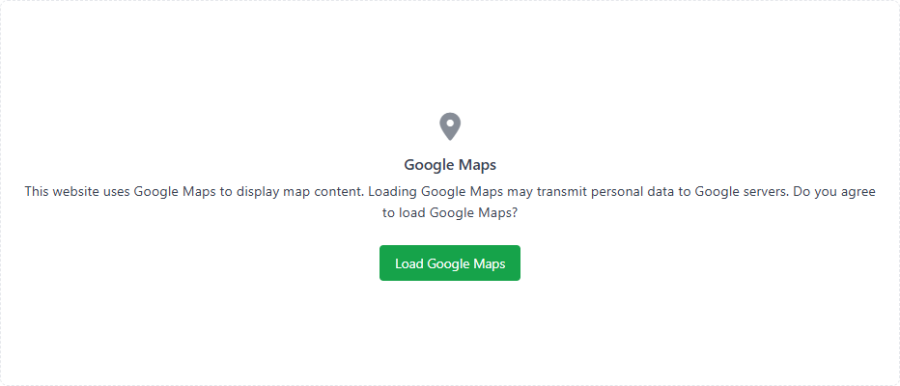
- Replaces each detected map in place rather than floating an overlay
- Shows a consent placeholder card occupying the map's spot in the layout
- Configurable width (percentage of container) and height (pixels)
- Best for: Maps embedded inside article content, where you want the placeholder to keep the same layout footprint
- This is also the render used for
{smartmap}shortcode maps before consent
Animations
Animations apply to the overlay positions (1–4) and play once when the consent box first appears:
| Animation | Direction | Best Paired With |
|---|---|---|
| Fade in down | Enters from above, slides downward | Center modal (default) |
| Fade in up | Enters from below, slides upward | Bottom bar, bottom corners |
| Fade in left | Enters from the left, slides right | Bottom left |
| Fade in right | Enters from the right, slides left | Bottom right |
The inline placeholder (position 5) does not animate — it sits in the document flow where the map was.
Reduced Motion
The plugin respects the prefers-reduced-motion: reduce media query. When a visitor has reduced motion enabled in their operating system:
- All fade/slide animations are disabled
- The consent box appears instantly with no movement
- This is handled entirely in CSS — no JavaScript detection needed
Responsive Behavior
- Center modal: The 500px max-width scales down on smaller screens with horizontal margins
- Bottom bar: Content reflows naturally as a full-width block element
- Corner cards: The 400px max-width scales down on narrow screens; on very small screens they effectively become full-width
- Inline placeholder: Scales with its container using the configured width percentage
The overlay positions use position: fixed so the consent box stays visible as the visitor scrolls.