Positions & Animations
The plugin supports 5 consent box positions — 4 overlay positions plus an inline placeholder — and 4 entrance animations for the overlay positions.
Positions
Center Modal (Position 1)
- Centered on the viewport with a semi-transparent backdrop overlay
- Max width: 500px
- The backdrop prevents interaction with the page behind the dialog
- Best for: Maximum visibility, important consent decisions
- Uses
role="dialog"andaria-modal="true"; it takes keyboard focus and keeps Tab inside the dialog
The other overlay positions (2–4) are non-modal: they do not take focus or trap the keyboard.
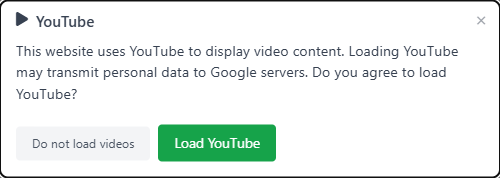
Bottom Bar (Position 2)
- Full-width bar fixed to the bottom of the viewport
- Spans the entire screen width with internal padding
- Best for: Non-intrusive, familiar cookie banner pattern
- Responsive: Stacks vertically on narrow screens

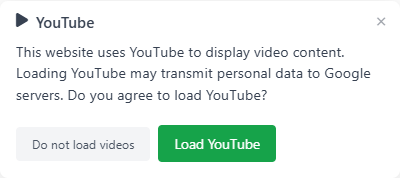
Bottom Right (Position 3)
- Card fixed to the bottom-right corner of the viewport
- Max width: 400px
- Floating above the page content with a subtle shadow
- Best for: Unobtrusive corner notification
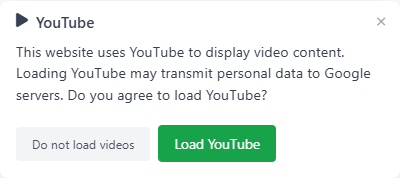
Bottom Left (Position 4)
- Card fixed to the bottom-left corner of the viewport
- Max width: 400px
- Same behavior as bottom right, mirrored
- Best for: Sites with important content in the bottom-right area
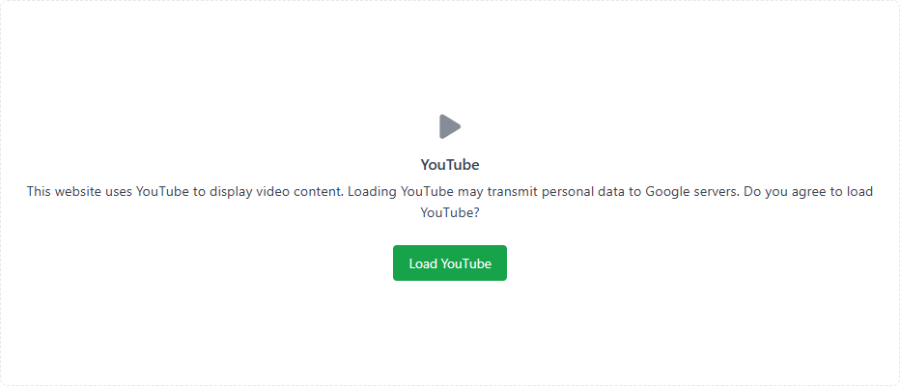
Inline (Replace Video) (Position 5)
- Replaces each detected video in place rather than floating an overlay
- Shows a click-to-load card in the video's spot, optionally with a poster image and play button
- Configurable width (percentage of container) and height (pixels)
- Best for: Videos embedded inside article content, where you want the placeholder to keep the same layout footprint
- See Placeholder Images for poster modes and play-button styles
Animations
Animations apply to the overlay positions (1–4) and play once when the consent box first appears:
| Animation | Direction | Best Paired With |
|---|---|---|
| Fade in down | Enters from above, slides downward | Center modal (default) |
| Fade in up | Enters from below, slides upward | Bottom bar, bottom corners |
| Fade in left | Enters from the left, slides right | Bottom left |
| Fade in right | Enters from the right, slides left | Bottom right |
The inline placeholder (position 5) does not animate — it sits in the document flow where the video was.
Reduced Motion
The plugin respects the prefers-reduced-motion: reduce media query. When a visitor has reduced motion enabled in their operating system:
- All fade/slide animations are disabled
- The consent box appears instantly with no movement
- This is handled entirely in CSS — no JavaScript detection needed
Responsive Behavior
- Center modal: The 500px max-width scales down on smaller screens with horizontal margins
- Bottom bar: Content reflows naturally as a full-width block element
- Corner cards: The 400px max-width scales down on narrow screens; on very small screens they effectively become full-width
- Inline placeholder: Scales with its container using the configured width percentage
The overlay positions use position: fixed so the consent box stays visible as the visitor scrolls.