Design
The Design section sets the layout and the look of the module.
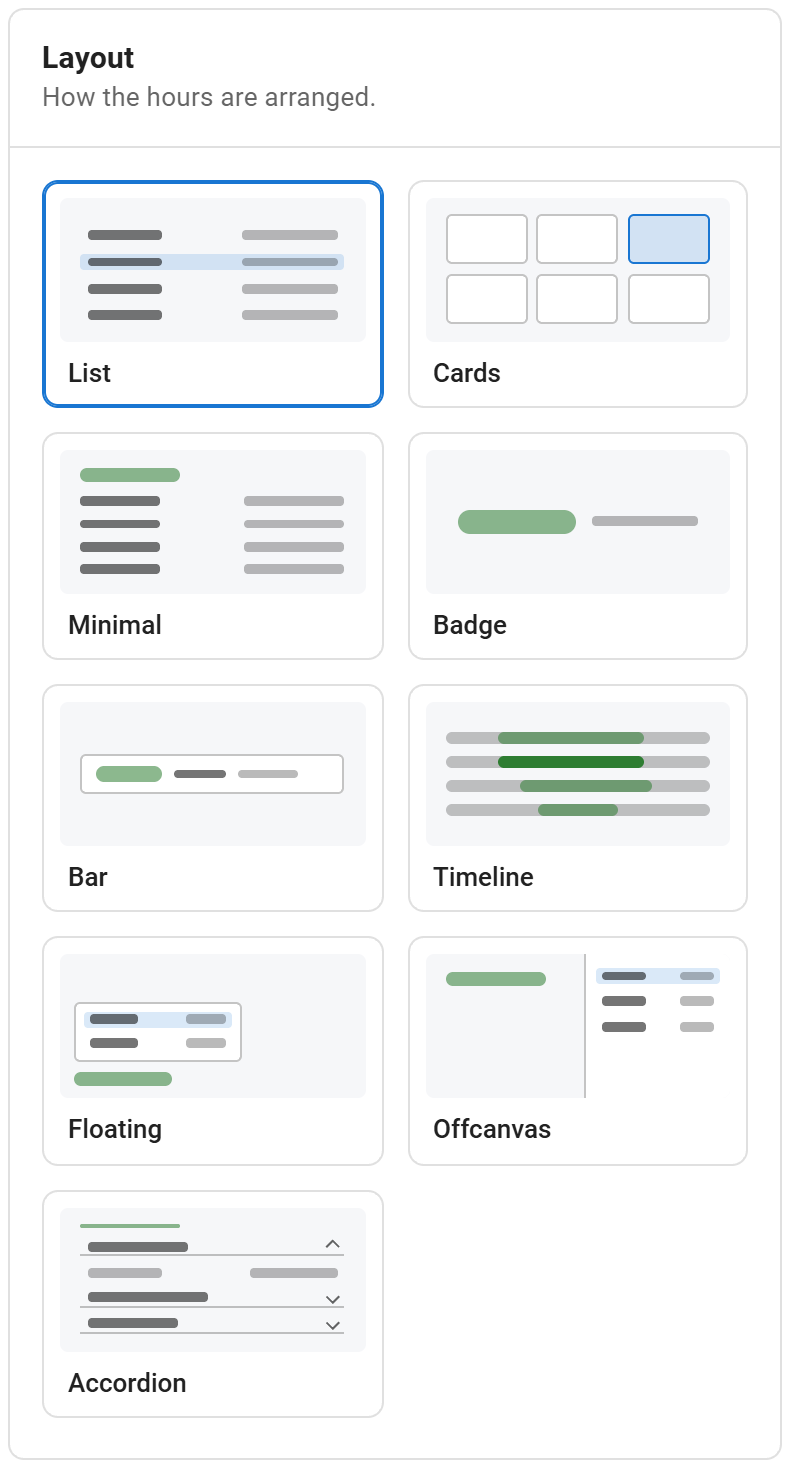
Layout
Pick one of the nine layouts. A panel with the options of that layout appears below the presets. See Layouts for what each layout does and its options.
Style preset
A preset is a starting point. It sets the box, spacing and status style; you can change any of it afterwards.
| Preset | Look |
|---|---|
| Clean | White card with a border, a small shadow, line separators and a soft status pill |
| Soft | Rounded light surface without border or separators |
| Outline | Transparent with a border and a dot status; takes the page's text colour |
| No box | No padding, surface or border; sits in the page like text |
| Template colours | Transparent, with the template's primary, success, warning and danger colours |
Outline, No box and Template colours inherit the page's text colour, so they also work in dark template sections.
Colours
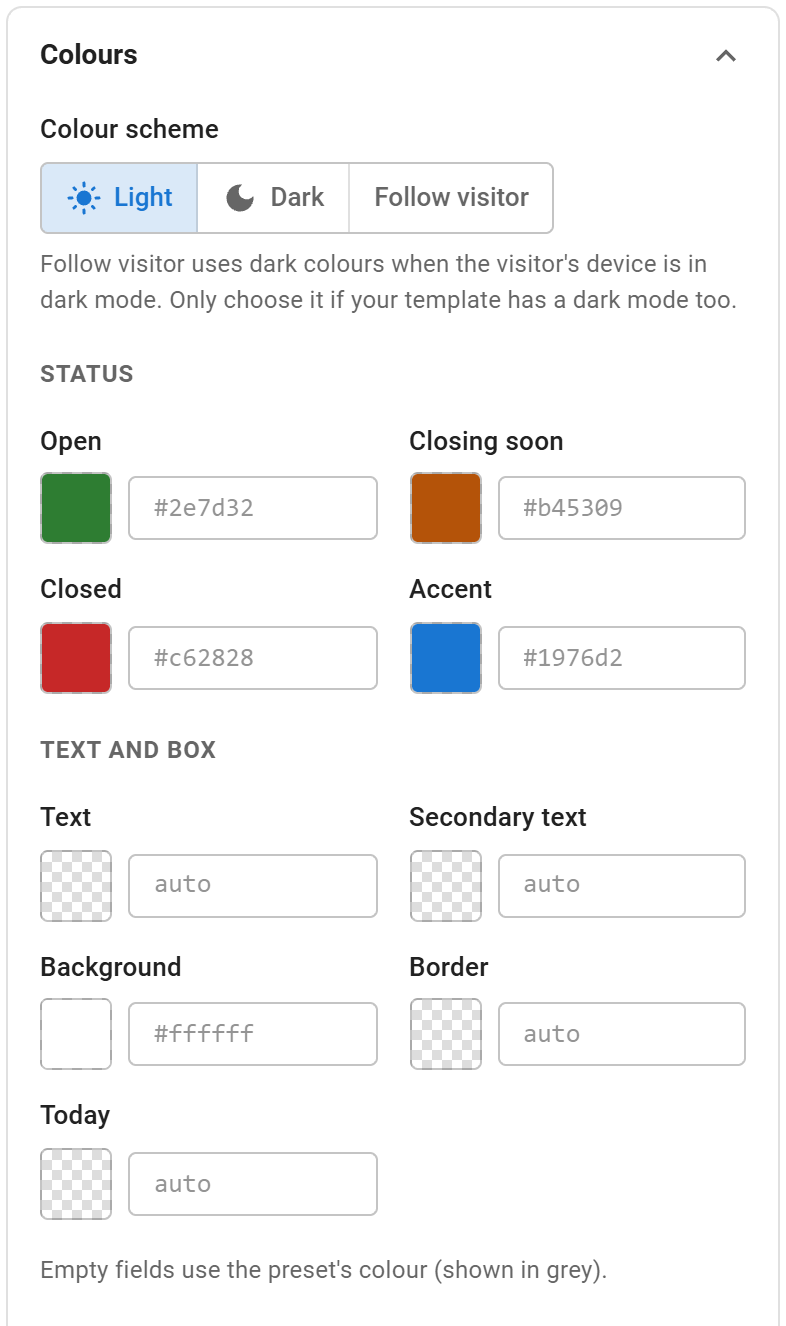
- Colour scheme: Light, Dark, or Follow visitor (dark when the visitor's device is in dark mode). Choose Follow visitor only if your template also has a dark mode.
- Status: Open, Closing soon, Closed and Accent (links, today, headings).
- Text and box: Text, Secondary text, Background, Border and Today.
Empty fields use the preset's colour, shown in grey. Type a hex value or use the colour picker.
Text
- Font: same as the template (default), system font, serif or monospace.
- Day names: regular, medium, semi-bold or bold.
- Text size: separate sizes for desktop, tablet (under 992 px) and mobile (under 576 px).
Box and spacing
- Inner spacing: per device.
- Corner radius, Border width and Shadow (none, small, medium, large).
- Maximum width: 0 uses the full width of the module position.
Rows and today
- Row separators: lines, stripes or none.
- Hours: at the end of the row, or next to the day.
- Today's row: tinted, side bar, bold or not marked.
- Row spacing
Status badge
- Badge style: soft, solid, dot or banner.
- Size: small, medium or large.
Custom CSS
CSS added here is loaded with the module. It applies to every Smart Business Hours module on the page; to target only this one, start selectors with the module's id, shown in the help text (for example #sbh-110).
The style settings are CSS custom properties (--sbh-*) on the module; see Advanced > Styling with CSS for setting them from a template stylesheet.