Status
The Status section controls the open/closed badge and the messages visitors read.
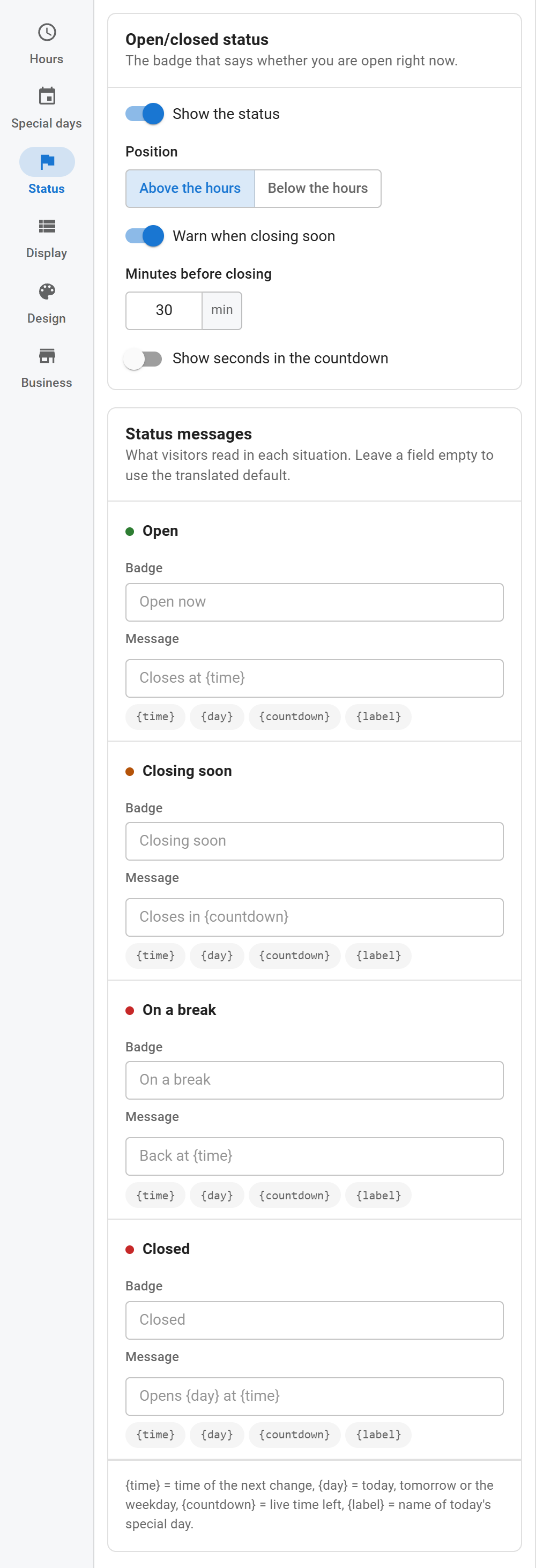
Open/closed status
- Show the status: shows or hides the badge and message.
- Position: above or below the hours.
- Warn when closing soon: switches to the closing-soon state before closing time.
- Minutes before closing: when the warning starts (default 30).
- Show seconds in the countdown: a ticking clock such as "29:12" instead of "30 min" (or "1 h 15 min").
Status messages
Each situation has two texts:
- Badge: the short text in the pill, such as "Open now".
- Message: the line next to it, such as "Closes at {time}".
| Situation | Default badge | Default message |
|---|---|---|
| Open | Open now | Closes at {time} |
| Closing soon | Closing soon | Closes in {countdown} |
| On a break | On a break | Back at {time} |
| Closed | Closed | Opens {day} at {time} |
Leave a field empty to use the default in the visitor's language. A text you type is shown as typed in every language.
Tokens
Click a token under a message to insert it at the cursor.
| Token | Becomes |
|---|---|
{time} |
Time of the next change, in your time format |
{day} |
"today", "tomorrow" or the weekday of the next change |
{countdown} |
Live time left until the next change |
{label} |
Name of today's special day, if there is one |
Use the state buttons above the preview to see each situation with your texts.