Layouts
Smart Business Hours has nine layouts. Choose one under Design > Layout in the Studio; its options appear in a panel below the style presets. All layouts share the hours, special days, messages, colours and fonts, so you can switch layout without losing anything.
List
The classic week: one row per day (or per group of days with the same hours), with today highlighted. Good for sidebars and contact pages.
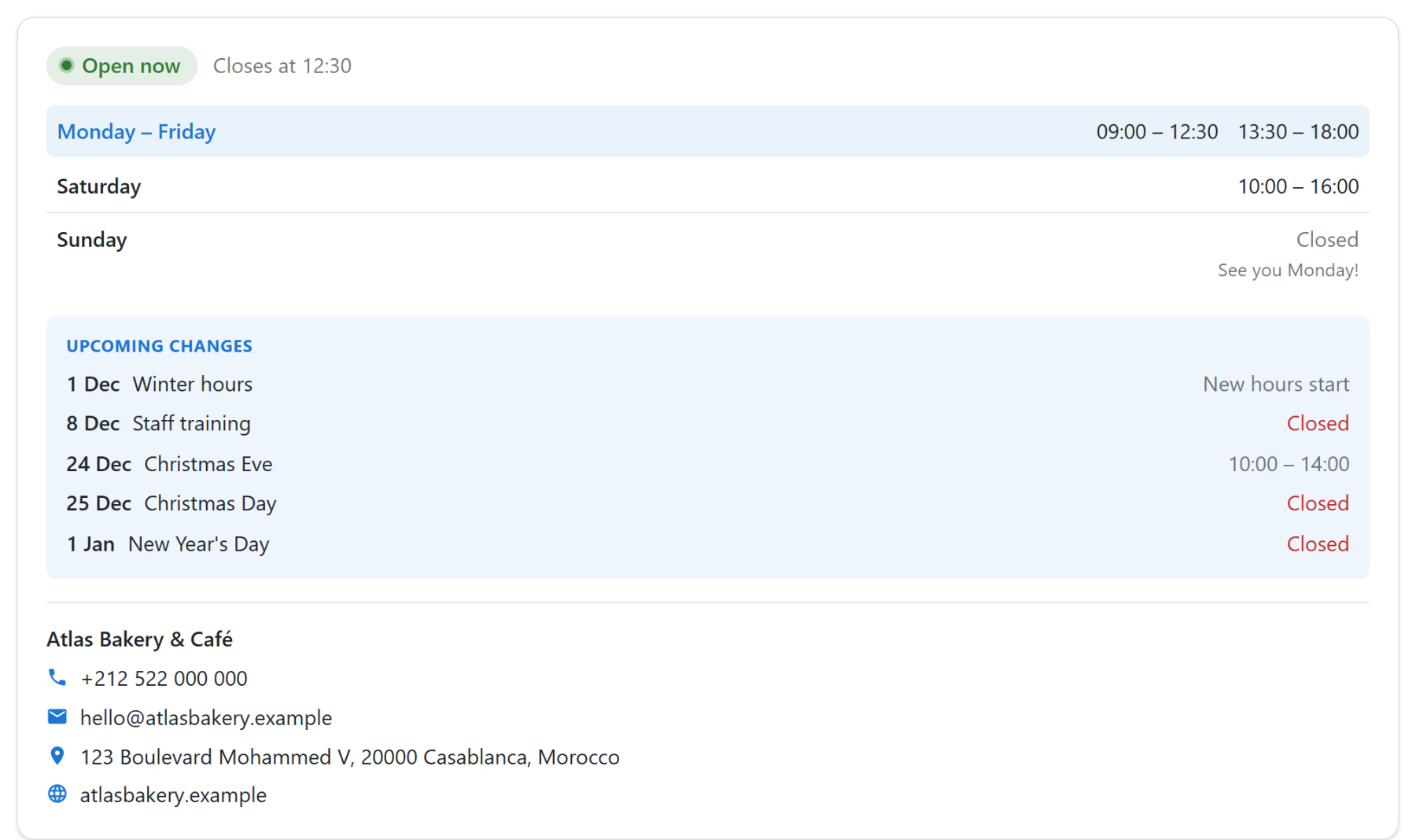
Options: Columns (one, or two side by side on wide positions), Density (compact, normal, roomy), Today marker (none, dot, arrow) and Day name width (a fixed width keeps the hours in a straight column).
Cards
A grid of day cards, with today's card raised. Good for wide positions and landing pages.
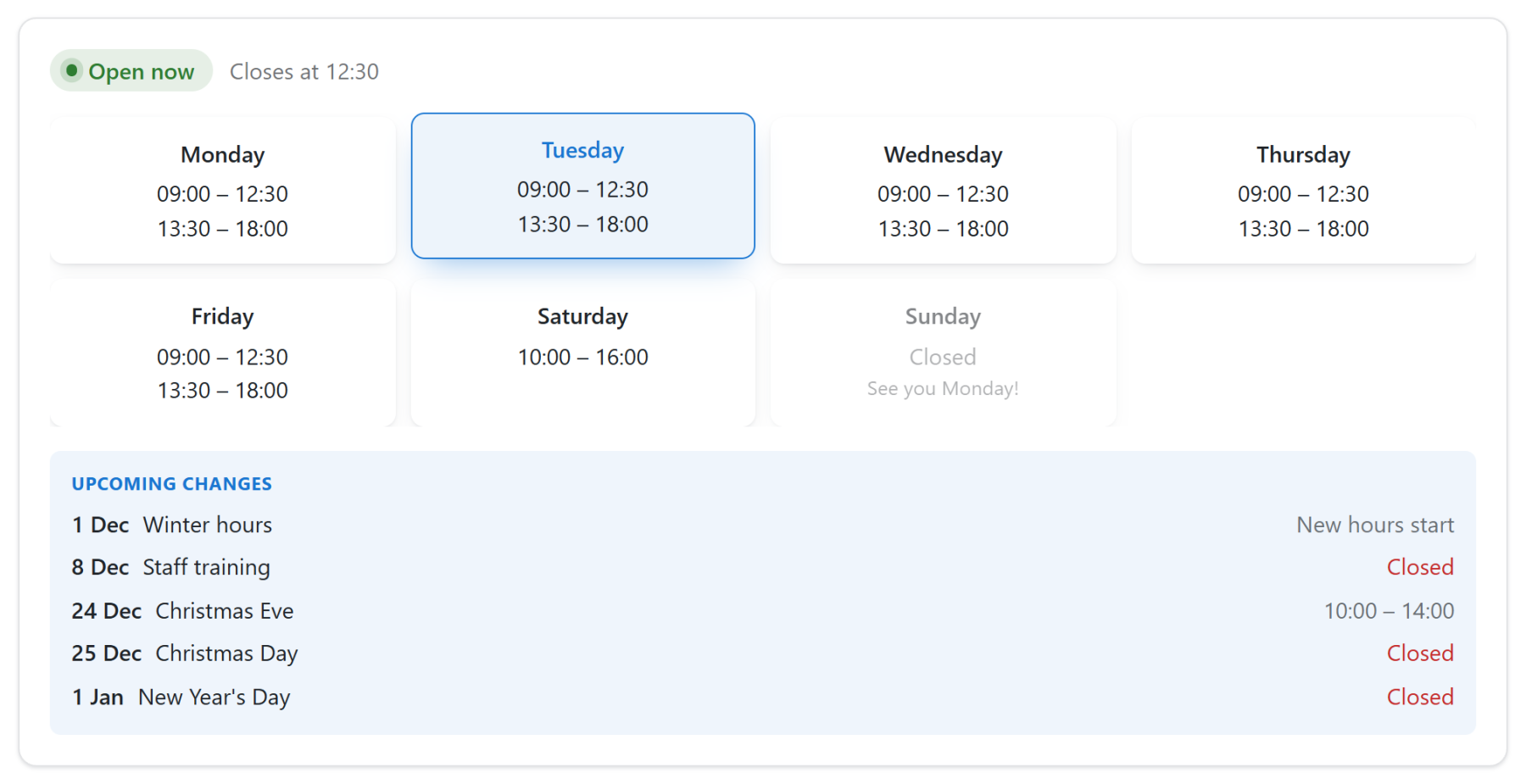
Options: Columns per device (narrow positions show fewer), Card style (outline, filled, shadow), Text in the card (start or centre), Raise today's card and Dim closed days.
Minimal
Plain text with optional dot leaders, like a menu card. With Show the week on one line it becomes a single line for footers: "Mon – Fri 09:00 – 18:00 · Sat 10:00 – 16:00 · Sun Closed".

Options: Line between day and hours (none, dotted, dashed, line), Show the week on one line and Hide the open/closed status.
Badge
A compact status pill with today's hours or the next change beside it. Good for headers and tight spaces.

Options: Next to the status (today's hours, next change, both or nothing), Alignment and Add "See all hours", a link that unfolds the whole week in place.
Bar
A horizontal strip with the status and today's hours, or the whole week. Good above or below the header.

Options: Show (today only or whole week) and Alignment (start, centre, end, spread).
Timeline
Each day as a bar on an hour scale, with a marker for the current time on today's row.
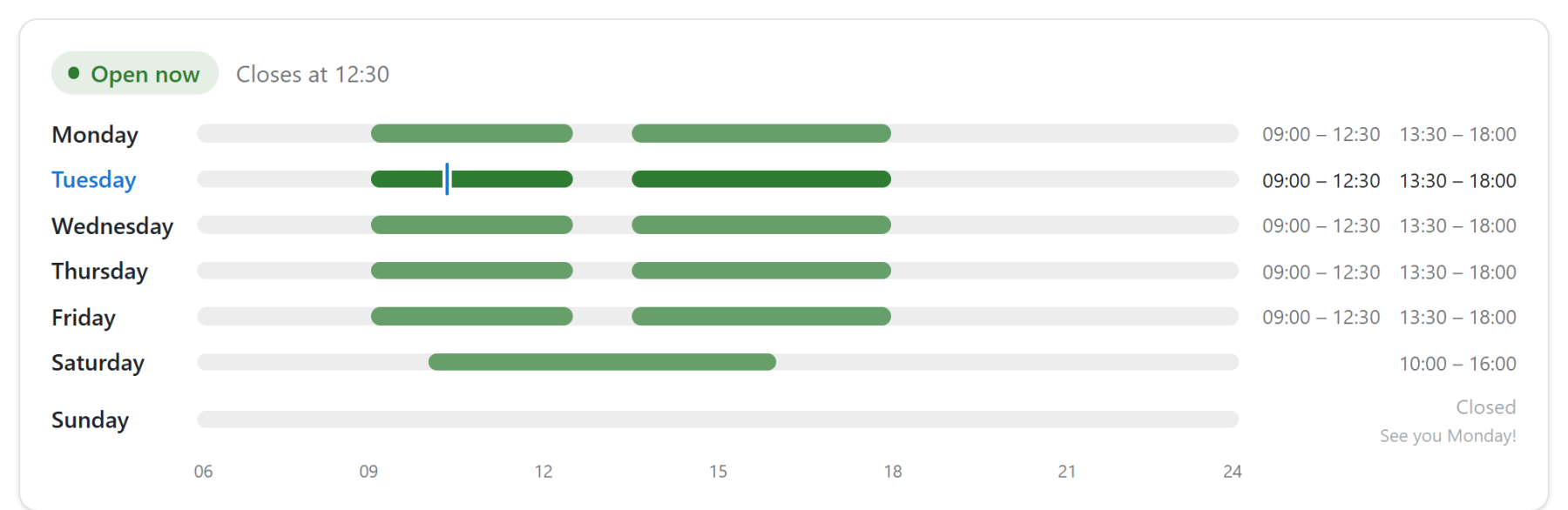
Options: Day starts at and Day ends at (the part of the day the bars cover; hours outside it are cut in the bars but still listed as text) and Show the hour scale.
Floating
A small status pill fixed in a screen corner on every page where the module is assigned. A click opens a card with the full hours.
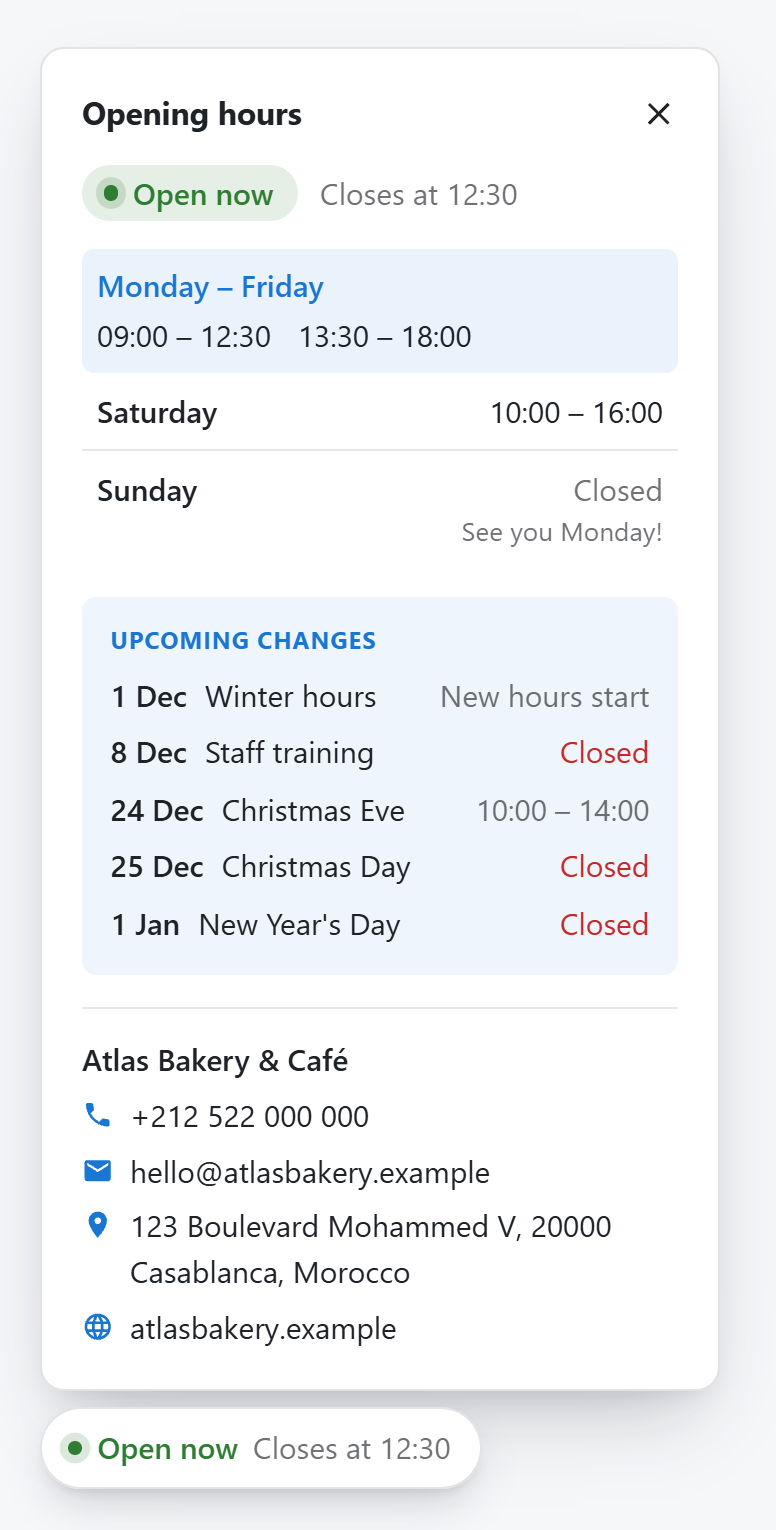
Options: Corner, Distance from the side, Distance from the top or bottom, Panel width, Show on phones, Open the card when the page loads and Remember if the visitor opened or closed it.
Hide the module title and set Module Style to None on the Advanced tab, so the position does not show an empty box. If Smart Floating Contact is in the same corner, the pill moves above it on its own.
Offcanvas
A trigger in the module position opens a side drawer with the full hours.
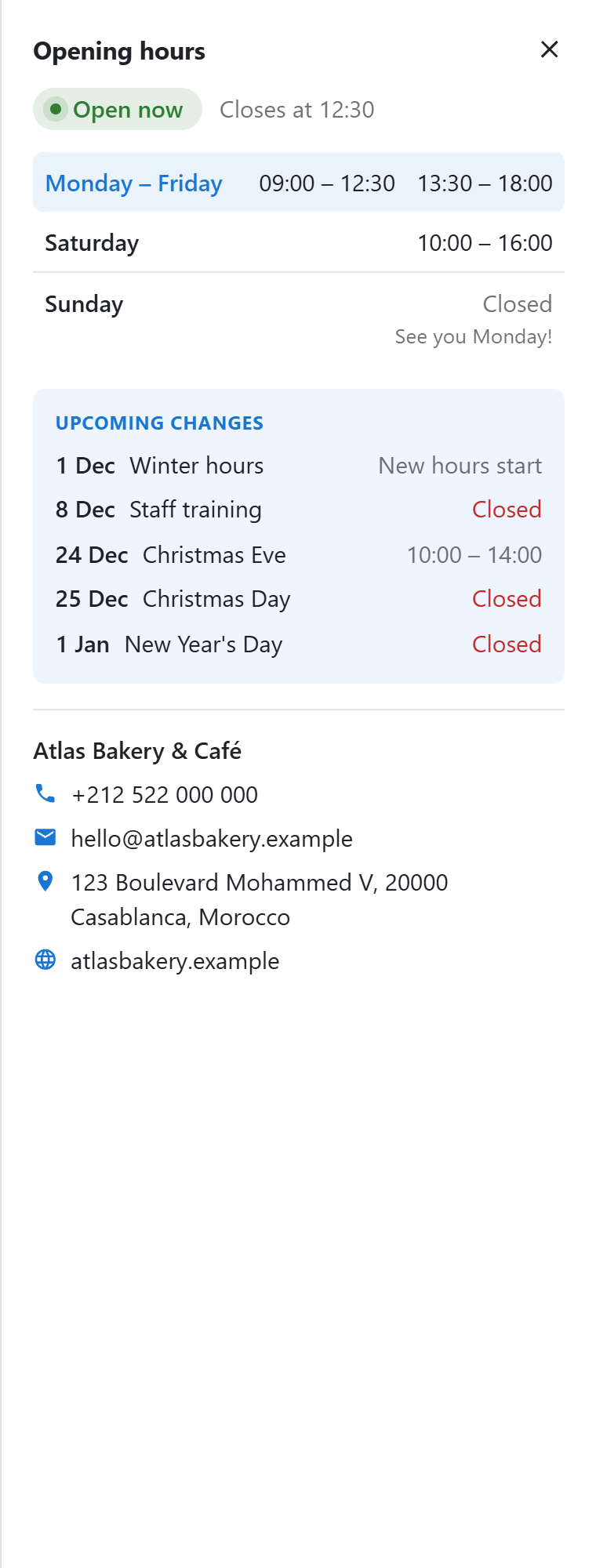
Options: Trigger (status pill, button or link), Drawer side (left or right), Button and drawer title and Panel width.
Accordion
The status on top and folding sections: this week's hours (open at first), other seasons, upcoming changes and contact.
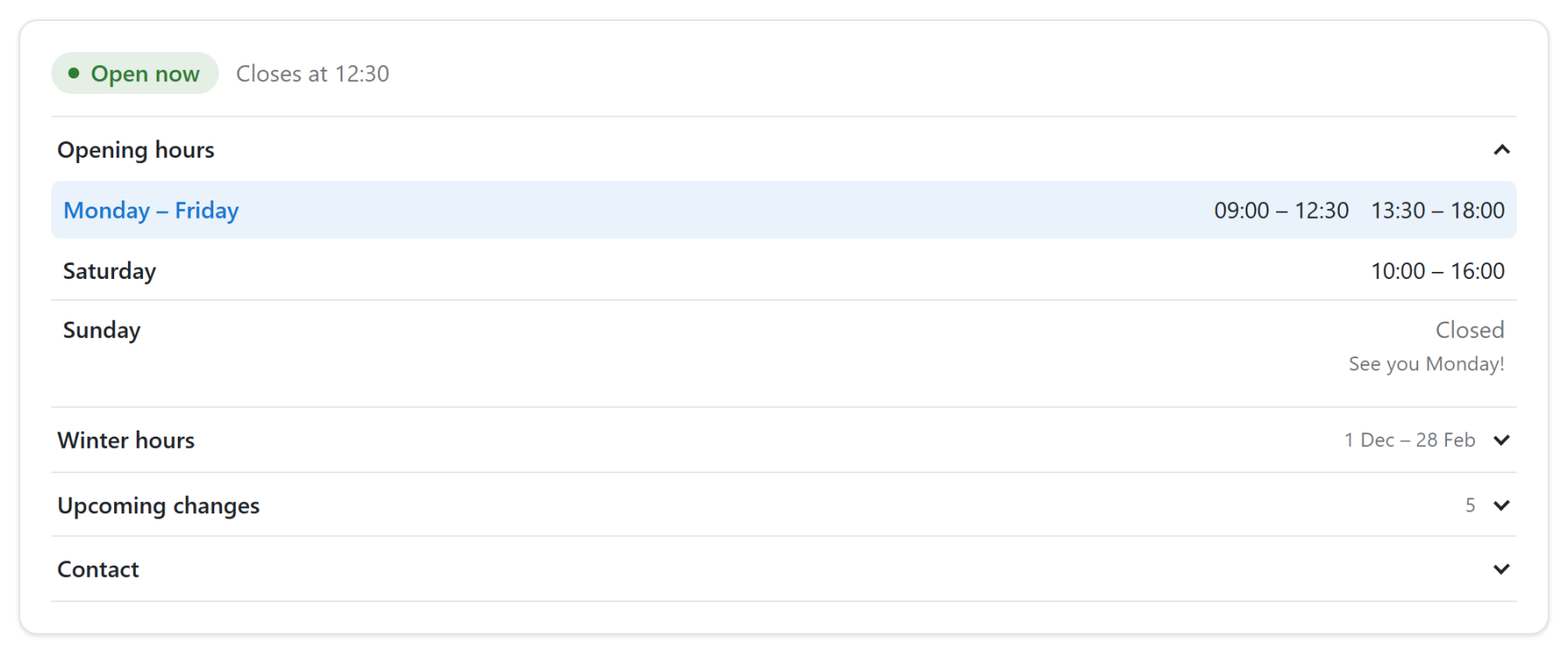
Options: Open/close icon (chevron, plus, none), A section for each other season, Upcoming changes as a section, Contact details as a section and Only one section open at a time.
Changing the HTML
Each layout is a Joomla layout file that can be overridden in your template. See Advanced > Template overrides.