Settings
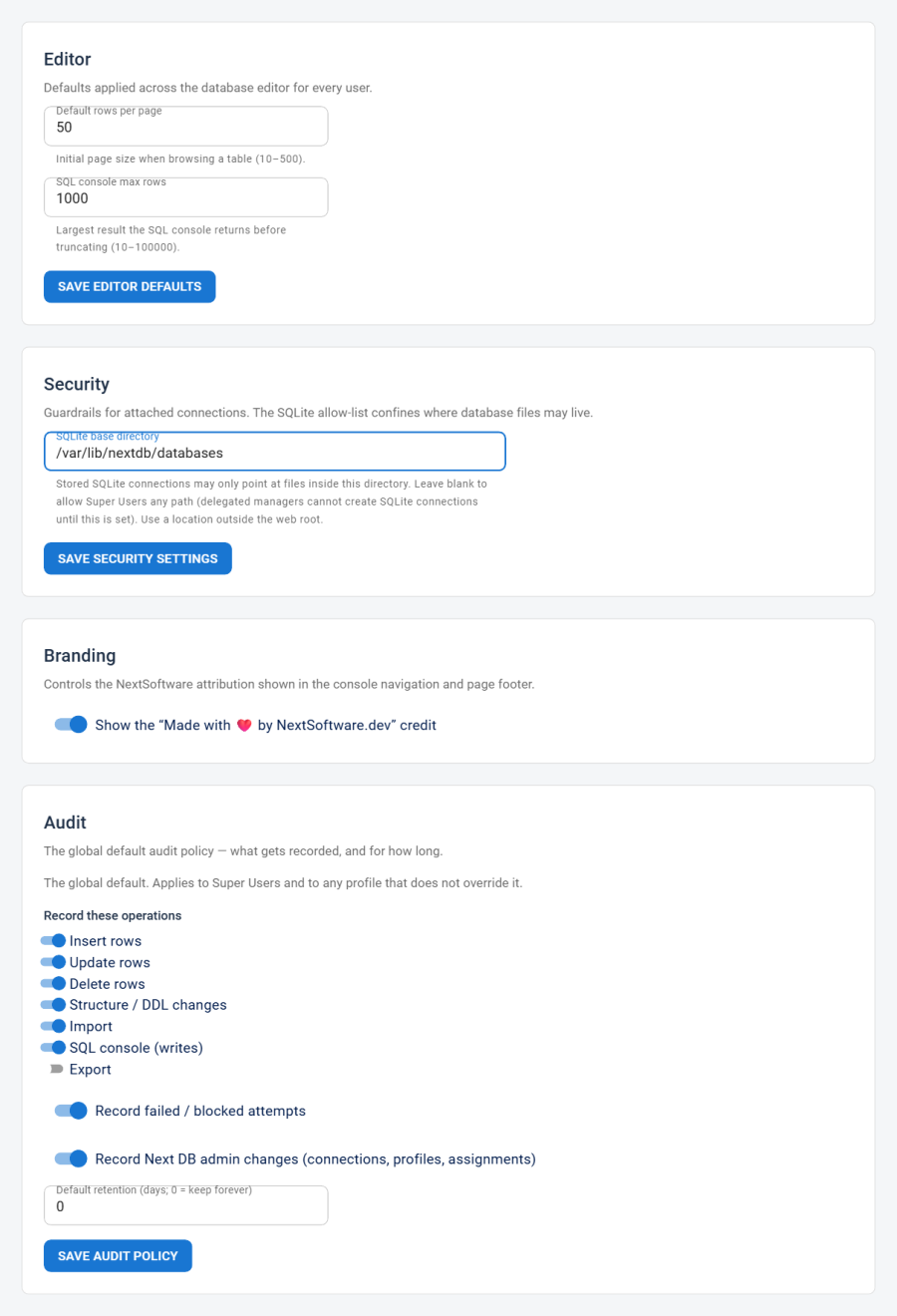
Component-wide defaults and guardrails for Next DB: editor behaviour, SQLite file-path security, and the global audit policy.
Access and section visibility
The Settings page is divided into three independent sections, each gated by a separate management permission. The page hides any section the current user cannot reach, so a user who holds only the Audit Manage policy permission sees only the Audit section — the Editor and Security cards do not appear at all.
| Section | Required permission |
|---|---|
| Editor | Settings Edit permission, or Super User |
| Security | Settings Edit permission, or Super User |
| Audit | Audit Manage policy permission, or Super User |
If the user has neither the Settings Edit nor the Audit Manage policy permission, the page shows a "not authorised" notice. The menu already hides the Settings link in that case; this check is an extra safeguard.
Each section saves independently — saving one section won't reset the others.
Editor section
Defaults applied across the database editor for every user. Changes take effect after the browser is reloaded.
| Field | What it does | Values / default | Notes |
|---|---|---|---|
| Default rows per page | Initial page size when browsing any table | Integer, 10–500; default 50 | Controls the starting page size only; users can change it during a session with the table's rows-per-page control |
| SQL console max rows | Largest result the SQL console returns before truncating | Integer, 10–100 000; default 1 000 | The cap is enforced both in the interface and on the server; values outside the range are clamped on save |
Both values are clamped to their valid range on the server when saved, so an out-of-range submission is silently corrected rather than rejected.
These are global defaults — there is no per-user or per-profile override for editor preferences.
Security section
Guardrails for attached connections.
| Field | What it does | Values / default | Notes |
|---|---|---|---|
| SQLite base directory | Absolute path that all stored SQLite connection files must live inside | String (filesystem path); default blank | The path must already exist when you save |
Blank vs. set:
- Blank (default): Super Users may point a SQLite connection at any accessible path. Delegated managers (non-Super Users with connection-create rights) cannot create SQLite connections until this is set.
- Set to a path: every stored SQLite connection (new or edited) must resolve to a file inside that directory. Paths that try to escape the folder are rejected. This confines exposure if a delegated manager has connection-create rights.
Recommendation: set this to a directory outside the web root, such as /var/lib/nextdb-sqlite or an equivalent path on your operating system. Storing .sqlite files under the web root risks direct download if directory listing is enabled or .sqlite files are not blocked by the web server.
For the full SQLite path validation and allow-list design, see Security.
Audit section
The global default audit policy — which operations are recorded, whether failures are captured, whether Next DB administration events are logged, and how long entries are kept.
This section is gated separately by the Audit Manage policy permission. A user who has that permission but not Settings Edit reaches this section without seeing the Editor or Security cards.
For the full field reference, the two-tier policy model, per-profile overrides, and retention behaviour, see Audit Policy.