Access Gates
The access gate decides who may start an exam. It is set per exam on the Access & Release tab, and enforced on the server every time someone tries to begin — not merely reflected in what the interface offers.
The five access types
| Type | Who may start | Typical use |
|---|---|---|
| View level | Anyone whose Joomla view level matches | Members-only content you already segment by view level — and the way to publish an exam publicly, by choosing the Public view level |
| Open registration | Any logged-in user | Anything for registered users generally |
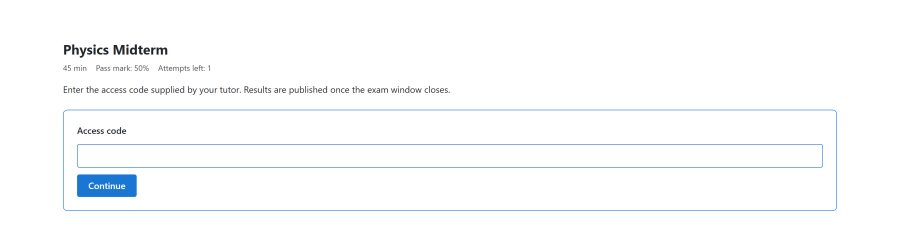
| Access code | Anyone who supplies the correct code | A code read out in a classroom or emailed to a group |
| Identified guest | A guest who supplies a name and email | Assessment for people you do not want to register |
| Restricted | Only people on an allow-list | Cohort-based enrolment. See Cohorts and enrollment |
Note: there is no separate "public" access type. A fully open exam is the view level type set to Joomla's Public view level, which keeps one mechanism — Joomla's own view levels — rather than adding a second way to express the same thing.
How the gate is evaluated
The gate is a sequence of checks. The first failing condition is the one reported, so an examinee sees a single actionable reason rather than a list.
- Is the exam published?
- Is now inside the opening window?
- Does the person satisfy the access type?
- Have they attempts remaining?
- Has any cooldown elapsed?
The gate is evaluated on the exam page and re-evaluated when the attempt is actually started. Passing the gate does not mint a pass that can be replayed later.
Windows
| Field | Meaning |
|---|---|
| Open from | The exam cannot be started before this time |
| Open until | The exam cannot be started after this time |
| Due at | Used by cohort access rules for per-cohort deadlines |
All are absolute times. Two consequences worth planning for:
- An attempt in progress when the closing time passes is not killed mid-question, but a resume attempted after the closing time finalises the attempt rather than reopening it.
- Leaving both blank means the exam is available whenever it is published, which is usually what you want for practice material.
Attempt caps and cooldown
| Field | Effect |
|---|---|
| Maximum attempts | How many times one person may sit the exam |
| Cooldown | Minutes that must pass between one attempt ending and the next starting |
Both are checked at start, next to each other, and both are ignored by practice attempts. Practising never consumes a real allowance, and never makes someone wait before their real attempt.
Guests
An exam open to guests is sat by someone with no Joomla account. Next Exams still tracks the attempt properly:
- A token identifies the guest's attempt, so they can return to it and later download a certificate they earned.
- The identified-guest mode collects a name and email so the attempt is attributable, which matters if the result will be used for anything.
- The global anonymous-identity setting decides how a guest is identified; it needs to be consistent with the access types you use.
Access codes
An access code is compared on the server. Codes are exact — leading and trailing whitespace is stripped, but case matters.
Warning: access-code entry is not rate-limited. A code is a convenience for a known audience, not a security control, and a short or guessable code is guessable. Treat a code-gated exam as protected against casual access, not against a determined attacker. Where the audience is known in advance, restricted access with a cohort is the stronger choice.
LTI launches
A launch from an LMS bypasses the normal gate for that exam. The learner arrives already authorised by the platform, and the session is marked as LTI-authorised for that specific exam — scoped to it, not to the site as a whole. No new access type is needed on the exam.
See LTI 1.3.
Access control
| Action | Required permission |
|---|---|
| Change an exam's access type | exams — edit |
| Choose a cohort for restricted access | Also cohorts — view |
| Sit an exam | None beyond the gate itself |
The gate is enforced in the exam view and in the runner. An examinee who reaches a runner URL directly, without passing the gate, is refused there too.