Import and Export
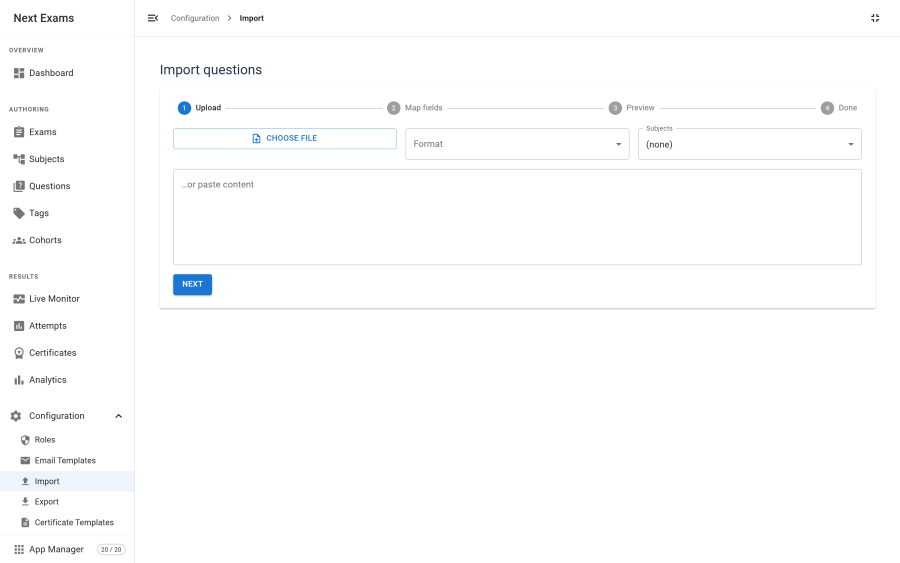
Questions move in and out of Next Exams in five formats. Import is a three-stage process — inspect, preview, run — so you see exactly what will be created before anything is written.
Formats
| Format | Import | Export | Notes |
|---|---|---|---|
| CSV | Yes | Yes | You map your own columns. Round-trips through Next Exams. |
| Aiken | Yes | — | A simple plain-text multiple-choice format. |
| GIFT | Yes | — | Moodle's plain-text question format. |
| Moodle XML | Yes | Yes | The common route out of an existing Moodle question bank. |
| QTI 2.1 | Yes | Yes | The interoperability standard. Covers every question type. |
Importing
The three stages exist so nothing is written on a guess.
- Inspect — upload the file. The format is detected and, for CSV, the columns are read so you can map them.
- Preview — every row is parsed and validated, and you see the questions that will be created, including any that failed validation and why.
- Run — the valid rows are written.
Imported questions are created through the same code path as a question typed in by hand, so the same validation applies. A row that would produce an invalid question is rejected at preview rather than creating something broken.
CSV mapping
CSV has no agreed schema for questions, so Next Exams does not assume one. On the inspect step you map each of your columns onto a Next Exams field — stem, type, options, correct answer, subject, points, and so on. The mapping is applied at preview, so you can correct it and look again before writing anything.
QTI 2.1
QTI is the format to use when the questions might need to travel again.
Export emits genuine QTI interactions — choice, order, match, text entry and extended text — so the file is usable by any QTI-aware system, not just this one. Alongside them it writes a compact vendor extension carrying the native Next Exams answer key.
Import prefers that vendor extension when it is present, and otherwise parses the real QTI structure:
| QTI structure | Becomes |
|---|---|
| Choice interaction | Multiple choice, single or multiple |
| Order interaction | Ordering |
| Match interaction | Matching |
| Several text-entry gaps in one body | Cloze |
| Multiple choice sharing one option bank | Extended matching |
| A response-processing mapping | Proportional partial credit |
| A float base type | Numeric short answer |
The practical consequence: a Next Exams to Next Exams QTI round trip is lossless, because the native key travels with the file. A round trip through a third-party system keeps everything QTI itself can express.
Exporting
Export produces CSV, Moodle XML or QTI 2.1 for the questions you select. Exports open as a direct download.
Export is also the answer to two operational questions:
- Backing up the bank before a bulk edit or a risky import.
- Moving between sites — export from staging, import to production.
Warning: uninstalling Next Exams drops its database tables, taking every question with them. If you are about to uninstall, export first.
Access control
| Action | Required permission |
|---|---|
| Import questions | questions — create |
| Export questions | questions — view, plus edit on questions or export on reports |
Import and export is a switchable app. Turning it off removes both pages and their endpoints; the question bank itself is untouched.