Roles and Permissions
Next Exams has its own permission system. It is not Joomla's ACL, and the distinction is deliberate: Joomla's asset-based rules are excellent for content but awkward for "this person may grade essays but not publish exams". Next Exams therefore defines its own roles, and assigns them to Joomla users and groups.
Joomla's ACL still matters at the boundary — reaching the administrator, or the front-end management application, requires Joomla's core.manage. Once inside, Next Exams' own roles decide what you can do.
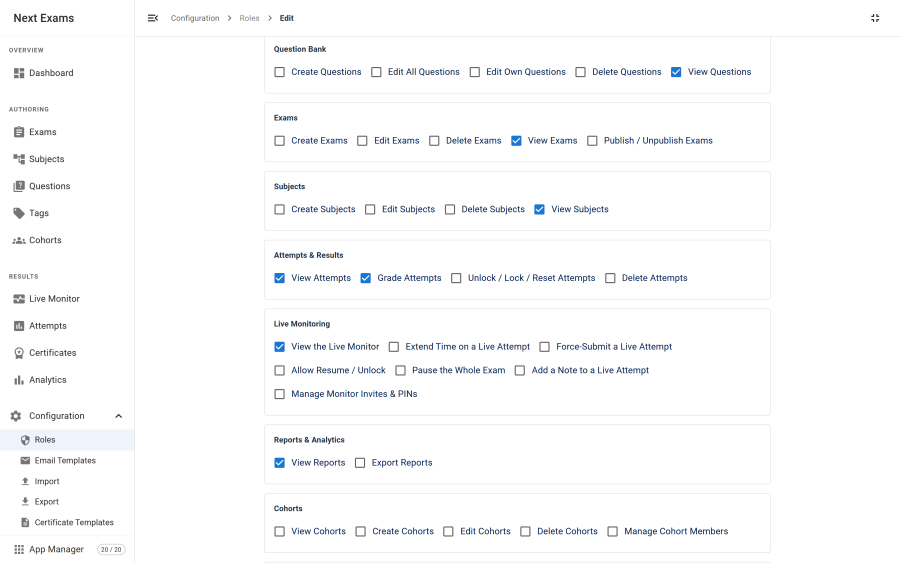
Features and actions
A role grants actions on features. The features are:
| Feature | Governs |
|---|---|
questions |
The question bank, the media library and imports |
subjects |
The subject tree |
exams |
Exam authoring, publishing and release |
attempts |
Attempt records, grading and CSV export |
cohorts |
Rosters and their members |
reports |
Analytics, report schedules and exports |
certificates |
Issued certificates and templates |
monitoring |
The live board and invigilator grants |
webhooks |
Webhook endpoints and their delivery log |
lti |
LTI platform registrations |
api_tokens |
Bearer tokens for the JSON API |
configuration |
Settings, roles, email templates and the App Manager |
Actions vary by feature. Most content features offer view, create, edit, delete and publish; the specialised ones define their own, such as monitoring's extend-time and force-submit, or configuration's manage-settings, manage-roles and manage-notifications.
Assignments
A role is granted to a Joomla user or a Joomla user group, never to both in one assignment.
| Rule | Behaviour |
|---|---|
| Direct user assignment | Takes precedence over any group assignment |
| Group assignment | Applies to every member of that group |
| Multiple groups | The user gets what those roles grant |
| Super User | Bypasses Next Exams roles entirely |
The Super User bypass is worth knowing about when testing permissions: logged in as a Super User you will never see a permission refusal, because you are exempt from the whole system. Test with a normal account.
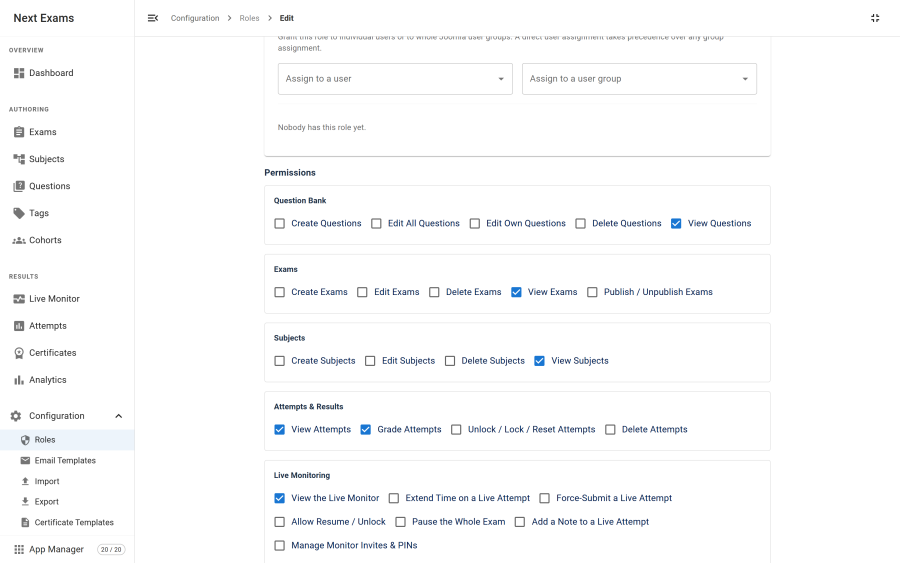
Note: assignments are managed on a saved role. Create and save the role first, then assign people to it.
Published roles only
Only published roles grant anything. Unpublishing a role removes what it granted from everyone holding it.
This is why the first role — the administrative one seeded at installation — cannot be unpublished. Doing so would strip Next Exams rights from every non-Super-User at once, including whoever was trying to fix it. The interface refuses the action rather than letting you lock yourself out.
Seeded roles
Installation seeds a set of starting roles covering the common shapes: a full exam administrator, an author who writes questions but does not publish, a grader who marks but does not author, a proctor who invigilates, and a viewer with read access. Adjust them or ignore them — they are a starting point, not a fixed vocabulary.
The monitoring feature is reflected in these: the exam administrator gets every monitoring capability, the proctor a working subset, and the author, grader and viewer roles view-only access to the board.
Front-end access
Since the management application also runs on the site, two checks apply there:
- Joomla
core.manage— enforced on every request, because the site does not go through Joomla's own component access check. - A Next Exams role — a user with
core.managebut no role sees a "no permission" screen rather than an empty application.
Both are required. Neither alone is enough.
How gating is enforced
Two things are worth knowing if you are assessing the product's security posture.
Reads are gated as strictly as writes. Listing questions exposes answer keys; listing cohorts exposes invitee email addresses; listing roles exposes the whole permission matrix. Every one of those requires its view permission.
Declaring the permission is mandatory, not remembered. Every controller must declare which feature and action it requires, and the check runs before the generic list, read, save, delete and publish operations. A controller that fails to declare one does not quietly default to open — it fails to load at all. The structure enforces the gate rather than relying on each new controller's author to remember it.
Access control
| Action | Required permission |
|---|---|
| View roles | configuration — manage_roles |
| Create, edit or delete a role | configuration — manage_roles |
| Assign a role to users or groups | configuration — manage_roles |
Changing any role bumps an internal version counter, which invalidates the permission data cached by the running application, so a permission change takes effect without a manual cache clear.