Light & Dark Mode
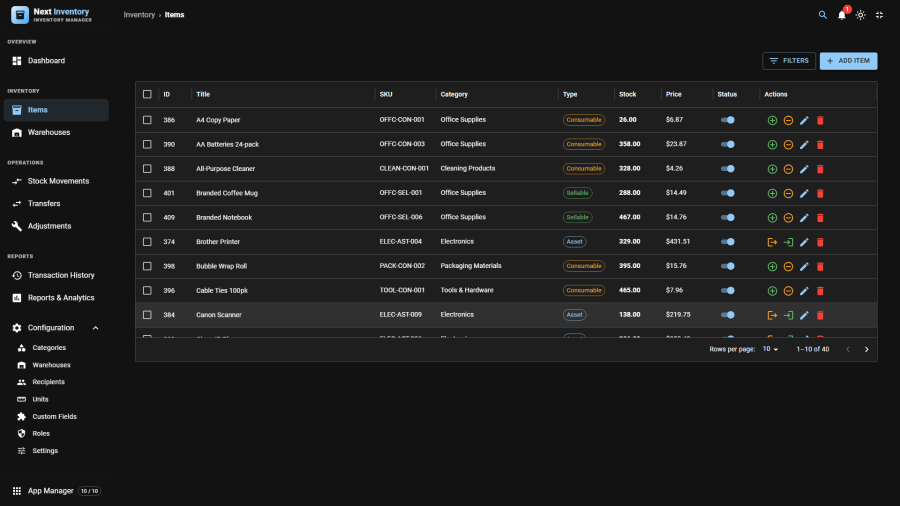
Next Inventory works in light or dark, and inside the Joomla administrator it does not decide that for itself — it follows Joomla's own light/dark setting. The theme button in the Next Inventory header drives that same setting, so one click re-themes the whole administrator rather than leaving a bright panel inside a dark admin, or the reverse.
For Users
The Theme Button
The button sits in the header, to the right of the notification bell. It shows a moon while you are in light mode and a sun while you are in dark, and its tooltip says which way it will take you — Switch to dark mode or Switch to light mode.
Where Joomla has a light/dark setting of its own, the tooltip adds a second line: Also switches Joomla's admin theme. That is the point of the button. It is the same switch as Joomla's own User Menu → Light/Dark Mode, so changing it here changes Joomla too, and changing it in Joomla changes Next Inventory — live, with no reload.
Where the Theme Comes From
In order of authority:
- Joomla's own light/dark setting, whenever the administrator template offers one. This is the normal case.
- Your last choice in this browser, used only when the administrator template has its light/dark feature switched off, so there is nothing to follow.
- Your operating system's dark-mode preference, when the template is set to follow the system.
- The Default theme in Configuration → Settings → Appearance, as the final fallback.
You will not usually need to think about this. It matters in exactly two places, described below.
Fullscreen Mode
Fullscreen (the expand button, top right) hides Joomla's chrome, and Joomla's own theme script does not run there. Next Inventory watches the operating-system preference itself in that mode, so fullscreen and the embedded view agree rather than drifting apart.
The Public Catalogue
The public site has no administrator colour scheme to follow, so the catalogue uses the Default theme from Settings → Appearance, and paints its own background rather than inheriting a white page from the site template.
Printing Always Comes Out Light
Reports and lists print dark-on-white in landscape whatever theme you
are working in, with the navigation, tab bars and buttons stripped
out. So you can work in dark mode all day and still print or Save as
PDF something a colleague can read. Use your browser's normal print
command (Ctrl + P, or ⌘ + P on a Mac).
For Admins
The Default Theme Setting
Configuration → Settings → Appearance has one field, Default theme, set to Light or Dark. It ships as Light.
It is a fallback, not a master switch. Setting it to Dark does not force the administrator into dark mode — inside the admin, Joomla's setting wins. What it does control is the public catalogue, and any administrator template that has no colour scheme of its own.
When Joomla Owns the Theme, and When Next Inventory Does
| Where | What decides the theme |
|---|---|
| Joomla administrator, normal view | Joomla's light/dark setting |
| Joomla administrator, fullscreen | Joomla's setting, with the OS preference watched directly |
| Administrator template with light/dark switched off | The last choice made in that browser, then the Default theme |
| Public catalogue | The Default theme setting |
| Printing | Always light, regardless of the above |
Permissions
| Action | Feature | Permission |
|---|---|---|
| Use the theme button | — | Anyone who can open Next Inventory |
| Change the Default theme | configuration |
manage_settings |
The theme button changes only how the interface looks for the person who clicks it — it stores nothing about anyone else and needs no permission.
Edge Cases
- A preference set while the template feature was off is discarded the moment Joomla starts owning the colour scheme again, so an old private choice cannot silently override Joomla later.
- Private browsing, or a browser blocking site data, still works — the theme simply is not remembered between visits.
- The remembered choice is per browser, not per account. Signing in on another machine starts from Joomla's setting again.
- Charts follow the theme. They are not screenshots of a light palette dropped onto a dark page; the series colours have a dark-mode variant, and light mode is unchanged from earlier versions.