Board settings
Every board has its own settings page. Open it with Board menu → Board settings.
Board admins can change everything here. Members and observers can open the page and read it; a note says that only board admins can change the settings.
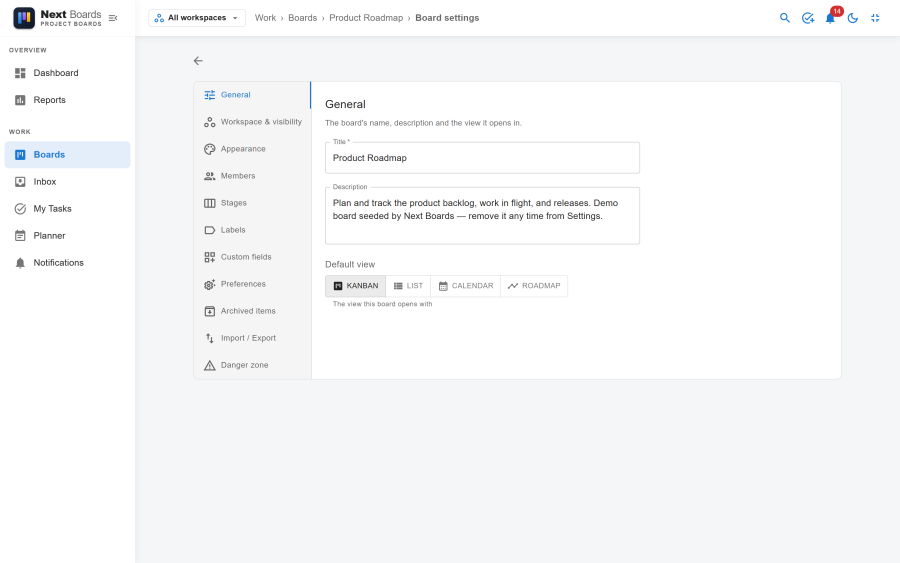
The tabs
| Tab | What it holds |
|---|---|
| General | The board's name, description and the view it opens in. |
| Workspace & visibility | Who can see the board, and the workspace it belongs to. |
| Appearance | The background behind the board and on its tile. |
| Members | Who is on the board and in which role. |
| Stages | The columns of the board, in order. |
| Labels | Coloured tags for the cards of this board. |
| Custom fields | Extra details every card of this board can hold. |
| Preferences | Notifications, card numbers, aging and reminders for this board. |
| Archived items | Cards and stages taken off the board. |
| Import / Export | The board as JSON or CSV, and cards in from a CSV file. |
| Danger zone | Actions that are hard to undo. |
General
| Setting | Notes |
|---|---|
| Title, Description | What the board is called and what it is for. |
| Default view | Kanban, List, Calendar or Roadmap: the view the board opens with for everyone. |
Workspace & visibility
Set the board to Private, Workspace or Public, and move it to another workspace. Both are explained in Workspaces.
If you are a board admin but not a member of the board's workspace, this tab is read-only for you: only workspace members can change who sees the board or move it.
Appearance
Pick None (plain), a colour or a gradient, or upload a Background image (PNG, JPEG, GIF or WebP). The image is shown darkened behind the board. Remove image goes back to a plain background.
Members
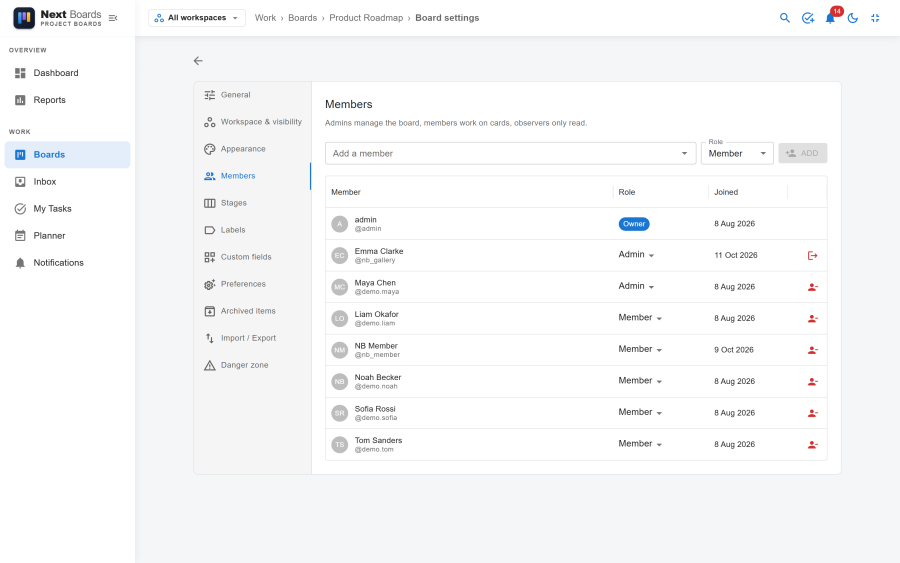
- Add a member: type a name, pick the person, choose Admin, Member or Observer.
- Change a role with the menu in the member's row.
- Remove member takes someone off the board. They are unassigned from its cards and from its checklist items.
- Leave board in your own row removes you.
- Transfer ownership hands the board to another member. The previous owner stays on as an admin.
The same list, without the ownership transfer, is in the Share dialog of the board.
Stages
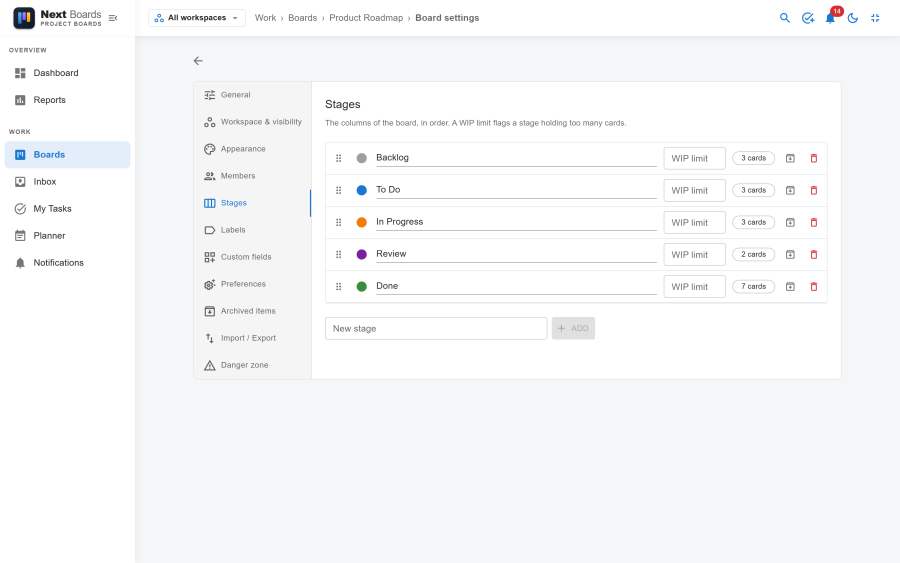
Reorder the stages by dragging, rename them, give each a colour and a WIP limit (empty or 0 for none), and archive or delete them. New stage adds one at the end.
Labels
Create, rename, recolour and delete the board's labels. Each label shows on how many cards it is used. Deleting a label removes it from those cards.
Custom fields
See Custom fields.
Preferences
| Setting | Effect |
|---|---|
| Notify members | Whether this board creates notifications at all. |
| Show card numbers | Shows each card's #number on the board. |
| Card aging | Cards nobody has touched for a while fade out. Fade after (days) sets how long. |
| Default due reminder | The reminder pre-selected when someone sets a due date on this board. |
Archived items
Two lists: Archived cards and Archived stages.
- Restore puts a card back in its stage, or a stage back on the board with its cards. If the card's stage is itself archived, you pick the stage to restore it into.
- Delete permanently deletes a card, or a stage with every card in it, for good.
The same lists open from Board menu → Archived items.
Import / Export
See Import and export.
Danger zone
| Action | Effect |
|---|---|
| Archive board / Unarchive board | Makes the board read-only and takes it off the boards list, or brings it back. |
| Duplicate board | Makes a copy, with or without its cards and members. |
| Leave board | Gives up your membership. You are unassigned from its cards. |
| Delete board | Deletes the board and everything on it. Only offered on an archived board, and you type the board's title to confirm. |
See also
- Access and permissions
- The Kanban board
- Automation: set up from the board menu, not from the settings