Dashboard and reports
Two pages under Overview answer two different questions. The Dashboard tells you where your own work stands today. Reports show how work flows across boards over time.
Both only count boards you can see. Two people looking at the same page can see different numbers.
Dashboard
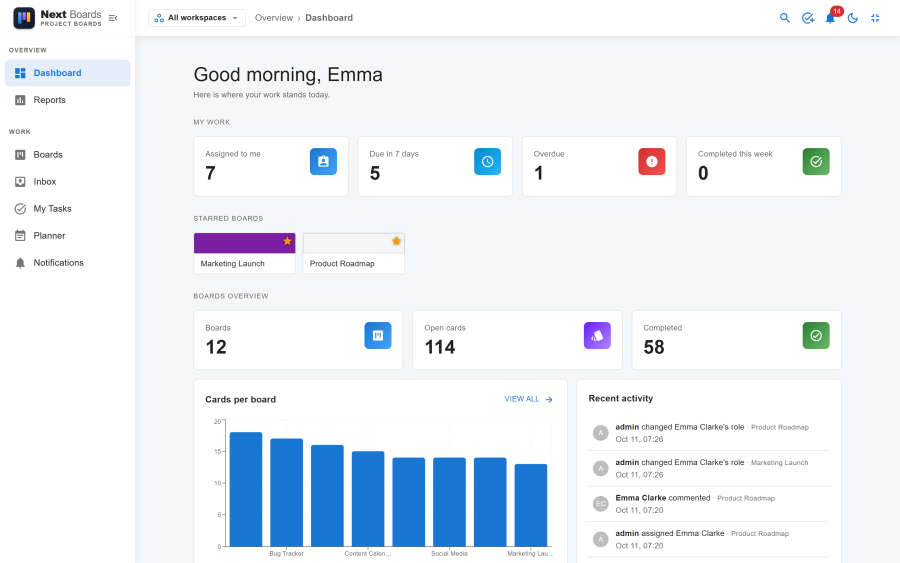
| Section | Shows |
|---|---|
| My work | Cards assigned to you, how many are due within the due-soon window, how many are overdue, and how many you completed this week. |
| Starred boards | Your starred boards, one click away. |
| Boards overview | The number of boards, open cards and completed cards. |
| Cards per board | A chart of open and completed cards for each board. |
| Recent activity | The latest actions on your boards. |
The Dashboard follows the workspace switcher in the header: choose one workspace to see that team only.
A site administrator can make the Dashboard the page Next Boards opens on, under Configuration → Settings → General → Default landing page.
Reports
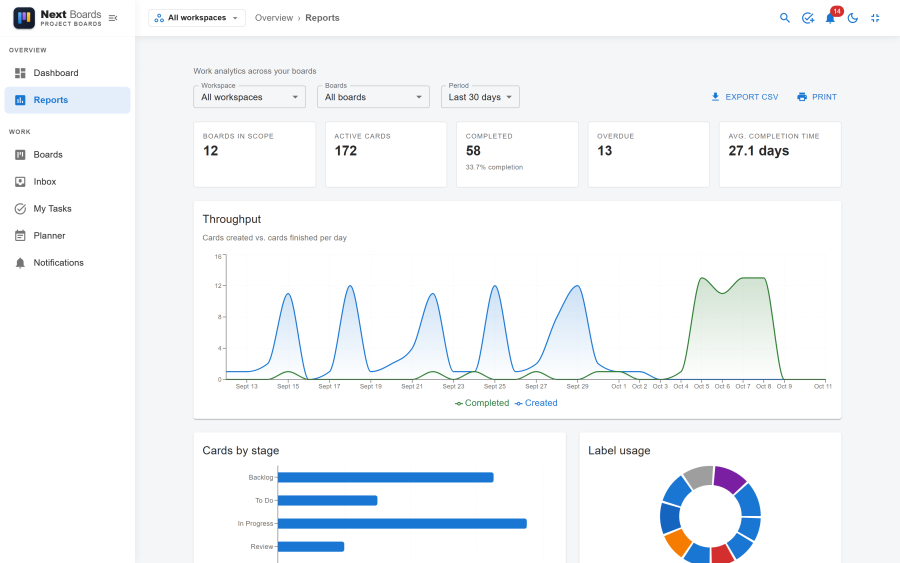
Filters
| Filter | Options |
|---|---|
| Workspace | All workspaces or one |
| Board | All boards or one |
| Period | Last 7 days, Last 30 days, Last 90 days |
Figures
| Tile | Meaning |
|---|---|
| Boards in scope | How many boards the figures cover. |
| Active cards | Open cards on those boards. |
| Completed | Cards finished in the period, with the completion rate. |
| Overdue | Open cards past their due date. |
| Avg. completion time | The average number of days from creating a card to finishing it. |
Charts
| Chart | Reads as |
|---|---|
| Throughput | Cards created against cards finished, per day. When the created line stays above the finished line, work is piling up. |
| Cards by stage | Where the open cards sit. A tall bar in the middle of the flow is a bottleneck. |
| Label usage | How many cards carry each label. |
| Member workload | For each person, the cards assigned and how many of them are completed. |
| Open cards by due date | Overdue, due this week, due later, and no due date. |
Taking the figures out
- Export CSV downloads the figures of the current filter for a spreadsheet.
- Print opens a print layout without the navigation, also usable to save a PDF from the browser's print dialog.
Switching them off
Dashboard and Reports are apps. Either can be switched off under Configuration → Apps; its page then disappears from the navigation.