Notifications
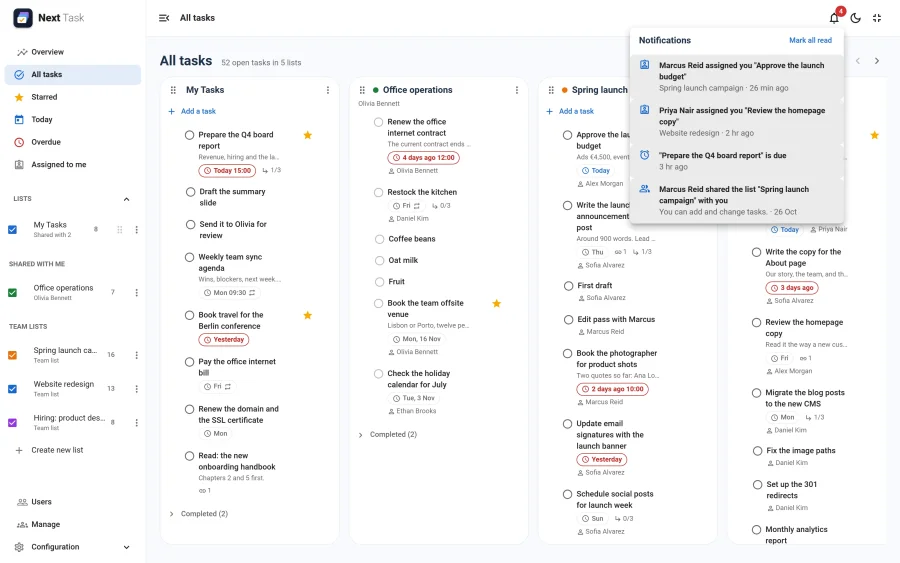
The bell in the header collects what happened to each person: assignments, shared lists, completed tasks and due-time reminders. This page is for administrators; what people see is described in Notifications.
What Creates a Notification
| Type | Recipient | When |
|---|---|---|
| Assigned | The new assignee | Someone else assigns them a task. Assigning a task to yourself creates nothing. |
| Completed | The task's creator | The assignee completes a task they were assigned, and the creator can still reach the list. |
| Shared | The person, or every member of the group | A list is shared with them. |
| Due | The assignee, or the list's owner when nobody is assigned (only an assignee on a team list) | The reminder routine opens a timed task's reminder window. It needs the scheduled task, see Reminders and scheduled tasks. |
The texts are language strings (COM_NEXTTASK_NOTIFY_*), written in the recipient's language.
Switches
- The Notifications app (App Manager): off, the bell disappears for everyone and nothing new is written. Reminder emails still go out, and the stored notifications are kept.
- Show notifications in the bell (each person's Settings > Preferences): off, nothing new is written for them.
- Emails are separate: the Reminders & Digest app and each person's email preferences decide them.
Housekeeping
The Next Task: maintenance scheduled task removes read notifications after 30 days and unread ones after 90. When a Joomla user is deleted, their notifications go with them; privacy exports include a person's notifications, and privacy removal deletes them.
Updates in the App
The unread count is checked about once a minute while the app is open (not while the browser tab is hidden), and the list loads when the bell is opened. Nothing is pushed to a closed browser.