Keyboard Shortcuts and Bulk Actions
A list can be worked from the keyboard alone, and several tasks can be changed at once. Press ? in a list to see the shortcuts in the app.
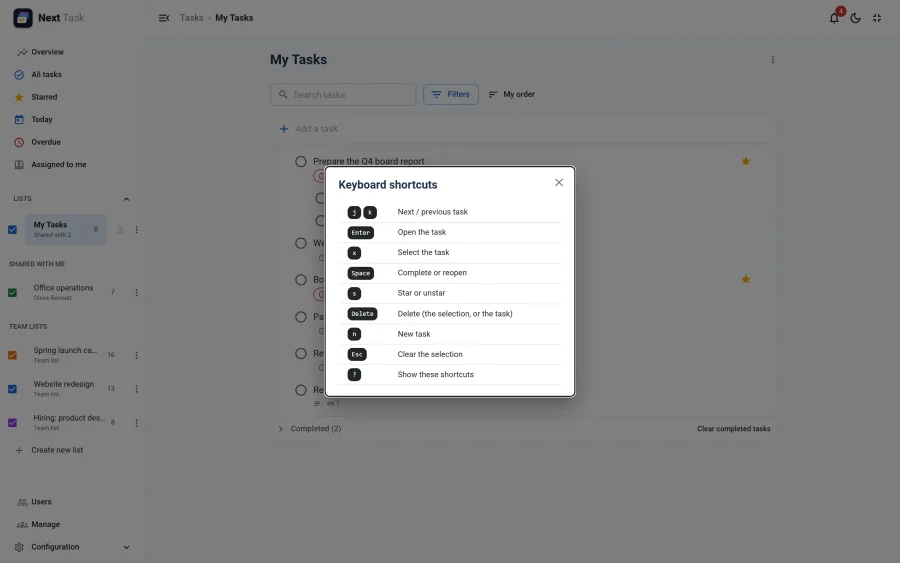
Shortcuts never fire while you are typing in a field.
In a List
| Key | Action |
|---|---|
j / k |
Next / previous task |
Enter |
Open the task |
x |
Select the task |
Space |
Complete or reopen |
s |
Star or unstar |
Delete |
Delete the selection, or the task (with Undo) |
n |
New task (jumps to Add a task) |
Esc |
Clear the selection |
? |
Show the shortcuts |
To reorder with the keyboard, focus a task's drag handle, press Space to pick it up, move it with the arrow keys and press Space again to drop it (Esc cancels).
Selecting Several Tasks
Select tasks with Ctrl-click (Cmd-click on a Mac), Shift-click for a range, x on the keyboard, or Select in a task's menu. A bar appears above the list:
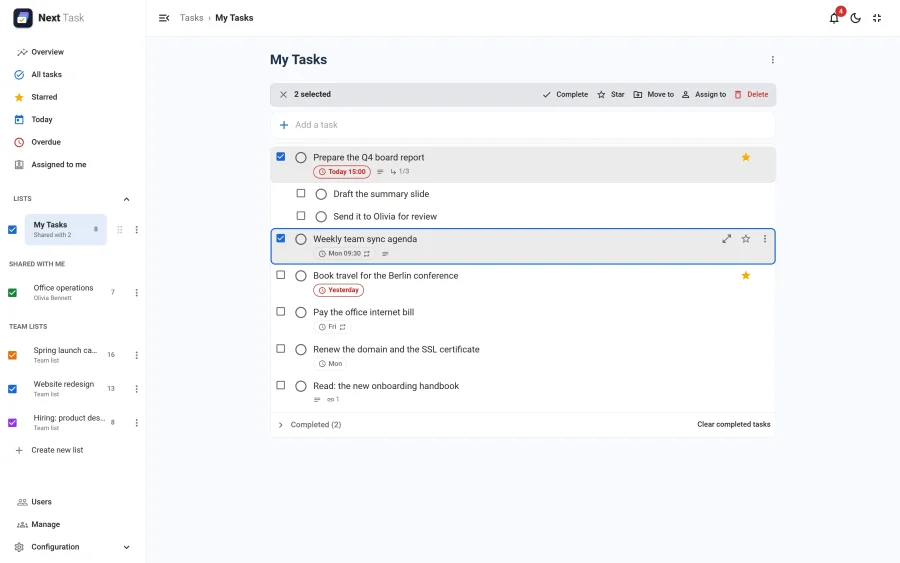
- Complete (or reopen) them.
- Star them.
- Move to another list.
- Assign to someone.
- Delete them, with Undo.
Each change is checked on the server exactly like the same change on one task (a repeating task completed in bulk gets its next occurrence too). A move into a list that is full (see quotas) is refused. Esc or the cross clears the selection.