Overview and Users
Two screens for team leads: the Overview, with the site's figures and charts, and Users, a table of everyone's workload. Both belong to the Overview & Management app and are shown to people whose role allows them (see Roles and quotas).
Overview
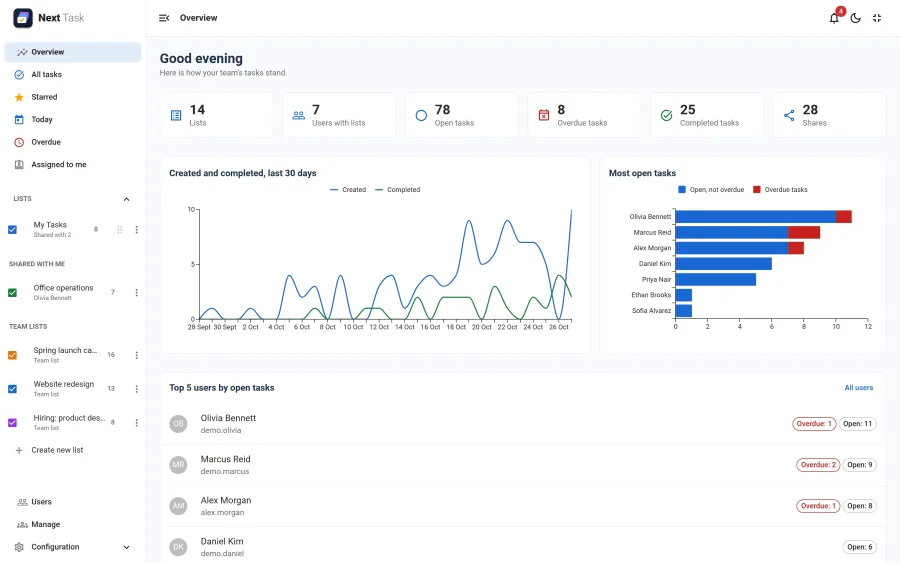
- Figures: lists, users with lists, open tasks, overdue tasks, completed tasks and shares. Open and Overdue open the Users page, filtered to the people with open or overdue work.
- Created and completed, last 30 days: one line for the tasks created each day, one for the tasks completed.
- Most open tasks: who carries the most open work, split into open and overdue.
- Top 5 users by open tasks, with their open and overdue counts; All users opens the Users page.
The Overview needs the Overview > View permission. The "Most open tasks" chart and the Top 5 also need Users > View. Team lists, which belong to nobody, are left out of the per-person counts.
Users
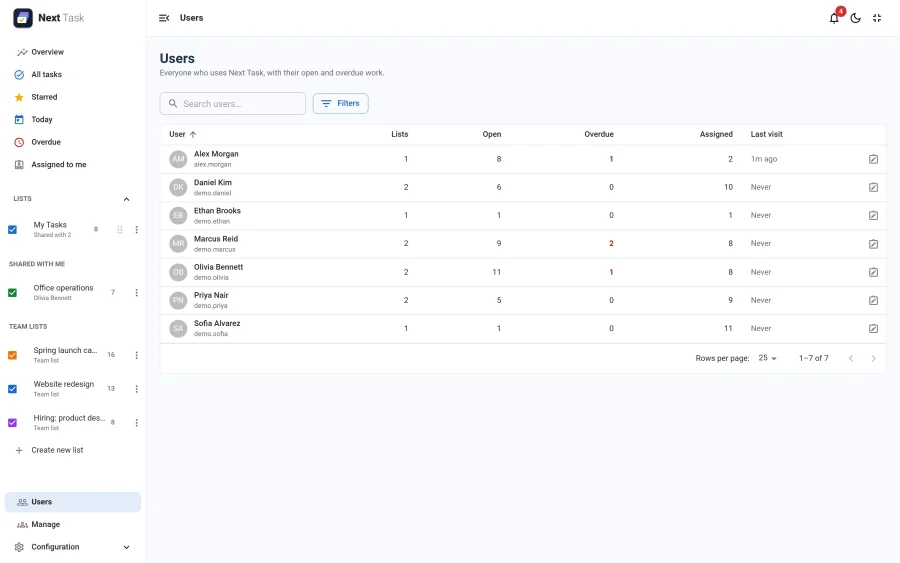
Everyone who uses Next Task, one row each: Lists they own, Open and Overdue tasks on them, tasks Assigned to them, and their Last visit. Blocked accounts are marked.
- Search by name or username, and Filters: everyone, people with open work, people with overdue work.
- Sort by any column, and page through 25, 50 or more rows at a time. Searching, sorting and paging run on the server, so the page stays fast on a site with thousands of users.
- The notes icon at the end of a row opens that person's Joomla User Notes (with the Users > Notes permission).
The Users page needs Users > View.
Someone's Tasks
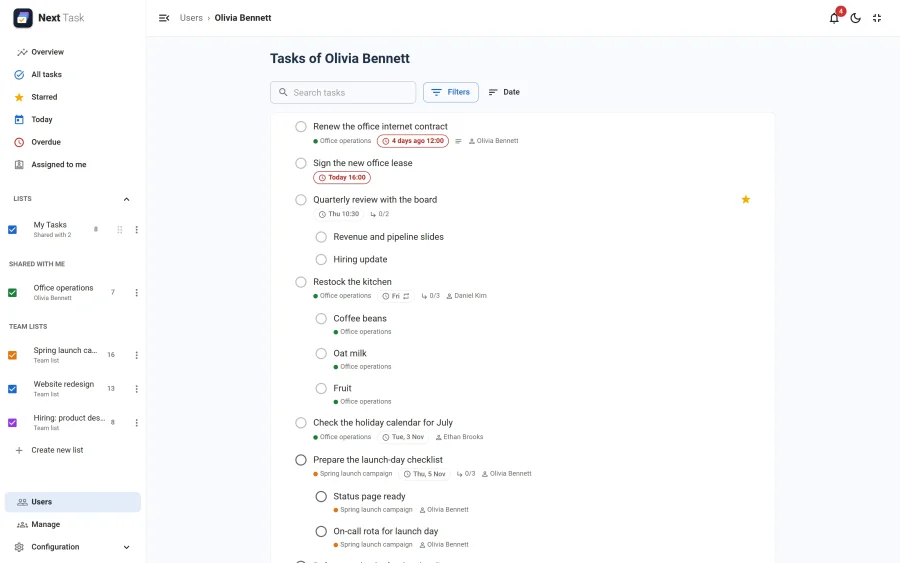
With the Manage > View all permission, a row opens that person's tasks: their lists and the tasks on them, read-only. Click a task to read it with its subtasks, even on a list you can't reach. To change anything you need access to the list like anyone else.
Switching It Off
Overview & Management is an app. Switched off in the App Manager, the Overview and the Users page are hidden.