Managing Team Lists, Transfers and Shares
Manage is where an administrator runs the lists of the team: team lists that belong to the site, lists moved from one person to another, and every share on one page. It has three tabs, each shown to the role that holds its permission.
| Tab | Permission |
|---|---|
| Team lists | Team lists > Manage |
| Transfer | Manage > Transfer |
| Shares | Manage > Shares |
Team Lists
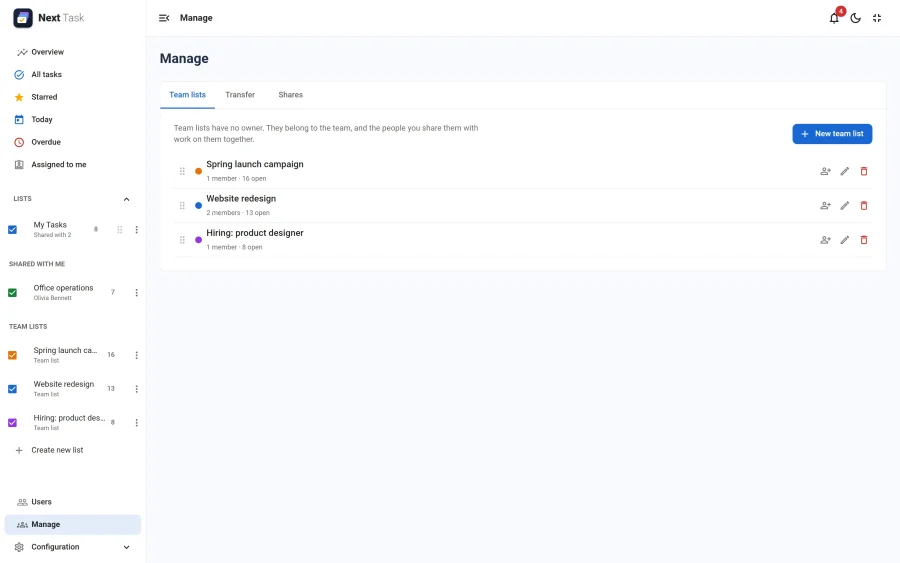
Create, rename, recolour, reorder, share and delete the lists that belong to the team. Managing a team list gives no access to its tasks: Add me gives you an edit share in one click.
Transfer
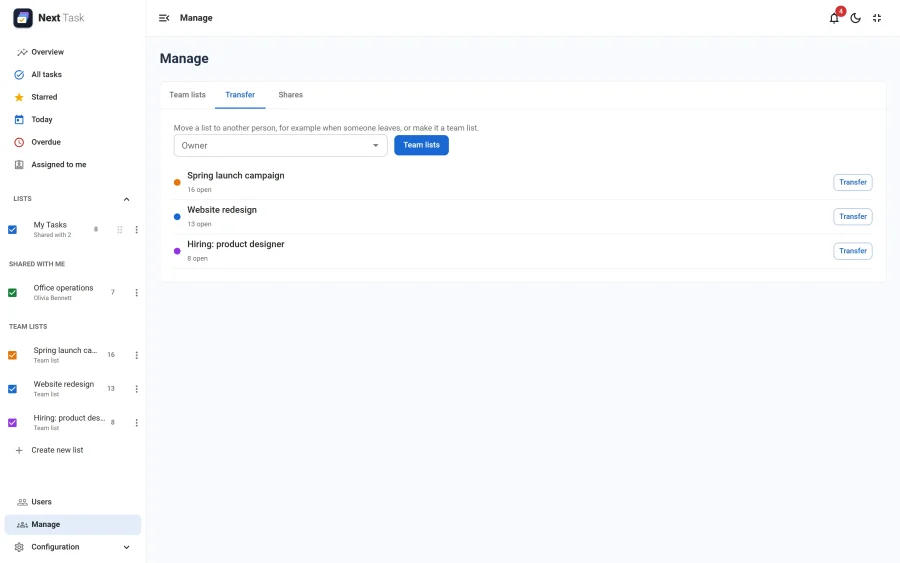
Pick a person (or Team lists) to see their lists, then Transfer one: to another person, or make it a team list. A team list can go back to a person the same way. Keep (name) on this list with edit access, ticked by default, leaves the previous owner working in it through a share. A person's default "My Tasks" list can't be transferred, and transfers are not held back by quotas.
Shares
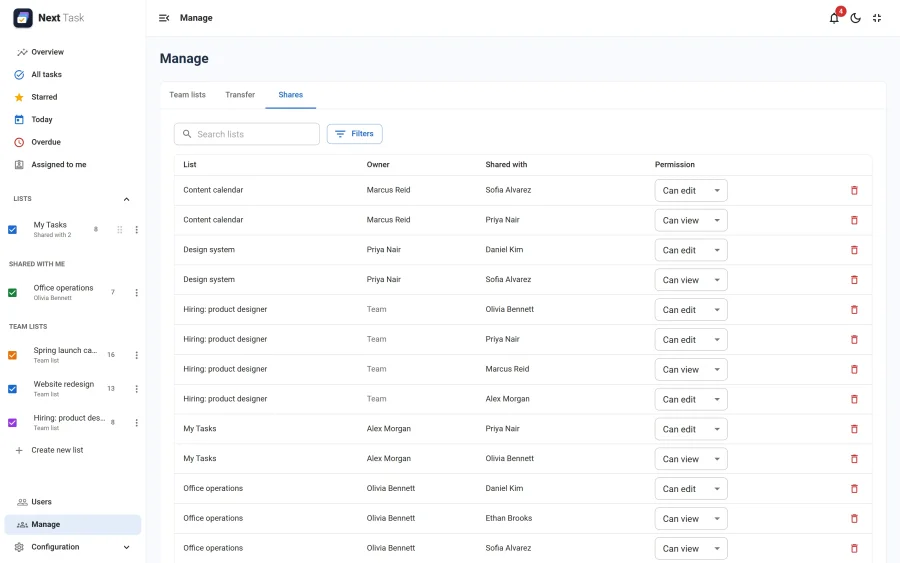
Every share on the site: the list, its owner (or "Team"), the user or group it is for and the permission. Search by list, filter by user or group, switch a share between view and edit, or remove it. Removing a share unassigns the people who lost access.
All the details, including the rules for team lists and the quotas, are in Managing team lists.