Reminders and the Daily Digest
Next Task sends three kinds of email, through Joomla's own mailer: a reminder when a timed task falls due, a daily digest of what is due today and overdue, and a message when a task is assigned to you. Reminders also land in the bell.
The reminders and the digest are sent by Joomla's Scheduled Tasks; set them up once, as described in Reminders and scheduled tasks.
Due-Time Reminders
- For tasks with a time: a task due "Today 15:00" gets one reminder at 15:00, or earlier if the site sets a reminder lead time (Settings > System).
- It goes to the task's assignee, or to the list's owner when nobody is assigned. On a team list, only an assignee is reminded.
- Once per due date. Moving the due date arms a fresh reminder; running the routine every few minutes never sends one twice.
- A reminder missed by up to an hour (a scheduler that skipped a few runs) still goes out. Older ones are left to the digest, so a backlog of overdue tasks is never mailed at once.
- Date-only tasks send no reminder: they belong to the digest.
- The reminder appears in the bell too, also when the site sends no mail.
The Daily Digest
- One email a day with your open tasks due today or overdue, across every list you can reach, plus the tasks assigned to you. On a team list, only tasks assigned to you are in it.
- Sent at your own time (Settings > Preferences), in the site's time zone, at most once a day. The routine runs hourly and waits for each person's time.
- Nobody gets an empty digest: a day with nothing due sends nothing.
- Off by default; the site decides whether people who never opened their preferences get it (Settings > System > Daily digest on by default).
Assignment Emails
When a task is assigned to you by someone else, you get an email straight away, unless you switched it off. The site decides the default (Settings > System > Assignment emails on by default).
Your Preferences
Each person chooses in Settings > Preferences:
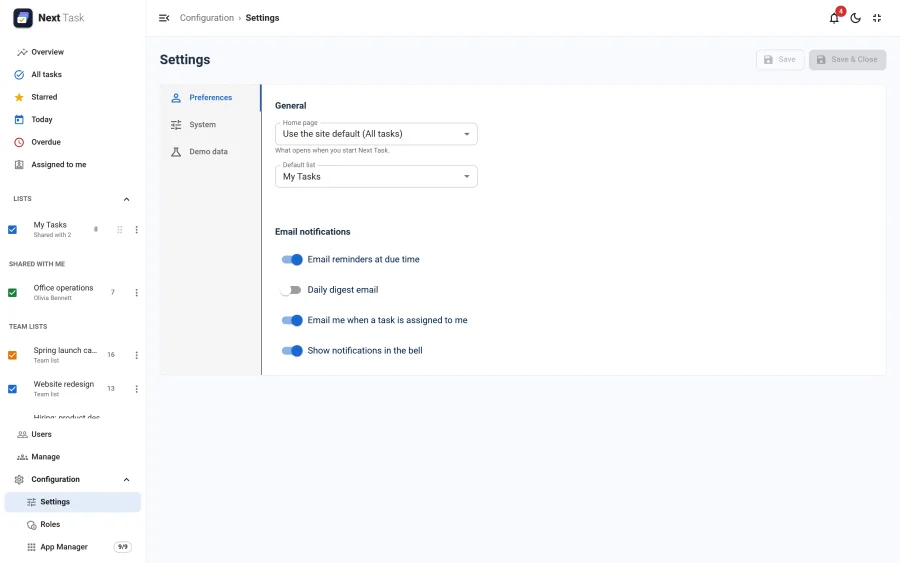
- Email reminders at due time
- Daily digest email and its time
- Email me when a task is assigned to me
- Show notifications in the bell
When Nothing Is Sent
- The Reminders & Digest app is switched off in the App Manager: no reminder, digest or assignment email, and their preferences are hidden.
- Joomla's mail is switched off (Global Configuration > Server > Send Mail): the routines say so and send nothing, without counting it as a failure. Due reminders still reach the bell.
- The person opted out, or their account is blocked.
The wording of every email is a language string (COM_NEXTTASK_MAIL_*), so it can be changed per language with Joomla's Language Overrides.