Starred Tasks
Star the tasks that matter most right now. A star is a flag on the task, shown to everyone who can see it, and it carries over to the next occurrence of a recurring task.
Starring
- Click the star at the right of a task row (it shows on hover; a starred task always shows it), or the star at the top of the task drawer.
- Press
son the selected task. - Select several tasks and choose Star in the bar that appears (see Keyboard shortcuts and bulk actions).
Starring needs edit access to the list, like any other change to a task.
Finding Starred Tasks
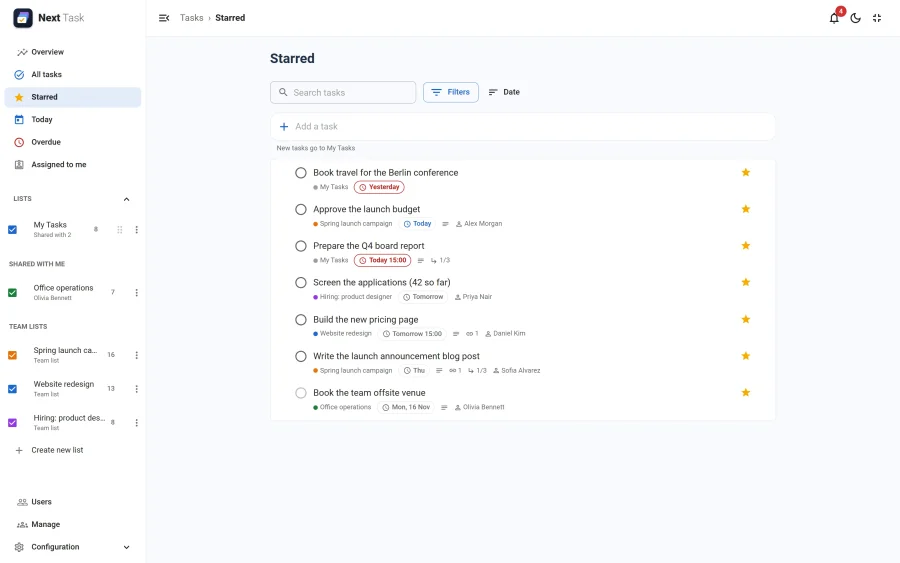
- Starred, in the navigation, gathers the open starred tasks of every list you can reach.
- Starred sort (in the list menu) puts a list's starred tasks first.
- Starred only, in a list's Filters, hides the others.