Customers & Loyalty
Because orders from every channel land in one place, so do the people who placed them. Customers, reviews, coupons and gift cards are all first-class records rather than a bolt-on.
Customers
Customers lists everyone who has ordered or booked. A customer record holds contact details, marketing preferences and their history with you.
Clicking a row opens a customer detail overview — order history, reservations, total spend and recent activity — rather than dropping into an edit form. It is the screen to open when someone rings up about a previous order.
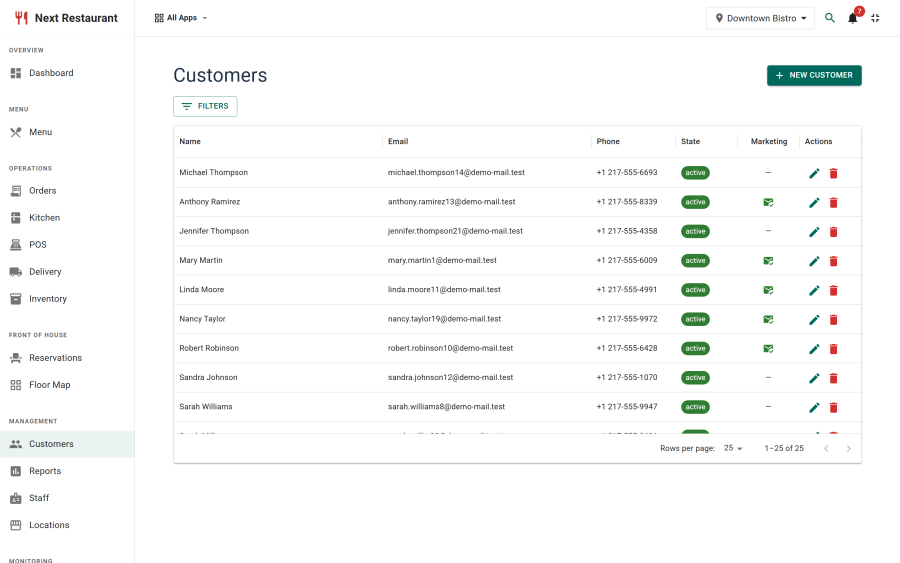
Customers are created automatically as orders and bookings come in, and can also be added by hand for account customers and regulars.
Reviews
Reviews are collected from the storefront and moderated in Reviews. Publish the ones you want shown, and they appear on the public reviews page (a Joomla menu item of type Next Restaurant → Reviews).
Moderation is the whole point: reviews are unpublished until someone approves them, so the public page is never a surprise.
Coupons
Create coupons under Promotions → Coupons. A coupon carries:
| Setting | Effect |
|---|---|
| Code | The code guests will enter |
| Discount | A fixed amount or a percentage |
| Validity dates | When the code works |
| Usage limits | Total redemptions, and per customer |
| Minimum spend | The order value the code requires |
| Status | Unpublish to withdraw a code without deleting its history |
Applying coupons is not available in 6.0.0. You can create and manage codes now, but checkout has no coupon field yet and no order takes a discount from a code (Coming soon). Codes you set up in the meantime are kept.
Gift cards
Gift cards are issued by staff and looked up by guests.
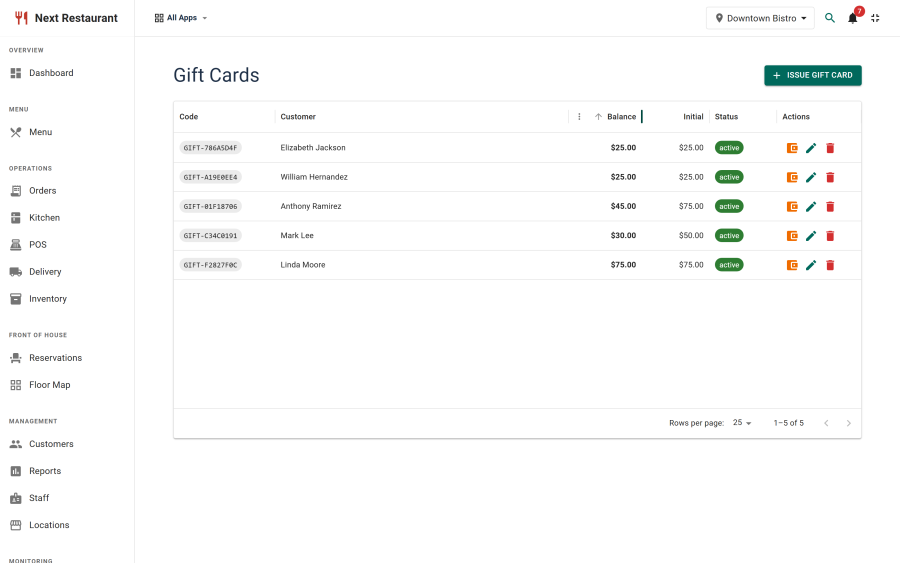
- Issuing. Promotions → Gift Cards → New creates a card with its own code, a value, and an optional customer and expiry date.
- Balance lookup. Guests enter a code on the public balance page (a Joomla menu item of type Next Restaurant → Gift Card Balance) to see its balance, status and expiry.
- Management. Promotions → Gift Cards lists issued cards with their balances and status.
Redemption is not available in 6.0.0. Cards are issued in the admin — the public page looks up a balance, it does not sell cards — and the Gift card payment provider is locked (Coming soon), because nothing yet validates a balance at the point of payment. The same applies to redeeming Loyalty points against a check. Both unlock in a future update; balances issued in the meantime are kept and will be redeemable then.
Gift cards are a payment provider in the registry, so once redemption ships it will settle the check through the same pipeline as any other payment and appear in the ledger. See Payments.
Turning it off
Customers and reviews belong to the customers module; coupons and gift cards belong to loyalty. Both can be switched off independently under Apps — a venue that doesn't run promotions can remove the whole promotions area without affecting ordering.
Practical notes
- Gift-card balances are money. Once redemption ships they settle checks, so treat issuing them with the same care as a till.
- Reviews stay unpublished until approved. Nothing reaches the public page by default.
See also
- Payments — gift cards as a settlement type
- Storefront — the reviews and gift-card balance pages
- Reports — what customers actually spent