Inventory
Recipe-driven stock control. Link menu items to the ingredients they consume, and selling a dish draws those ingredients down automatically — across every channel, with every movement recorded.
Stock items
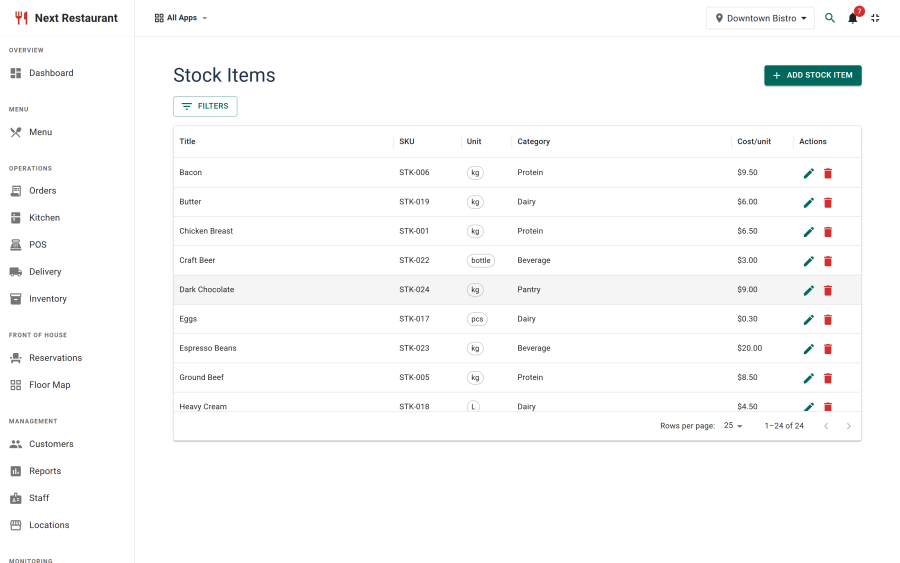
A stock item is something you buy and consume — flour, chicken thighs, a keg, takeaway boxes. Create them under Inventory → Stock Items.
| Field | Purpose |
|---|---|
| Name | What you call it on a delivery note |
| Unit | The unit you track in — kg, litres, each. Recipes are expressed in the same unit |
| Cost | Unit cost, used for recipe costing and the ingredient-usage report |
| Par level | The level below which the item is considered low |
| Location | Stock is tracked per venue |
Stock levels
Inventory → Stock Levels shows the current quantity of every item at each location, with low-stock items flagged against their par level.
Recipes
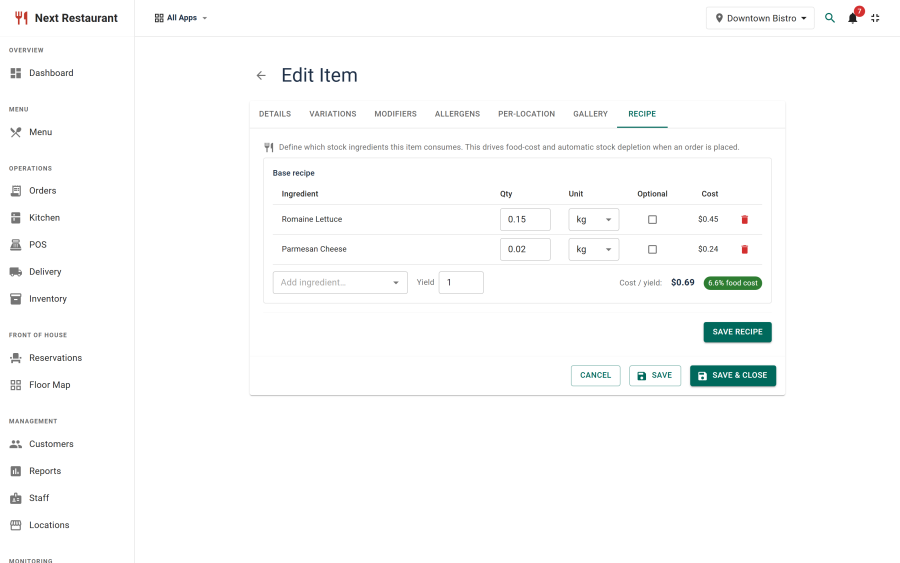
A recipe links a menu item to the stock items it consumes and how much of each. Recipes are edited from the menu item itself, on its Recipe tab.
Two things follow from a recipe:
- Costing. The item's ingredient cost is computed from its recipe and the unit costs, so you can see the margin on a dish rather than guessing it.
- Depletion. Selling the item draws down its ingredients.
An item with no recipe simply doesn't deplete anything. That is a valid choice — you can run recipes on food and not on drinks, or on nothing at all.
Depletion
When an item sells, its recipe quantities are subtracted from stock at the order's location.
Depletion applies to every channel — storefront, QR table ordering, POS, phone and delivery. This is deliberate: stock that only depleted on some channels would be worse than no stock tracking at all, because it would look authoritative while being wrong.
Which channels deplete is configurable under Settings → Inventory, for the cases where you genuinely want a channel excluded.
Movement ledger
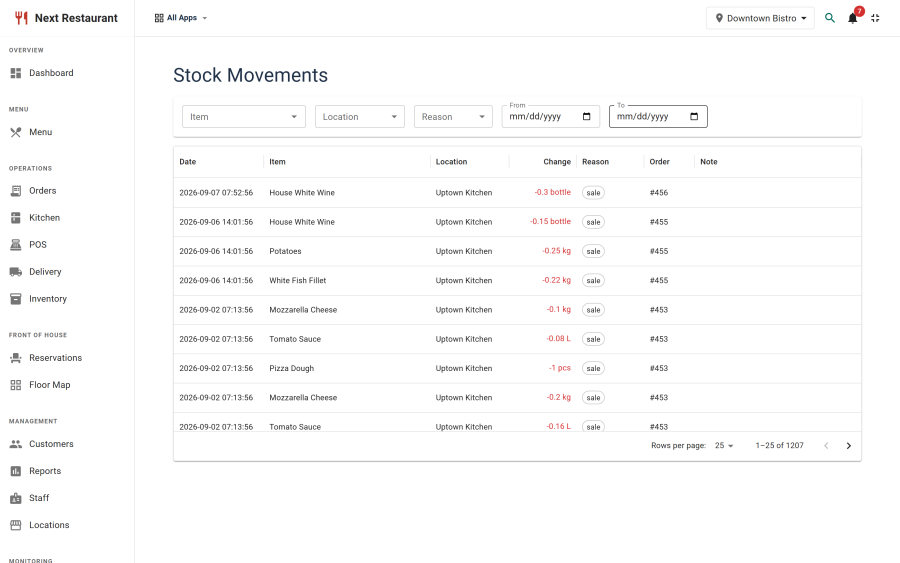
Every change to stock is a movement, and every movement is kept. Inventory → Stock Movements is the ledger.
| Movement type | Raised by |
|---|---|
| Receipt | Stock coming in |
| Depletion | An item selling |
| Waste | A waste log entry |
| Adjustment | A manual correction, e.g. after a count |
| Restock | A correction that returned ingredients to stock |
Because the ledger is append-only in practice, "why is there only 2kg left" has an answer you can read rather than reconstruct.
Waste log
Inventory → Waste Log records what was thrown away and why — spoilage, a dropped plate, a mistake on the line, a cancelled order after cooking started.
Waste entries write a movement, so wasted stock leaves the ledger the same way sold stock does, and the ingredient-usage report reflects reality rather than theoretical consumption.
Order corrections tie into this directly: cancelling a dish the kitchen already made asks whether the ingredients were wasted or restocked, and writes the matching movement. See Order Corrections.
Low-stock alerts
When items fall below their par level, a low-stock digest can be emailed to subscribed users. The digest is rate-limited to at most one in twenty-four hours, so a single item hovering at its par level cannot fill anyone's inbox. See Notifications.
Auto-86
If an item's recipe references an ingredient that reaches zero, the item can be pulled from sale automatically. It disappears from the storefront, QR ordering and the POS at once — the same effect as an 86 rung in by hand, without waiting for someone to notice.
Restocking the ingredient makes the item sellable again.
Setting it up
- Enable the module. Inventory is the
inventorymodule under Apps. - Create your stock items with their units and costs. Units matter — recipes are expressed in the same unit, so a mismatch between kg and grams becomes a thousandfold error.
- Add recipes to the menu items you want tracked. Start with your highest-volume dishes; you don't need the whole menu at once.
- Receive your opening stock so levels start from something real.
- Set par levels on the items you want alerts for.
See also
- Menu — where recipes are attached
- Order Corrections — waste versus restock
- Reports — ingredient usage and cost
- Notifications — low-stock digests