Reservations
Table bookings that respect the room you actually have. The availability engine offers slots against your opening hours, the capacity of your tables and the bookings already in the diary — so a slot offered on the website is a slot you can genuinely seat.
The availability engine
When the booking page asks for availability, three constraints are applied in order:
- Opening hours. Slots exist only inside the location's opening hours for that day, including split shifts — a venue that serves lunch and dinner with a gap between produces two bands of slots, not one continuous run.
- Table capacity. A request for a party of six is matched against tables that can seat six. If the largest table seats four, six covers finds nothing — correctly.
- Existing bookings. Tables already committed for an overlapping period are excluded.
Anything that survives all three is offered. Anything that doesn't, isn't — the page never shows a time it cannot honour.
Double-booking protection
The booking write takes a lock, so two guests submitting the same slot at the same moment cannot both claim the last table. One succeeds; the other is told the slot has gone and offered the refreshed list.
The public booking page
Publish it as a Joomla menu item of type Next Restaurant → Booking. The guest picks a date, party size and slot, and supplies their contact details.
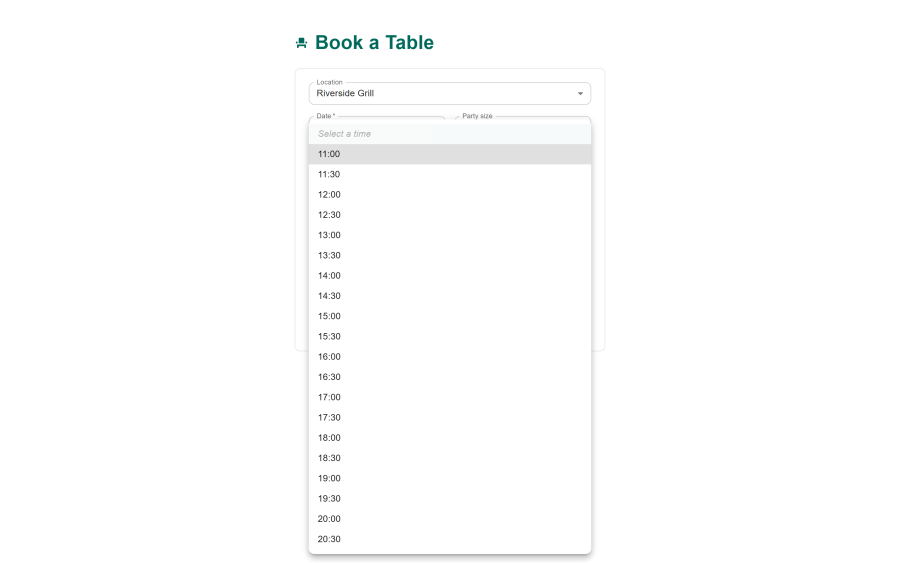
The slot picker only renders what the engine returned, so there is no "request a booking and we'll get back to you" round trip unless you want one.
Managing bookings
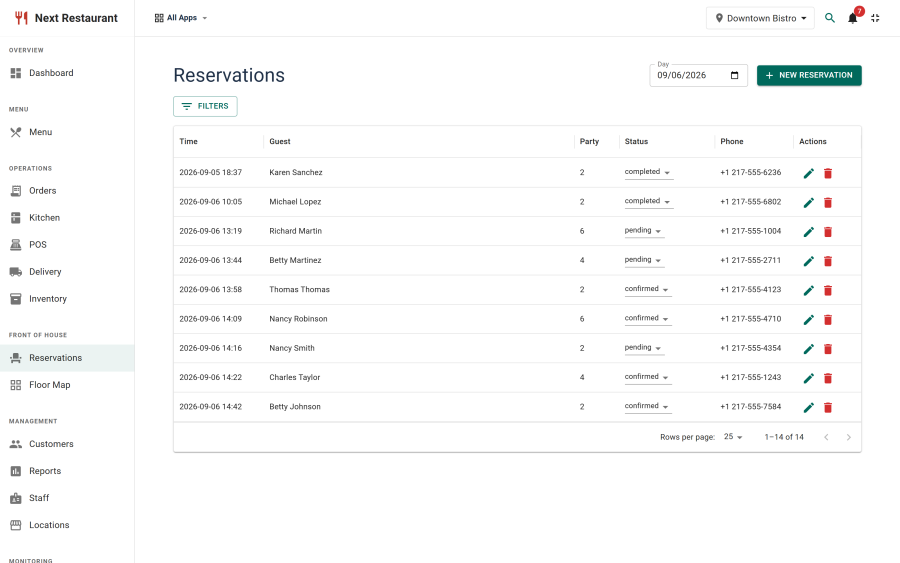
Reservations lists the diary. Each booking carries the guest, party size, time, table, status and any note.
Status state machine
Bookings move through defined states rather than free-form flags, which is what makes the notifications reliable:
| Status | Meaning |
|---|---|
| Pending | Received, not yet confirmed |
| Confirmed | Accepted and held |
| Seated | The party has arrived and been sat |
| Completed | Service finished |
| Cancelled | Cancelled by the guest or the venue |
| No-show | The party did not arrive |
Each transition can drive a notification. Because the transitions are defined, a guest never gets a "your table is confirmed" email for a booking that was already cancelled.
Assigning tables
A booking can be assigned to a specific table, either from the list or visually from the floor map — see Floor Map. The visual picker is faster when the constraint is "somewhere by the window" rather than a table number.
Guest notifications
Bookings send HTML transactional emails to the guest — confirmation, reminder and status changes — and notify staff at the venue's address. Emails are rendered with inline styles so they survive the mail clients that strip stylesheets.
Nothing is sent where there is no address to send to: a walk-in recorded without an email simply doesn't trigger one. See Notifications.
Setting it up
- Set your opening hours on the location, including split shifts if you have them. This is the single most common cause of missing slots.
- Define your tables under Reservations → Tables, each with its seat count and area. The engine has nothing to offer until tables exist.
- Define areas under Reservations → Areas if you want to distinguish the terrace from the main room.
- Publish the booking menu item.
- Optionally draw the floor plan so the host screen and the visual picker have a map to work with.
Host and waiter screens
Two staff terminals cover the floor:
- Host — see who is arriving, seat parties, and track table status through service.
- Waiter — take orders from the floor against a table.
Both run on a tablet with no Joomla login. See Staff Terminals.
See also
- Floor Map — drawing the room and live occupancy
- Locations — opening hours and split shifts
- Notifications — guest and staff emails
- QR Ordering — the tables defined here carry the QR codes