Menu
The menu is the foundation of Next Restaurant — the one module that cannot be switched off, because orders, the kitchen display, the POS and delivery all read from it. Build it once and it publishes to every channel: the storefront showcase, online ordering, QR table ordering and the POS tile grid.
Categories
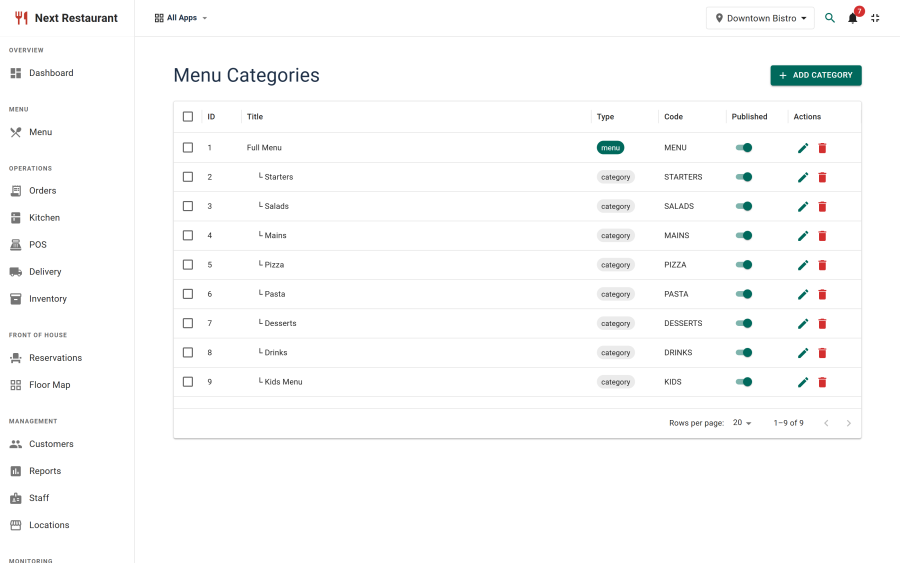
Create categories first, under Menu Categories. They control how the menu is grouped and the order sections appear in, everywhere the menu is rendered.
| Field | Purpose |
|---|---|
| Name | The section heading on the storefront and the tab in the POS |
| Description | Optional intro text shown under the heading on the public menu |
| Ordering | Drag to reorder; this is the order guests and staff see |
| Image | Optional section image used by the storefront showcase layouts |
| Status | Unpublished categories and their items disappear from every channel |
Items
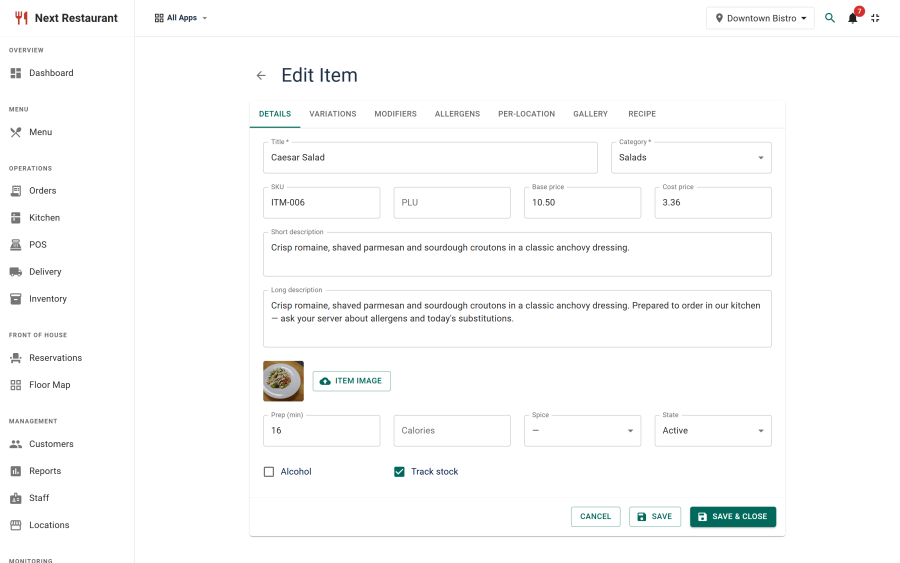
Menu → New creates a sellable item.
Core fields
| Field | Notes |
|---|---|
| Name | Shown on the storefront, the POS tile and the kitchen ticket |
| Description | Storefront only — the POS and KDS show the name |
| Price | The base price, before modifiers and per-location overrides |
| Category | Determines grouping and, by default, kitchen routing |
| Image | Uploaded and cropped in place — see below |
| Allergens | Multi-select from your allergen list |
| Status | Unpublished items vanish from every ordering channel |
Images and cropping
The item editor uploads and crops in one step, so you don't need to prepare images beforehand. Crop to the aspect ratio the storefront layouts expect and the showcase stays visually even — mismatched crops are the most common reason a menu page looks untidy.
A separate venue gallery (under Menu → Gallery) holds photography of the restaurant itself, for the storefront gallery page. It is not attached to items.
Availability
Items can be limited to particular times — a lunch menu that stops at 15:00, a breakfast item that never appears at dinner. Outside its window an item is not offered on any channel.
Per-location overrides
On a multi-location install, price and availability can be overridden per venue. The base record stays authoritative; the override applies only where set. A dish that is £12 in the city branch and £10 at the retail park is one item with one override, not two items.
Modifier groups
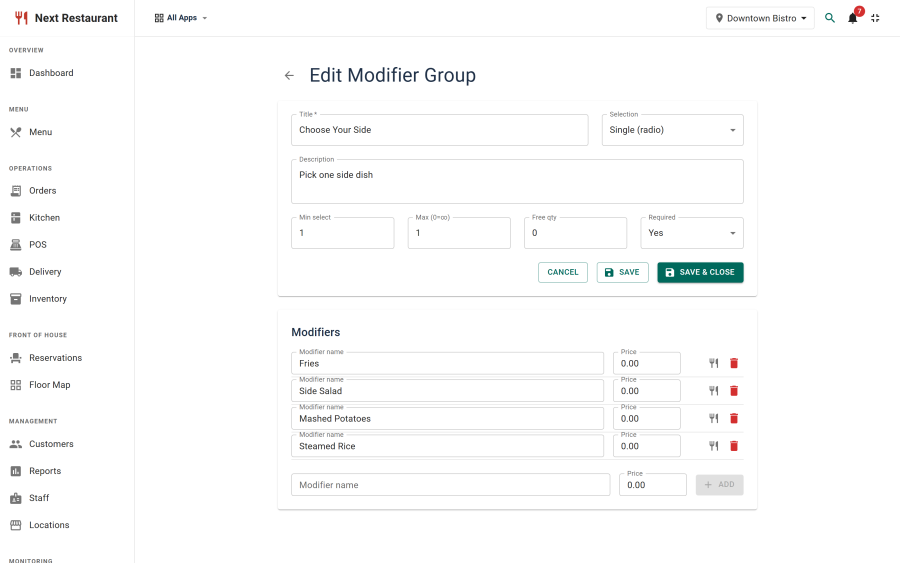
A modifier group is a reusable set of options attached to items — size, extras, cooking preference, side choice. Define them once under Menu → Modifier Groups and attach them wherever they apply.
| Setting | Effect |
|---|---|
| Name | The prompt shown to the guest or the server ("Choose a size") |
| Minimum selections | 0 makes the group optional; 1 or more makes it required |
| Maximum selections | 1 makes it a single choice; higher allows multiples |
| Options | Each with its own label and price delta |
| Price delta | Added to (or subtracted from) the item price when chosen |
Because groups are shared, adding an option to "Cooking preference" updates every steak on the menu at once. Selection rules are enforced on the server as well as in the interface, so a hand-crafted request cannot skip a required choice.
Allergens and dietary tags
Maintain the list under Menu → Allergens, then tag items. Tags appear on the public menu, in the ordering flow, and on the kitchen ticket — so a cook sees the allergen on the line they are making, not just the guest at the point of ordering.
Taking an item off sale
There are three levels, from most to least drastic:
| Action | Effect | Where |
|---|---|---|
| Unpublish | The item disappears from every channel until republished | Menu item editor |
| 86 | Marked unavailable now; returns when you clear it | POS, or the item list |
| Auto-86 | Pulled automatically when a recipe ingredient hits zero | Requires a recipe — see Inventory |
86-ing from the POS is the one a floor manager reaches for mid-service: it takes effect immediately across the storefront, QR ordering and every terminal.
Menu item detail
Clicking a row in the menu list opens a read-only overview of that item — its pricing, modifiers, allergens, recipe (if any), per-location overrides and recent sales — rather than dropping straight into the editor. It is the fastest way to answer "what is this dish actually costing us" without changing anything.
See also
- Online Ordering — how the menu renders in the ordering flow
- Inventory — recipes, costing and auto-86
- Kitchen Display — routing lines by category and item
- Storefront — the public menu showcase