Bookings and tape chart
Every stay is one booking record, from the first quote to the final invoice. Bookings come from the website, from staff in the admin, from an accepted enquiry or request, and as blocked nights from imported channel calendars.
The dashboard
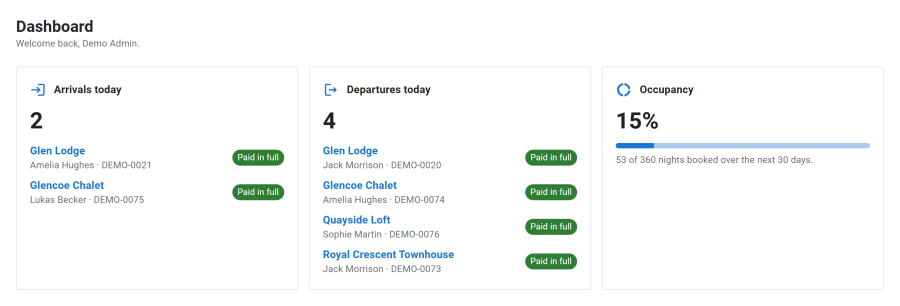
The admin opens on the Dashboard: today's arrivals and departures, and the occupancy of the next 30 days. On a fresh site it also opens the setup wizard. See Setup wizard.
The tape chart
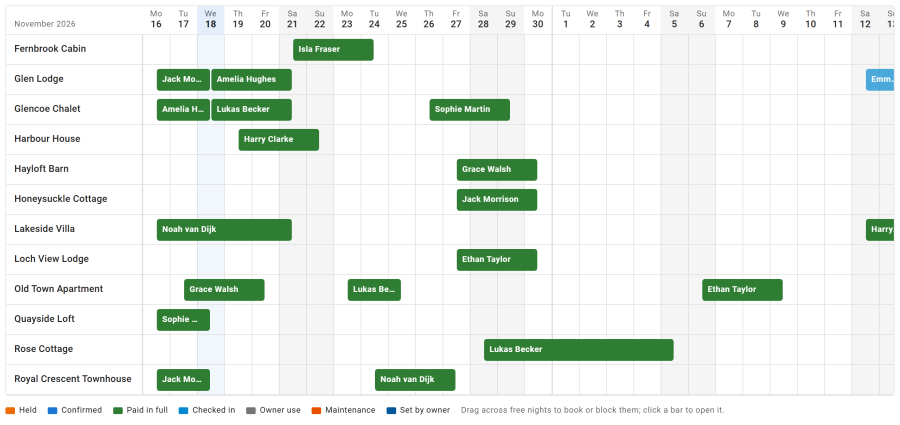
Reservations > Tape chart shows every property night by night, with bars for bookings, holds, owner use, maintenance and stays imported from other channels.
- Drag across free nights of a property to book them or block them for owner use or maintenance.
- Click a bar to open the booking or edit the block.
The night ledger
Every claim on a night goes through one table, where each property night can exist only once: a booking, a hold, an owner block, maintenance, or a stay imported by iCal. A second claim on the same night is refused by the database, even when two guests press Book at the same moment. That is why a property cannot be double booked.
The bookings list
Reservations > Bookings lists every booking with its reference, guest, property, dates, status and amounts. Filter and search it, and click a booking to open it.
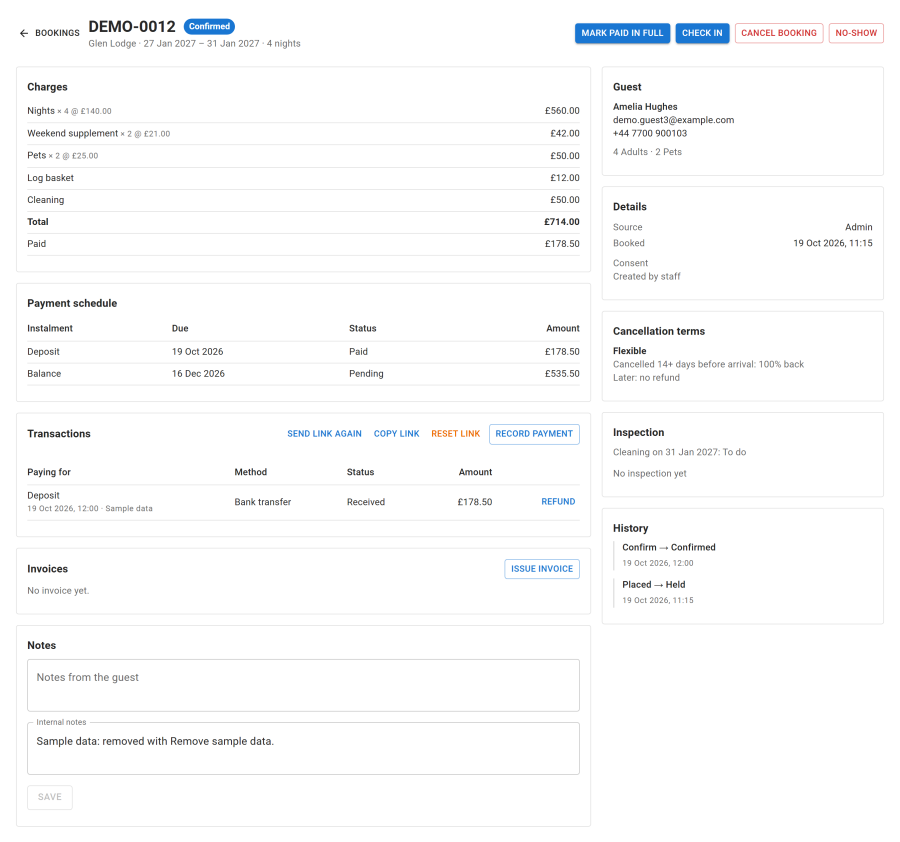
An open booking shows the stay and the party, the guest, the itemised price and payment schedule, payments and refunds, invoices, internal notes, the inspection when housekeeping is on, and a history of every change with its reason.
Statuses
| Status | Meaning |
|---|---|
| Enquiry and Quote sent | Before the guest commits |
| Requested | A booking request waiting for your answer (properties booked on request) |
| Held | The nights are kept while payment is waiting |
| Confirmed | The deposit (or the full amount) is paid, or staff confirmed it |
| Paid in full | Nothing more is owed |
| Checked in and Completed | During and after the stay |
| Cancelled, Declined, No-show and Expired | The stay will not happen. A declined request, or an expired hold or request, freed its nights |
Holds
An unpaid booking holds its nights for a while, then lets them go by itself. Each source has its own length, set under Configure > Settings > Bookings:
- Online checkout hold: while the guest pays on the website
- Bank transfer hold: while you wait for the money
- Admin booking hold: for bookings staff create without confirming them
The Expire booking holds task frees the nights of holds that ran out, and of booking requests nobody answered in time.
New booking
New booking in the bookings list, or a drag on the tape chart, opens the new booking dialog: pick the property, the dates and the party, choose an existing guest or enter a new one, and see the price live. Confirm at once, or keep it as a hold while the guest pays.
Guests
Reservations > Guests holds each guest's contact details, their booking history and their marketing consent. From a guest record staff can link the guest to a Joomla account, create one, export the guest's data or erase it. See Guest accounts and portal and Privacy and GDPR.