Images
Property photos on the website load fast on every screen. Each photo is shown in smaller copies, 400, 800, 1200, 1600 and 2400 pixels wide (never larger than the original), in AVIF and WebP, with a JPEG or PNG for older browsers. The browser picks the smallest copy that fits.
Your original photos are never changed. Copies are stored under images/nextselfcatering/sizes/.
When copies are made
- when you save a property or upload a photo
- by the scheduled task Make image sizes (hourly, up to 50 photos per run), which also removes copies no photo uses any more
The Images settings
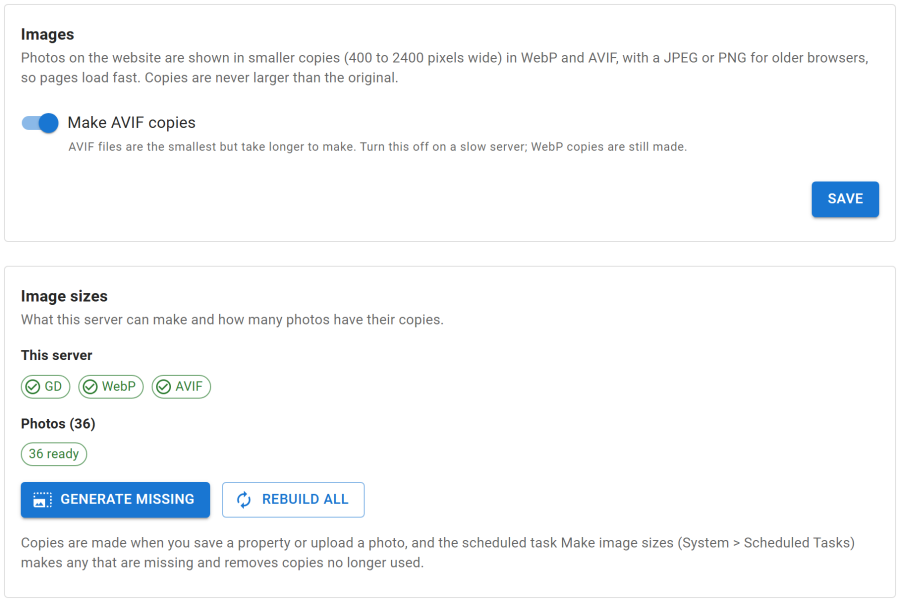
Configure > Settings > Images shows what your server can make (GD, WebP, AVIF) and how many photos are ready, waiting, failed or skipped.
- Generate missing makes the copies still waiting.
- Rebuild all makes every copy again, for example after you replaced photos over FTP.
- A progress bar shows how far it is, and Stop ends it. The rest is left for the scheduled task.
- Make AVIF copies can be switched off on a slow server. WebP copies are still made.
Server requirements
- The PHP GD extension. Without it, the website shows the original photos.
- WebP needs GD with WebP support.
- AVIF needs GD built with AVIF support (PHP 8.1 or newer).
Animated GIFs are shown as they are. Photos larger than 40 megapixels are not resized.
Adding photos
Photos are added on the Photos tab of the property editor, by upload or from the Joomla Media Manager, with a cover photo, alt text and captions. See Properties.
Inspection photos taken by cleaners are a different matter: they are private and never shown on the public website. See Housekeeping.