SEO
Lists and property pages are real HTML with clean addresses, page titles, structured data and social sharing tags, so search engines and social networks read them well.
Property addresses
Under Configure > Settings > Links (SEF), choose how a property's address looks:
- Alias only:
/holiday-homes/sea-view-cottage - ID and alias:
/holiday-homes/12-sea-view-cottage - ID only:
/holiday-homes/12
With the alias only, a property whose alias another property also uses, or that is one of the page words, gets its ID in front so the address stays unique.
Show the location in property addresses adds the location path, for example /holiday-homes/cornwall/st-ives/sea-view-cottage.
Every older form of an address still opens and redirects (301) to the current one, and a property that moves to another location keeps its old address working.
Landing pages
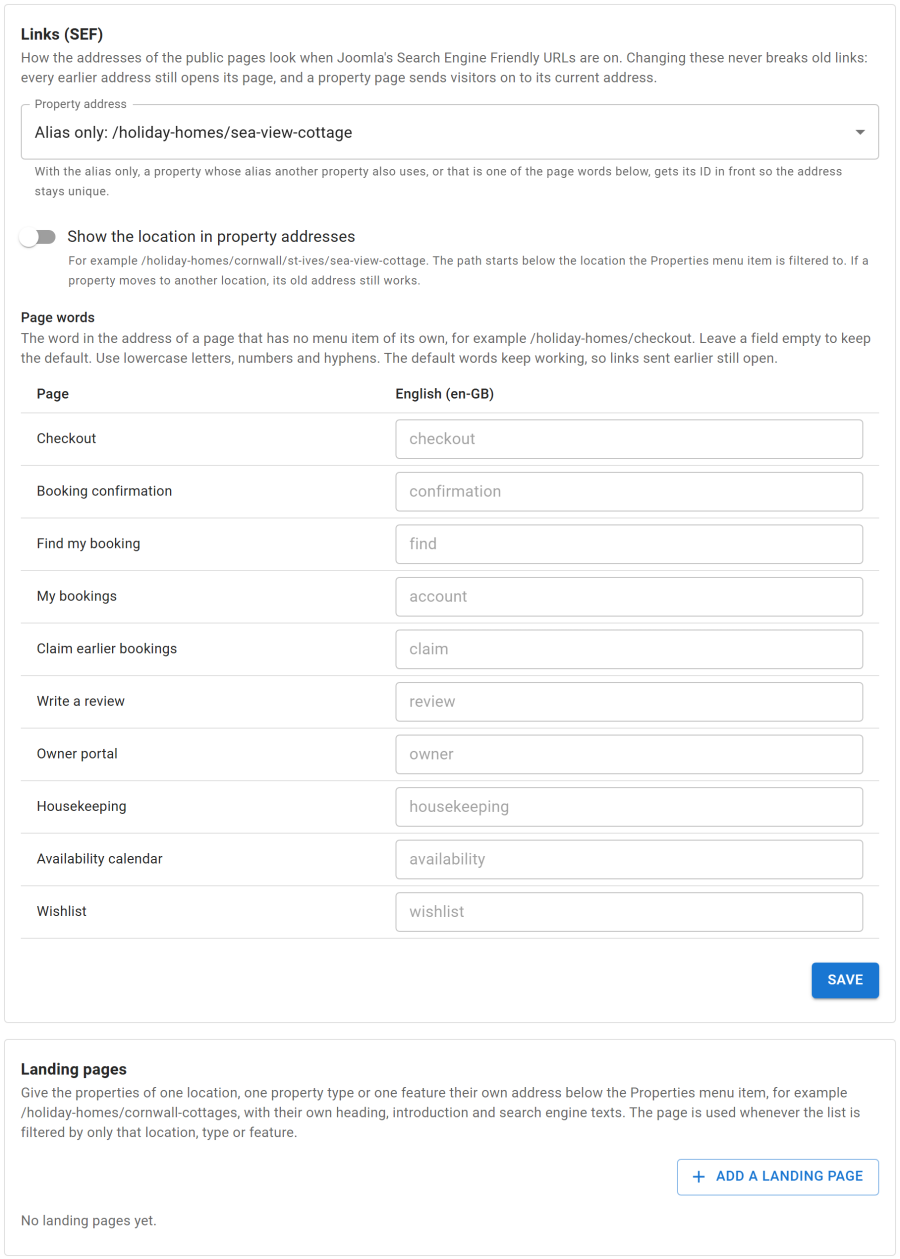
A landing page gives one location, property type or feature its own address below the Properties list menu item, such as /holiday-homes/cottages, with its own heading, introduction, browser title, meta description and robots, per language.
Add them under Configure > Settings > Links (SEF) > Landing pages:
| Field | Meaning |
|---|---|
| Lists the properties of and Shows | A location, a property type or a feature, and which one |
| Language | The content language the page is for |
| Address | The address below the Properties list menu item. Empty: made from the heading or title |
| Heading and Introduction | Shown above the properties |
| Browser title, meta description, robots | For search engines |
The list filtered by that location, type or feature then uses the landing address. A list filtered by more than one location, type or feature keeps its normal address.
Page words
Pages that need no menu item of their own (checkout, booking confirmation, find my booking, my bookings, claim earlier bookings, write a review, owner portal, housekeeping, availability calendar, wishlist) have a word in their address. Under Page words you can change that word per language. The default words keep working.
Per property
On a property's Page tab: browser title, meta description, sharing image and robots.
Menu items
Every page made from a menu item takes Joomla's own menu settings: page heading, browser title, meta description, keywords, robots and page class. Breadcrumbs follow the location of a property.
Structured data
| Page | Data |
|---|---|
| Property | VacationRental with an Offer from the lowest nightly price, the map position and the rating; FAQPage when the property has questions and answers |
| Lists | ItemList of the properties shown |
| Every page | BreadcrumbList, and your business as an Organization |
Social sharing
Property and list pages carry Open Graph and Twitter tags, with the property's sharing image or cover photo.
Duplicate content
Searches with dates and later pages of a list are kept out of search results, and each list keeps a clean canonical address.
There is no sitemap or hreflang: use your usual Joomla sitemap and language extensions.