Enquiries
Many guests ask a question before they book. The Ask a question form on each property page sends the question to you; you answer it by email from the admin and turn it into a booking when the guest is ready.
The enquiries pages are there while the Enquiries app is on.
The Ask a question form
Guests give their name, email address and question, and optionally their dates and party. With dates, the form shows a guide price. Where the form appears on the property page is a setting (Configure > Settings > Property page > Ask a question):
- Button that opens a window: an "Ask the host a question" link under the Book button, opening the form over the page with the dates and guests already filled in
- Tabs in the booking box: Book and Ask tabs that share the dates and guests
- Form on the page: the full form as its own section of the page
The form can use any Joomla captcha plugin you have enabled, chosen under Configure > Settings > Enquiries, and filters obvious spam. A consent checkbox can be added under Configure > Settings > Privacy.
Answering
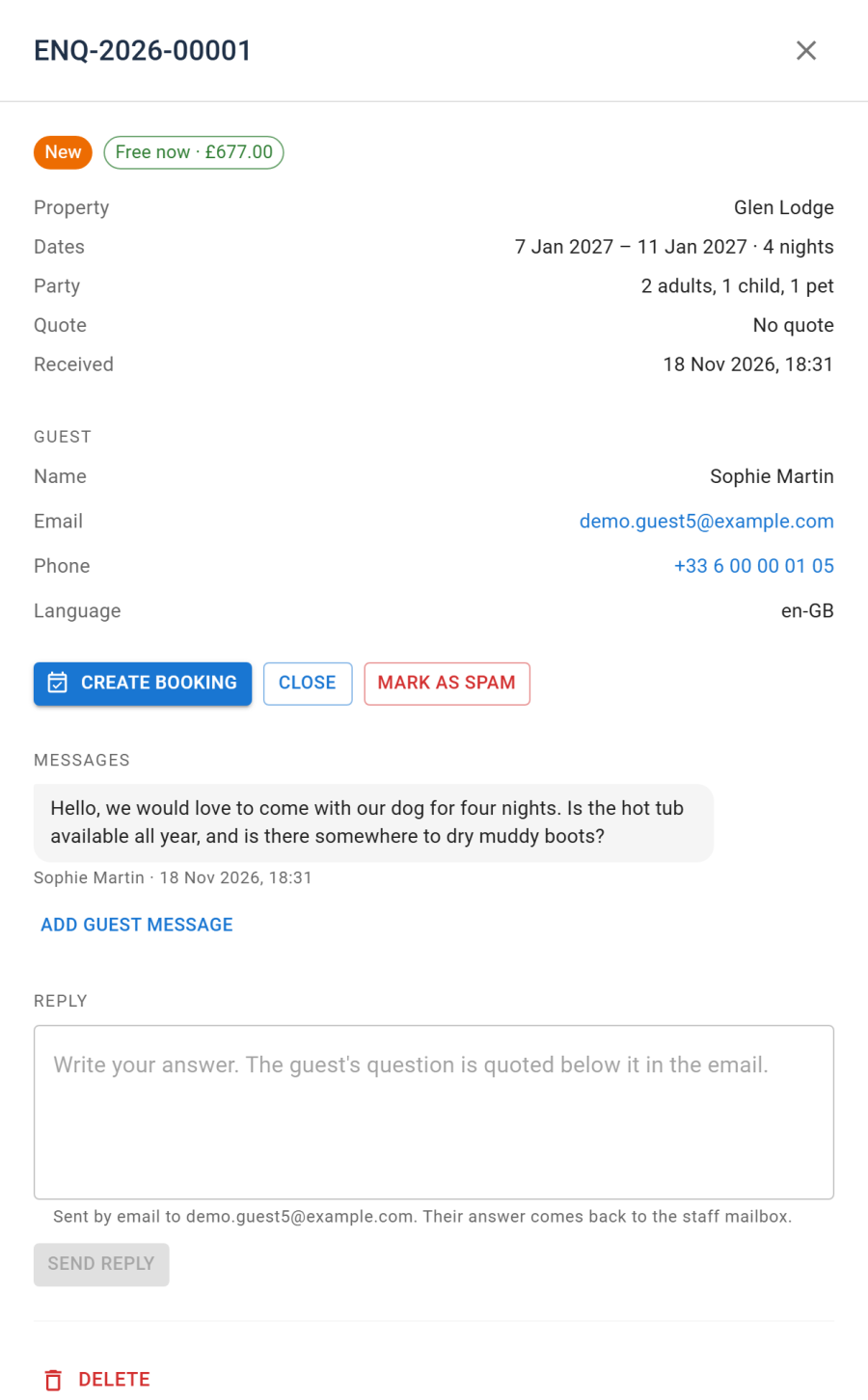
Open Reservations > Enquiries. A badge on the menu counts the new ones. Open an enquiry to see:
- the guest, the property, the dates asked and the party
- whether those dates are Free now, Taken now or Not bookable now, and a quote
- the whole thread of messages
Then:
- Reply: your answer is emailed to the guest, with their question quoted below it, and kept in the thread
- Create booking: opens a new booking with the enquiry's property, dates and party filled in. The enquiry is then Booked
- Close, Mark as spam or Reopen
Statuses: New, Replied, Booked, Closed and Spam.
Settings
Under Configure > Settings > Enquiries:
| Setting | Effect |
|---|---|
| Enquiry number format | How enquiry references are numbered |
| Captcha | The Joomla captcha plugin the form uses, or None |
| Confirm to the guest | Emails the guest that their question arrived |
| Email staff | Emails the staff address about each new enquiry |