Manage App
The Manage App is the Next Self-Catering admin app on a page of your website. Staff who run the business day to day can work from the site, on a laptop or a tablet, without opening the Joomla administrator. It is the same app with the same pages, permissions and data; only the place it opens is different.
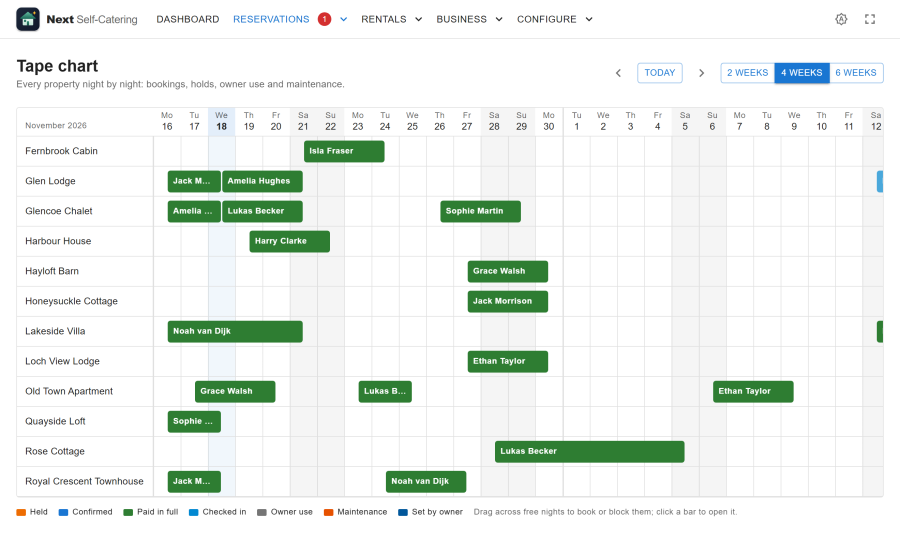
Publishing it
- Go to Menus > (your menu) > Add New Menu Item.
- Choose Next Self-Catering > Manage App as the menu item type.
- Put it in a menu that only registered users see, and save.
The page uses your site template around the app. The app keeps its own menu, light and dark themes, and hash addresses such as /manage#/bookings.
Who can open it
Only signed-in users who could also use Next Self-Catering in the administrator:
- they may log in to the administrator (Administrator Login in Global Configuration > Permissions), and
- they have Access Administration Interface on Next Self-Catering (Components > Next Self-Catering > Options > Permissions)
A visitor who is not signed in is sent to the login page. A signed-in user without those rights gets an "access denied" page. The Manage App never gives anyone more than the administrator would.
Inside the app, each person's staff role decides what they see and do, exactly as in the administrator, and switched-off apps stay hidden. Super Users (anyone with core.admin on the component) have full access.
What works in it
Everything the admin app does: the dashboard, bookings, the tape chart, guests, enquiries, properties, rates, housekeeping, invoices, statements, owners, reviews, reports and the configuration pages the person's role allows.
Files the app opens work too: invoice and statement PDFs, the payout and report CSVs, the guest data export, and inspection photos.
The page is never cached, so one person's data is never shown to another.
On the public demo
On the public demo site, the manager and administrator personas use the Manage App without any administrator login. See Demo and sample data.